

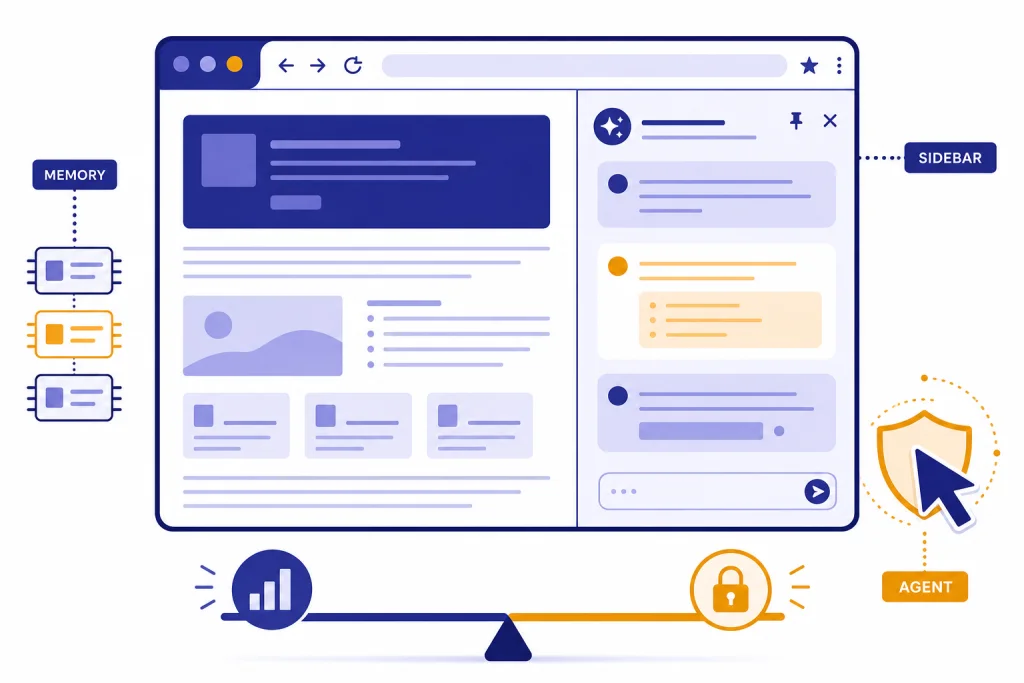
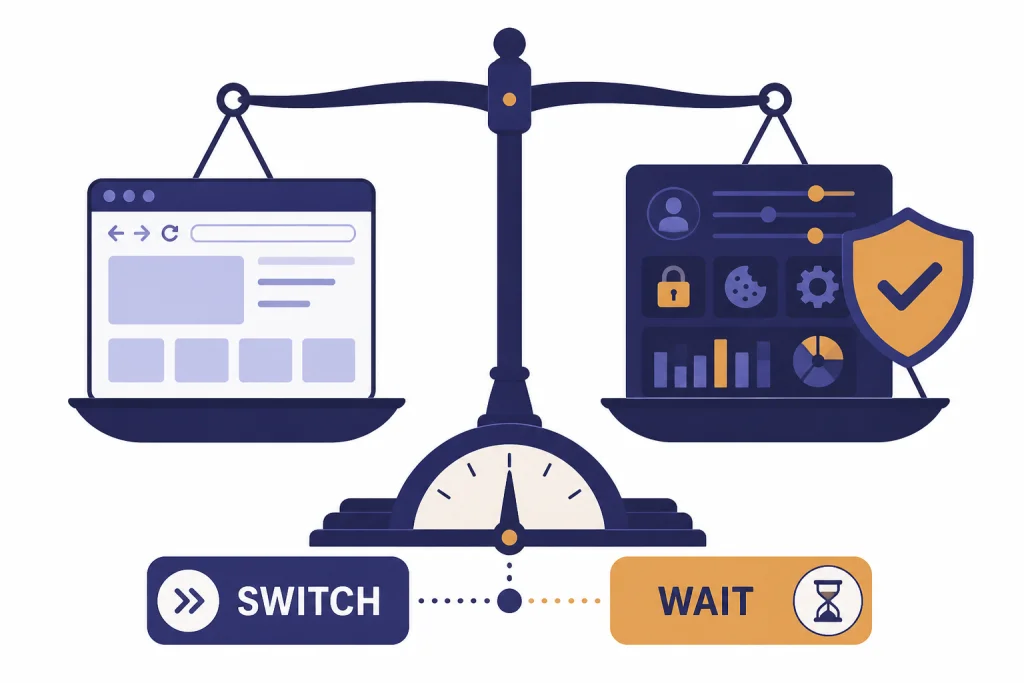
ChatGPT Atlas is worth trying if you already live in ChatGPT and use a Mac, but it is not yet a universal Chrome, Safari, or Edge replacement. The best reason to switch is not raw browsing speed. It is the built-in Ask ChatGPT sidebar, page-aware help, optional browser memories, and agent mode for tasks that would otherwise require constant copying between tabs. The reason to wait is just as clear. Atlas remains macOS-first, its most ambitious agent features carry real privacy and prompt-injection risk, and traditional browsers still have stronger cross-platform maturity. This ChatGPT Atlas review recommends Atlas as a work browser for research-heavy ChatGPT users, not as everyone’s default browser.
Verdict: should you switch to ChatGPT Atlas?
Yes, switch to ChatGPT Atlas if ChatGPT is already central to your work and you use a supported Mac. Do not switch if your browser is mainly for banking, admin portals, enterprise apps, mobile syncing, or extension-heavy workflows. OpenAI introduced Atlas on October 21, 2025, as a browser with ChatGPT built in, and TechCrunch reported the same launch date and macOS-first rollout.[1][7]
The short version is this. Atlas is strongest when it turns a page into a working surface for ChatGPT. It is weaker when you judge it as a mature, cross-platform browser ecosystem. That makes it a strong secondary browser and a conditional default browser, not an automatic replacement for Chrome, Safari, or Edge.
What ChatGPT Atlas is
ChatGPT Atlas is OpenAI’s web browser with ChatGPT built into the browsing interface. OpenAI’s launch post describes it as a browser where ChatGPT can follow you across the web, understand the page you are on, and help without forcing you to copy content into a separate ChatGPT tab.[1] MacRumors also described the product at launch as a dedicated AI browser with a persistent Ask ChatGPT sidebar, page summaries, product comparison help, code assistance, and browser memory features.[8]
That distinction matters. Atlas is not only a browser with a chatbot shortcut. Its core idea is page context. If you are reading a long report, comparing products, filling a form, or editing text in a web app, the assistant can use the current page as context. That is different from a normal browser extension that asks you to grant access one page at a time and often feels bolted on.
Atlas also sits alongside the broader ChatGPT product lineup. If you want a full view of the assistant itself, start with our ChatGPT review 2026. If you are mainly deciding whether a paid account is necessary, our ChatGPT Plus review and ChatGPT Pro review cover the subscription side more directly. Atlas is best understood as a new interface layer for ChatGPT, not a separate AI model.
Availability and setup
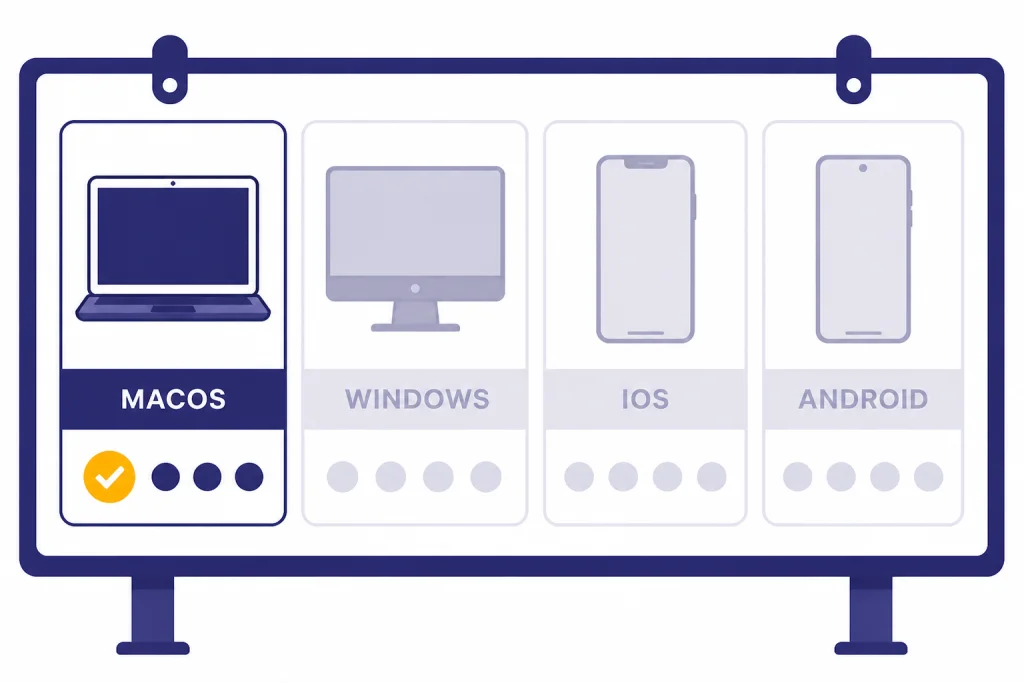
Atlas launched worldwide on macOS for Free, Plus, Pro, and Go users, with beta access for Business users and administrator-controlled access for Enterprise and Edu users, according to OpenAI.[1] TechCrunch independently reported that OpenAI launched Atlas first on macOS and said Windows, iOS, and Android support would come later.[7] OpenAI’s setup documentation says Atlas supports Macs with Apple silicon running macOS 14.2 or later.[3]
The onboarding flow is familiar if you have moved browsers before. OpenAI says users can import bookmarks, saved passwords, and browsing history from another browser during setup.[1] The release notes also show that Atlas gained more import flexibility after launch, including selecting individual import components such as passwords, bookmarks, extensions, and history.[2]
| Area | Atlas status | Reader impact |
|---|---|---|
| macOS | Available for supported Apple silicon Macs | Best fit for Mac-first ChatGPT users |
| Windows | Announced as coming after macOS | Windows users should wait or use the standard ChatGPT app |
| iOS and Android | Announced as coming after macOS | Not yet a full mobile browser replacement |
| Business | Available in beta at launch | Useful for teams that can tolerate early-product behavior |
| Enterprise and Edu | Available if enabled by an administrator | Workspace policy matters more than individual preference |
This availability table is why our recommendation is cautious. A browser switch is not just a desktop decision. It touches sync, passwords, mobile continuity, work device policy, extension compatibility, and default-app muscle memory. Atlas is easiest to justify when your browsing work happens mostly on a Mac and mostly inside ChatGPT-assisted research, writing, or planning sessions.
Daily browsing experience
As a normal browser, Atlas feels more complete than a prototype but less settled than the default browsers most people already use. OpenAI’s release notes show a steady sequence of fixes after launch: extension fixes, login fixes, vertical tabs, downloads UI changes, tab groups, tab search, auto-organize, and performance improvements during long browsing sessions.[2] TechRadar also covered a November 2025 Atlas update that added vertical tabs, extension import improvements, iCloud passkeys, and a better downloads interface.[14]
The practical result is a browser that has the main pieces most people expect. You can search from a new tab, open conventional pages, organize tabs, use history, and bring in browser data. Atlas also added features that matter to heavy researchers, such as tab groups and tab search. The February 18, 2026 release notes say tab search can search across the current window and all windows, and auto-organize can group tabs based on browser memories and prompt instructions.[2]
The weak spot is confidence. Traditional browsers have years of polish around edge cases. Atlas has a shorter track record, and its own release notes show continuing work on focus bugs, import compatibility, CPU usage, autofill behavior, extension permission prompts, picture-in-picture continuity, and memory over-use fixes.[2] That does not make Atlas bad. It means the browser is still proving itself in the boring places where default browsers earn trust.
For everyday use, I would not move every account into Atlas on day one. Start with a focused role. Use Atlas for research, writing, shopping comparisons, documentation, and tasks where ChatGPT context saves time. Keep your existing browser for banking, password resets, payroll, healthcare portals, admin consoles, and anything where reliability and separation matter more than assistant convenience.
The ChatGPT features that matter
The best Atlas features are the ones that reduce context switching. OpenAI lists a new tab page for questions or URLs, search result tabs for links, images, videos, and news where available, an Ask ChatGPT sidebar, inline writing help, browser memories, home page suggestions, and agent mode preview.[1][2] These features are not equally important. The sidebar, inline writing help, and memory controls are the ones that most change daily work.
| Feature | What it does | Best use case |
|---|---|---|
| Ask ChatGPT sidebar | Opens ChatGPT beside the current page | Summarizing, explaining, comparing, and drafting from page context |
| Inline writing help | Brings ChatGPT into form fields or editable text | Rewriting emails, product descriptions, messages, and support replies |
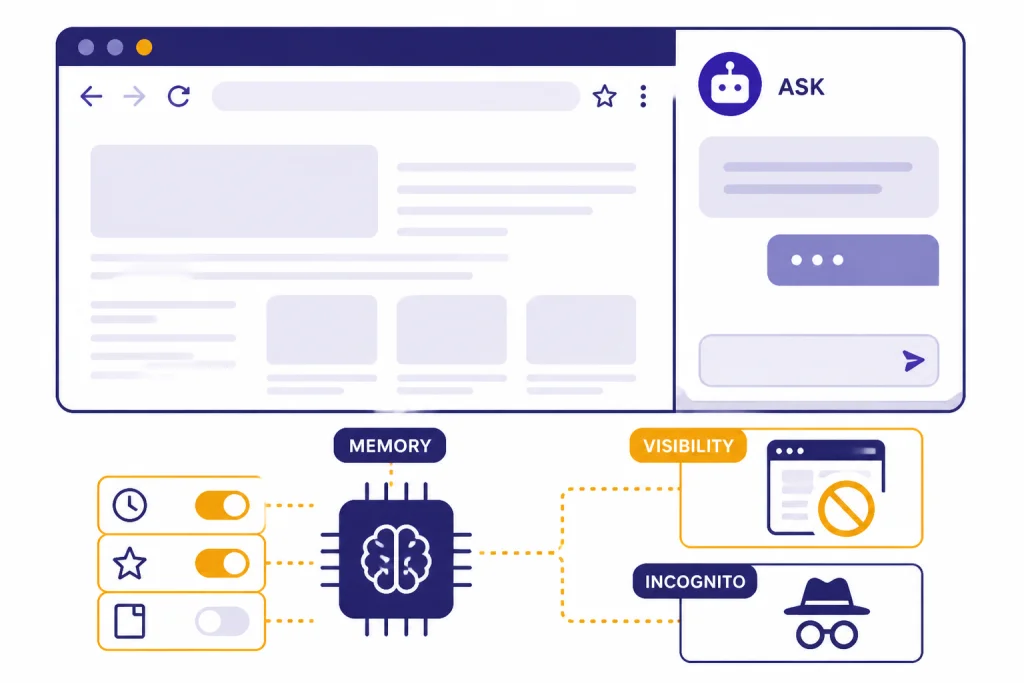
| Browser memories | Lets ChatGPT remember useful browsing details if enabled | Research projects where past pages should inform later suggestions |
| Page visibility controls | Lets users block ChatGPT from seeing specific page contents | Sensitive pages, account pages, and sites you do not want used as context |
| Incognito browsing | Separates the session from account-linked history and memory | Temporary browsing where you do not want Atlas to save session data |
| Agent mode | Lets ChatGPT take actions in the browser with boundaries | Multi-step research, planning, and repetitive web workflows |
The sidebar is the safest win. It makes ChatGPT page-aware without making the browser feel alien. You can ask for a plain-English summary, extract action items, compare claims, rewrite a paragraph, or ask what a settings page means. This overlaps with features we like in ChatGPT Canvas, but Atlas is better when the source material lives on the web rather than in a document-style editor.
Browser memories are more powerful and more sensitive. OpenAI says browser memories are optional, separate from ordinary ChatGPT memory, and controlled in settings.[4] OpenAI also says web content is summarized on its servers when browser memories are enabled, filtered for sensitive data, and the original web contents are deleted right after summarization while the privacy-filtered summaries are deleted within 7 days.[4] That is a clearer control model than many browser extensions provide, but it still asks the user to accept a deeper relationship between browsing and AI personalization.
The best use of memory is bounded. Turn it on for research-heavy workspaces where recall helps. Turn it off for casual browsing, financial pages, health research, legal matters, and anything involving other people’s private data. Atlas is much more compelling when memory is intentional rather than ambient.
Agent mode: useful, but not hands-off
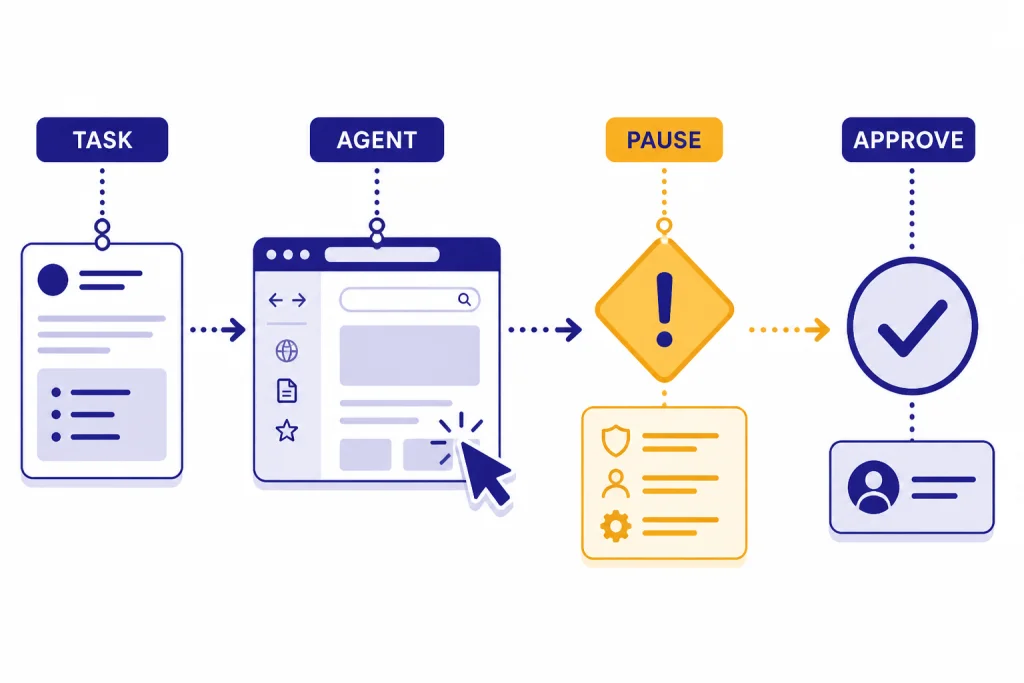
Agent mode is Atlas’s most ambitious feature. OpenAI says it lets ChatGPT take actions in the browser, use sites you are signed into in logged-in mode, and continue tasks you started in a tab.[5] At launch, OpenAI said agent mode was available in preview for Plus, Pro, and Business users, and its release notes repeat that Plus, Pro, and Business users can enable it in Atlas.[1][2]
The good version of agent mode is simple. Ask it to compare several product pages, collect restaurant options, organize a trip plan, check a long list of emails for action items, or move through a repetitive web workflow while you supervise. OpenAI’s own examples include researching a meal plan, making a list of ingredients, and adding groceries to a shopping cart.[2] If you already use ChatGPT Deep Research, Atlas feels like a more interactive cousin: less formal than a research report, but closer to the actual browser.
The risky version is also simple. A browser agent sees untrusted web pages, emails, documents, and forms. OpenAI says agent mode cannot run code in the browser, download files, install extensions, access other apps on your computer or your file system, access saved passwords, or use autofill data.[2][5] OpenAI also says logged-out mode prevents the agent from using existing cookies or being logged into accounts without specific approval, reducing the risk of attackers breaking safeguards to act on logged-in sites.[5]
Those boundaries help, but they do not make agent mode automatic. Treat it like a capable junior assistant working inside your browser. Give it narrow tasks. Watch high-impact steps. Use logged-out mode unless account access is necessary. Pause or take over when it reaches checkout, account settings, file deletion, messaging, finance, healthcare, or admin workflows. If your main interest is autonomous task execution rather than browsing, compare Atlas with our ChatGPT Agent review.
Privacy and security tradeoffs
Atlas has better controls than a careless AI browser would have, but its whole value proposition increases the amount of context ChatGPT can use. OpenAI says the “Help improve browsing & search” diagnostic toggle is on by default, while model training for browsing content is controlled separately through the “Include web browsing” setting.[4] OpenAI also says Business and Enterprise content is not used for training.[4]
Incognito is useful but not magic. OpenAI says Incognito activity is not linked to your ChatGPT account and is not saved in browser history, but it also says Incognito does not make users invisible to ChatGPT or the rest of the internet.[4] That is the right framing. Incognito reduces local and account-linked persistence. It does not prevent sites, networks, employers, schools, internet providers, or signed-out abuse monitoring from seeing activity in every possible way.
Security is the harder issue. OpenAI says prompt injection is one of the most significant risks it defends against in Atlas, and it shipped a security update with an adversarially trained model and stronger surrounding safeguards after internal automated red teaming found a new class of attacks.[6] Axios reported at launch that Atlas’s combination of web and chatbot data opened new privacy and security risks, especially when agent mode is involved.[9] Time later framed AI browsers as a tradeoff where convenience can come at the cost of privacy, especially when browser memories store descriptions of visited sites.[15]
The honest answer is not “Atlas is unsafe.” The honest answer is “Atlas changes the threat model.” A normal browser mostly waits for you to act. An AI browser can read, infer, remember, summarize, and sometimes act. That is the same reason Atlas is useful and the same reason cautious users should split sensitive browsing into a different browser profile or a different browser entirely.
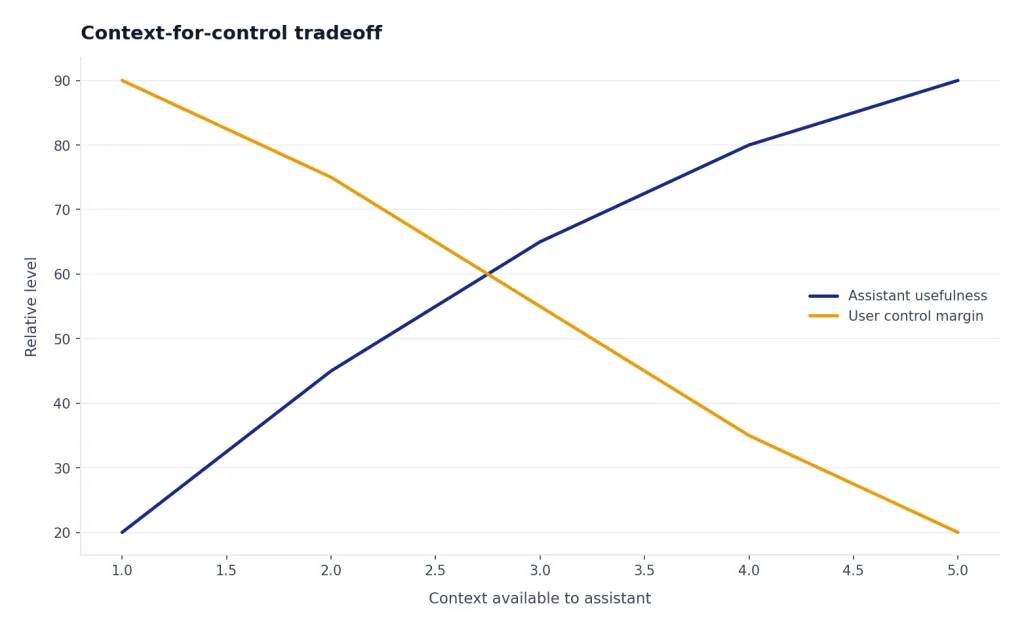
Original analysis: the context-for-control tradeoff
The central pattern in Atlas is what I call the context-for-control tradeoff. Atlas gets better as it sees more of your browsing context. You get better summaries, better suggestions, better recall, and more useful automation. You also concentrate more behavioral context inside one assistant-controlled interface.
This tradeoff is not unique to OpenAI. It is the direction of the AI browser market. Perplexity launched Comet in July 2025 with an assistant built into the browser, and Microsoft launched Copilot Mode in Edge on July 28, 2025 as an experimental AI browsing mode.[12][11] The Browser Company launched Dia in beta on June 11, 2025, presenting another AI-first take on browsing.[13] Atlas is different because it plugs directly into ChatGPT’s existing memory, chat, and agent ecosystem.
Use this decision rule. If a task benefits from more context than a normal browser can carry, Atlas is worth using. If a task benefits from less context, more isolation, or stricter predictability, keep it out of Atlas. Researching a purchase across ten tabs is a good Atlas job. Filing taxes, managing payroll, resetting passwords, or approving payments is not.
This is why I prefer Atlas as a task browser. Make it the place where ChatGPT helps you work through messy web context. Do not make it the only place where your entire digital life happens. That stance gives you most of the productivity gain while reducing the cost of mistakes, misread pages, unwanted memory, or agent overreach.
Atlas versus other AI browsers
Atlas competes in a crowded AI browser field, but the comparison is not only feature-by-feature. The bigger question is which assistant you want embedded in your browsing life. Microsoft Edge’s Copilot Mode is attractive if your work already lives in Microsoft services. Perplexity Comet is attractive if you want search-first answers. Dia is attractive if you like a redesigned browser built around lightweight AI workflows. Atlas is attractive if ChatGPT is already your default thinking and drafting tool.
| Browser | Primary AI angle | Best-fit user |
|---|---|---|
| ChatGPT Atlas | ChatGPT built into the browser with memory, sidebar, and agent mode | Mac users who already rely on ChatGPT for research and writing |
| Microsoft Edge Copilot Mode | Opt-in Copilot browsing mode inside an established browser | Microsoft ecosystem users who want AI without leaving Edge |
| Perplexity Comet | Assistant-led AI browsing with a search and answer engine emphasis | Users who want research-style answers and web navigation in one product |
| Dia | AI-first browser from The Browser Company | Users who liked Arc-style browser experimentation and want a newer AI workflow |
Compared with Edge, Atlas is more ChatGPT-native and less enterprise-browser mature. Compared with Comet, Atlas feels more connected to a general-purpose assistant rather than only answer retrieval. Compared with Dia, Atlas has the advantage of ChatGPT familiarity but less of a long-standing browser-design identity. Consumer Reports tested several AI browsers in 2025 and treated the category as useful but still privacy-sensitive, which matches our view that these tools should be adopted deliberately rather than by default.[10]
Atlas also intersects with OpenAI’s other products. If your work is mostly code, the browser may matter less than the model and tools behind it; our OpenAI Playground review and all GPT models compared side by side are better starting points. If your work is mostly custom workflows, compare Atlas with our ChatGPT Custom GPTs review and GPT Store review. If your work is voice-first, Atlas is not a replacement for the experience covered in our ChatGPT Voice Mode review.
Who should switch, and who should wait
Switch now if you are a Mac-based ChatGPT power user. Atlas is strongest for researchers, writers, analysts, students, product managers, shoppers, recruiters, founders, and support teams who spend hours moving between web pages and ChatGPT. If you often paste page content into ChatGPT, ask for summaries, compare pages, or draft responses based on what you are reading, Atlas removes friction.
Try it as a secondary browser if you are privacy cautious. This is my default recommendation. Use Atlas for projects, not everything. Let it handle web research, product comparisons, documentation, planning, and writing. Keep your established browser for sensitive accounts and high-stakes workflows.
Wait if you need Windows, mobile parity, or maximum extension reliability. OpenAI launched Atlas on macOS first and said Windows, iOS, and Android experiences were coming soon.[1][7] If your browsing life depends on seamless desktop-to-phone continuity, Atlas is not ready to be your only browser. If your work depends on niche Chrome extensions, test those extensions before moving your defaults.
Do not use Atlas agent mode as a substitute for judgment. The agent can save time, but it works in an environment full of untrusted instructions. OpenAI itself says prompt injection remains an open challenge for agent security and expects to work on it for years.[6] That sentence should shape how you use Atlas. The right posture is supervised automation, not blind delegation.
Frequently asked questions
Is ChatGPT Atlas free?
Atlas launched for Free, Plus, Pro, and Go users on October 21, 2025, according to OpenAI and TechCrunch.[1][7] That means the browser itself is not limited only to paid ChatGPT users. The important limitation is agent mode. OpenAI says agent mode in Atlas is available in preview for Plus, Pro, and Business users.[1][2]
Does ChatGPT Atlas work on Windows?
OpenAI launched Atlas worldwide on macOS first and said Windows, iOS, and Android experiences were coming soon.[1] TechCrunch also reported the macOS-first rollout and later platform plan on October 21, 2025.[7] For readers on Windows, that means Atlas is not the browser to reorganize your workflow around yet. See our ChatGPT Atlas for Windows guide for installation status and alternatives.
What Mac do I need for ChatGPT Atlas?
OpenAI’s setup documentation says ChatGPT Atlas supports Macs with Apple silicon chips running macOS 14.2 or later.[3] That is a meaningful requirement because older Intel Macs are not included in that help article. If you cannot install Atlas, use ChatGPT in your current browser or the standard desktop app. Our best ChatGPT app guide is the better path if device support matters more than the Atlas browser itself.
Does Atlas use my browsing data to train OpenAI models?
OpenAI says it does not use the content you browse to train its models by default in Atlas.[2] It also says the training control for web browsing content is separate from the diagnostic “Help improve browsing & search” toggle, which is on by default.[4] If you use Business or Enterprise, OpenAI says that content is not used for training.[4] Review these settings before making Atlas your default browser.
Are browser memories the same as ChatGPT memories?
No. OpenAI says browser memories and ChatGPT memories are separate and controlled independently.[4] Browser memories can be enabled during setup or under Settings > Personalization > Reference browser memories.[4] OpenAI says privacy-filtered browser-memory summaries are deleted within 7 days, while the visible memories remain under user control.[4] This is one of the first settings you should inspect.
Is ChatGPT Atlas safe for banking and sensitive accounts?
I would not use Atlas as my primary browser for banking, healthcare portals, payroll, or admin accounts. OpenAI says agent mode pauses on certain sensitive sites such as financial institutions, and it cannot access saved passwords or autofill data.[5][2] Those safeguards help, but OpenAI also says prompt injection remains an open challenge for agent security.[6] Use a separate browser for high-stakes accounts.
Is Atlas better than the regular ChatGPT app?
Atlas is better when the web page itself is the workspace. The regular ChatGPT app is better when you are drafting, chatting, analyzing files, or using ChatGPT without needing browser context. Atlas’s Ask ChatGPT sidebar can summarize and analyze the current page directly, which is the main advantage.[2][5] If you rarely ask ChatGPT about pages you are viewing, Atlas will feel less necessary.
Bottom line
ChatGPT Atlas is one of the clearest examples of where browsers are heading: less passive window, more context-aware assistant. It is already useful for Mac users who rely on ChatGPT for research, writing, planning, and repetitive web work. It is not yet the browser I would recommend for every account, every device, and every user.
Watch three things next: Windows and mobile availability, extension compatibility, and OpenAI’s progress against prompt injection in agent mode. If those improve, Atlas could become a serious default-browser candidate. Until then, the best move is to use it where it is strongest: as a focused ChatGPT work browser.