

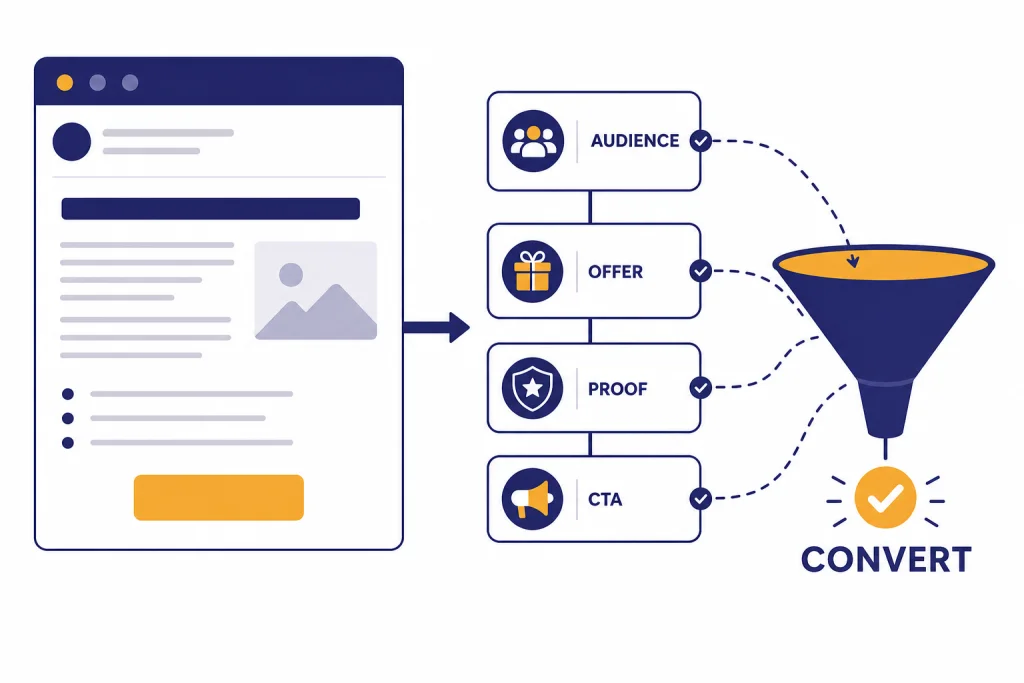
ChatGPT can make email writing faster, but the conversion lift comes from the way you brief it. Treat it like a junior copywriter with access to your audience, offer, proof, objections, and brand voice. Ask for several angles, force a clear call to action, then edit for accuracy and human context. This guide shows how to use ChatGPT for email campaigns, cold outreach, follow-ups, newsletters, customer support replies, and internal messages. It also explains what to measure, what not to automate, and how to keep privacy and compliance checks in the workflow.
What “converts” means in email
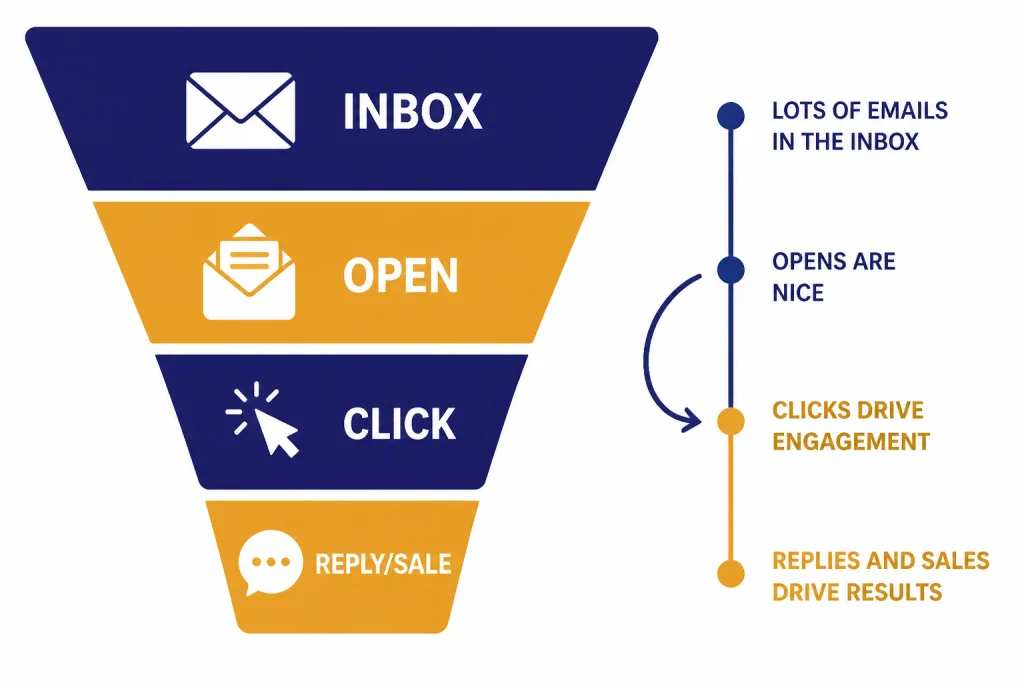
Email conversion does not mean the same thing for every message. A cold sales email converts when the recipient replies or books a call. A product launch email converts when subscribers click and buy. A newsletter converts when readers keep opening, clicking, and trusting the sender. A customer success email converts when it prevents confusion or churn.
This matters because ChatGPT needs a target. “Write a better email” is too vague. “Write a concise renewal reminder that gets a finance director to approve before Friday” gives the model a job, an audience, a timeline, and a desired action. OpenAI’s own prompt guidance emphasizes clear instructions, relevant context, and examples when asking a model to produce better output.[1]
As of the latest benchmark summaries available before this article’s publication date, HubSpot reported an average email open rate of 42.35% across industries in 2025, while also warning that privacy changes have made opens less reliable than clicks and downstream conversions.[6] DollarPocket’s benchmark roundup also cited 42.35% as the average open rate and 2.62% as the average click-through rate, based on its review of major email service provider data.[7] Treat these as directional baselines, not goals. Your own list quality, offer, sender reputation, and audience fit matter more than any global average.
A practical ChatGPT email workflow
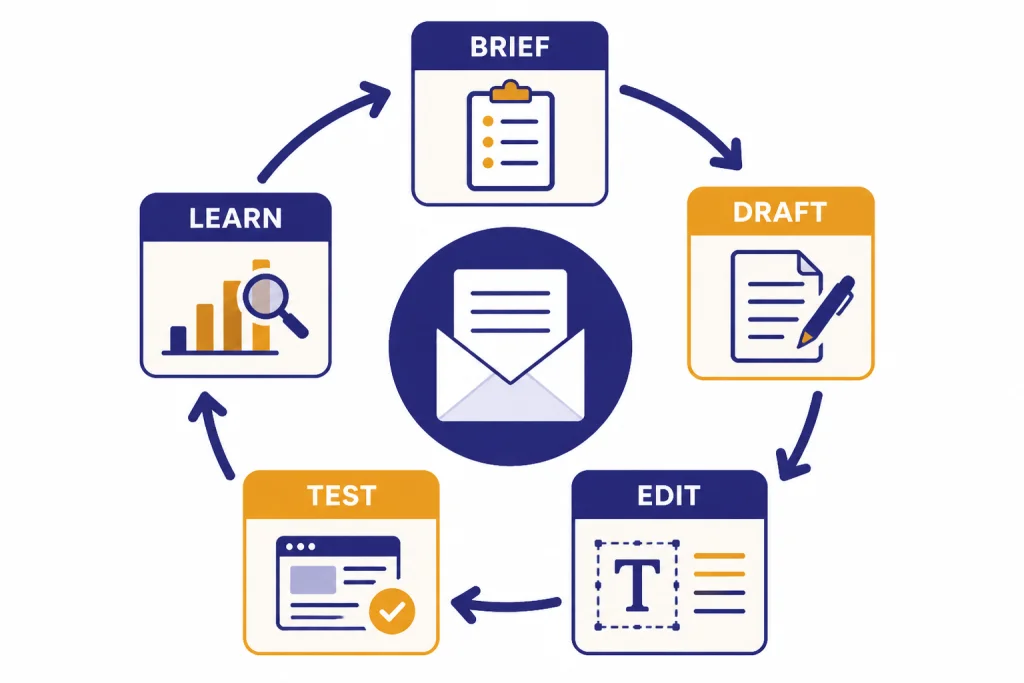
The best workflow is not “prompt, copy, send.” It is brief, draft, compare, edit, test, and then learn from results. ChatGPT is useful at each stage, but you should keep control of the facts, promise, offer, compliance language, and final approval.
Start with a real brief
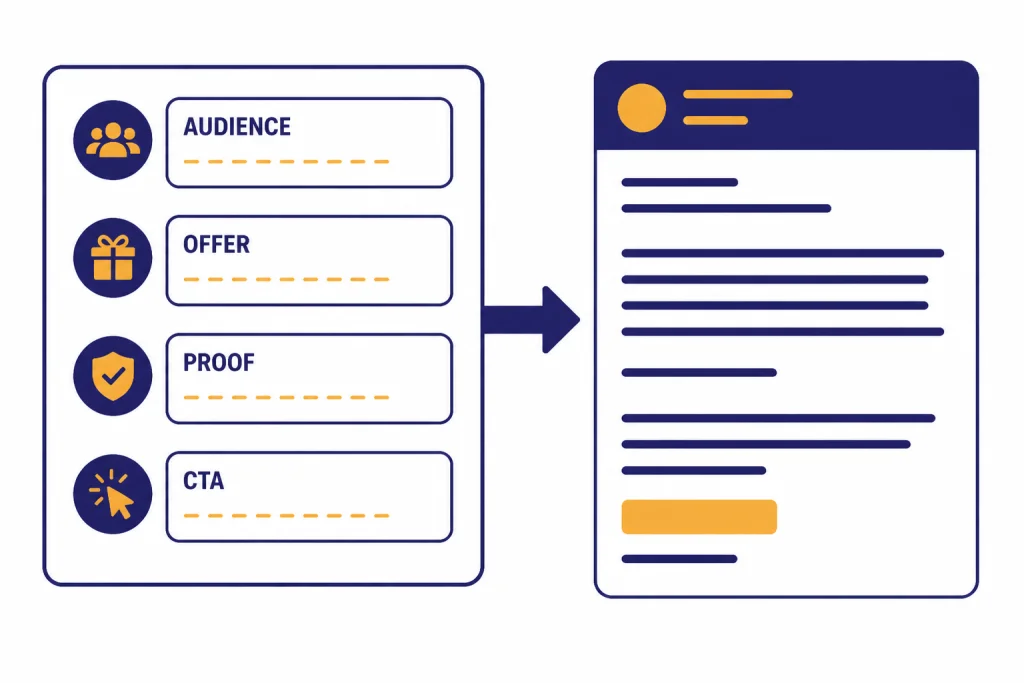
Before asking for copy, write a short brief with the audience, the relationship, the offer, the reason to act now, the proof, the objections, and the next step. If you have brand voice notes, paste them. If you have a strong past email, paste it as a style sample. OpenAI’s prompt guidance recommends separating instructions from context and giving concrete examples when you need a specific output style.[1]
For recurring email work, create a dedicated ChatGPT project for the brand, campaign, or client. OpenAI describes projects as a way to group chats, upload reference files, and add custom instructions so ChatGPT stays focused on the relevant context.[2] That setup helps you avoid rebuilding the same background every time you need a welcome email, webinar invitation, or renewal reminder.
Ask for options, not one answer
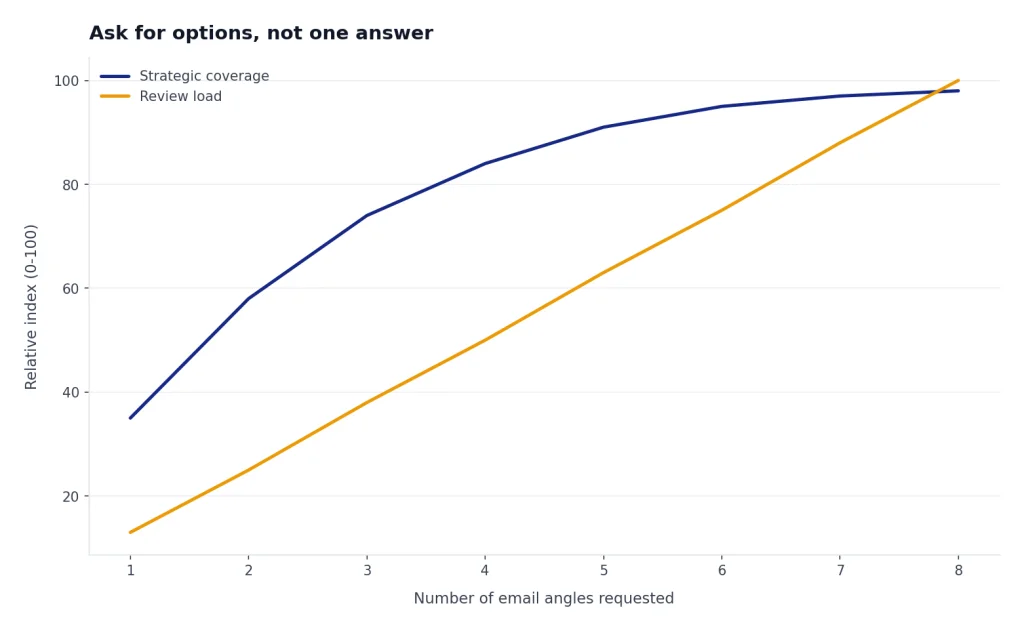
Ask ChatGPT for several angles before you ask for a final email. You might request a direct angle, a curiosity angle, a proof-led angle, and a risk-reversal angle. Then choose the strongest strategy and ask for a polished draft. This makes the tool behave more like a brainstorming partner than an autocomplete box.
Use the result as a draft
AI email copy often starts too polished, too broad, or too eager. Your edits should add specificity. Replace vague claims with concrete proof. Remove filler. Make the call to action easier. Add context only a human on your team would know. The final email should sound like a person who understands the recipient, not a template that found a recipient field.
Prompts you can reuse
Use these prompts as starting points. Replace the bracketed details with your own information. Keep the brief short, but do not starve ChatGPT of the information that determines whether the email is persuasive.
Conversion email brief prompt
You are an email strategist. Write a conversion-focused email for [audience].
Goal: [reply, click, book a call, buy, renew, register].
Relationship: [cold lead, subscriber, customer, internal stakeholder].
Offer: [what is being offered].
Proof: [case study, result, testimonial, product detail, deadline].
Objections: [price, time, risk, trust, complexity].
Tone: [plainspoken, warm, executive, playful, urgent but not pushy].
Constraints: [word count, no hype, one CTA, compliance footer already handled].
Output: Give me three subject lines, preview text, and one email draft.
Rewrite prompt for weak email copy
Rewrite this email to make it clearer, shorter, and more persuasive.
Keep the facts unchanged.
Preserve the sender's intent.
Remove generic claims.
Make the CTA specific and low-friction.
Give me:
- a revised version
- a list of what you changed
- two alternative subject lines

Email:
[paste draft]
Follow-up prompt
Write a follow-up email to [recipient type] after [previous interaction].
The previous message said: [summary].
The recipient has not responded.
Make the follow-up useful, not guilt-based.
Offer one clear next step.
Keep it under [length].
If you need more reusable prompt systems, build a small prompt library for subject lines, welcome sequences, reactivation emails, and customer updates. Our ChatGPT prompt generator guide explains how to turn repeat tasks into structured prompts instead of rewriting from scratch each time.
Best email use cases for ChatGPT
ChatGPT is strongest when the email has a clear purpose and enough source material. It is weaker when the user asks it to invent positioning, legal language, sensitive promises, or facts that should come from a product owner.
| Email type | Use ChatGPT for | Human review focus |
|---|---|---|
| Cold outreach | Angle ideas, personalization drafts, shorter follow-ups | Accuracy, consent, targeting, deliverability risk |
| Marketing campaigns | Subject lines, body variants, CTA options, segmentation ideas | Offer details, claims, brand voice, legal footer |
| Newsletters | Outline, intro, summary, headline options | Editorial judgment, source accuracy, reader promise |
| Customer success | Onboarding emails, renewal reminders, feature adoption nudges | Account context, tone, escalation risk |
| Recruiting | Candidate outreach, interview scheduling, polite rejections | Fairness, role accuracy, company policy |
| Internal email | Executive summaries, status updates, decision requests | Politics, confidentiality, nuance |
Sales teams can pair this article with ChatGPT for Sales Professionals for prospecting and account planning. Marketers should also read our ChatGPT for marketing guide for campaign planning beyond the inbox. If your emails support social campaigns, connect them with ChatGPT for social media content creation so the message stays consistent across channels.
Recruiting teams can use the same principles for candidate sequences, but they need stricter review. See ChatGPT for Recruiters and HR Teams for outreach and screening workflows. Real estate agents can adapt email prompts for listing follow-ups and buyer education with ChatGPT for Real Estate Agents. Lawyers and regulated professionals should be more cautious, and our ChatGPT for Lawyers guide covers confidentiality and review concerns in more detail.
How to edit AI email copy
Good editing turns a generic AI draft into a credible email. Read the draft once for strategy, once for truth, and once for sound. If the strategy is wrong, do not polish it. Go back to the brief.
- Cut the first sentence if it stalls. AI often opens with “I hope you’re doing well” or a broad setup. Start where the value begins.
- Replace adjectives with evidence. “Powerful,” “seamless,” and “innovative” rarely persuade. A product detail, customer quote, or relevant use case works harder.
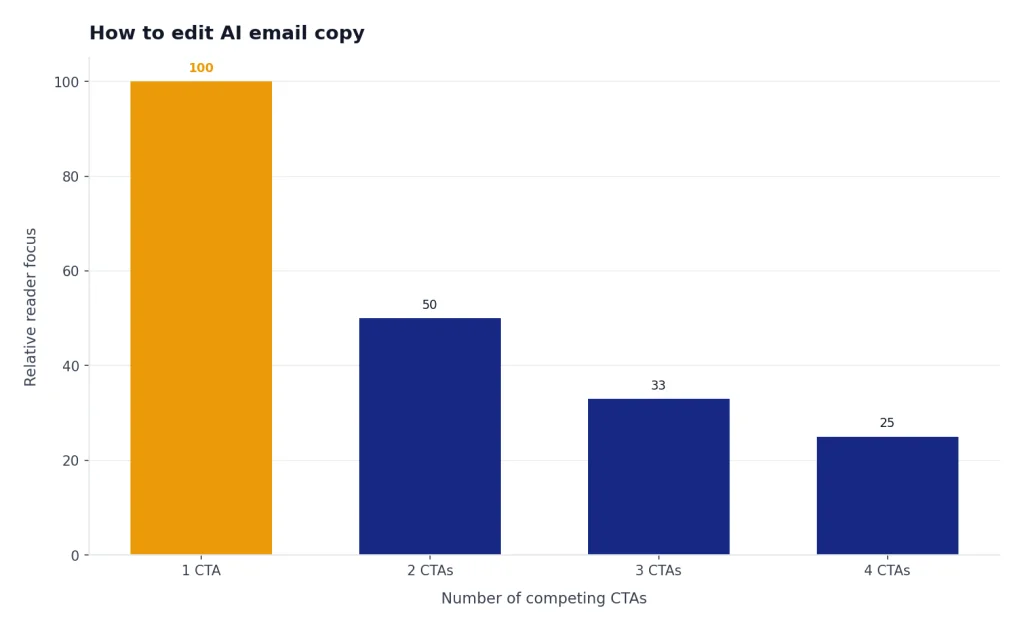
- Use one main action. Multiple links and competing asks weaken the email. Choose the conversion event before you edit.
- Make the recipient visible. Add a detail about the role, account, previous behavior, or problem. Keep it truthful.
- Read it aloud. If the email sounds like a landing page paragraph, shorten it.
For longer content programs, your email may be one part of a broader writing workflow. Pair this article with chatgpt for blog writing if you turn newsletters into posts, or with chatgpt for writing if you need a broader drafting and editing process.
ChatGPT can also review your email against a rubric. Ask it to score clarity, specificity, trust, CTA strength, and risk. Then ask for a revision that improves only the weakest areas. This prevents endless rewrites that change the voice without improving the business outcome.
Privacy and compliance guardrails
Email work often contains personal data, customer complaints, contract details, health information, financial information, or confidential sales strategy. Do not paste sensitive data into any AI tool unless your organization has approved that use. If you use ChatGPT in a business workspace, OpenAI says business customer content is not used to train its models by default, and its business data page describes security and compliance controls for business products.[4]
For source material, upload only what you are allowed to use. OpenAI’s file upload FAQ says file uploads can support work with text-rich documents such as PDFs, Microsoft Word documents, and presentations.[3] That can help with rewriting a campaign brief or summarizing customer feedback, but it also increases the need for data minimization. Remove names, addresses, account numbers, and private threads unless they are required and approved.
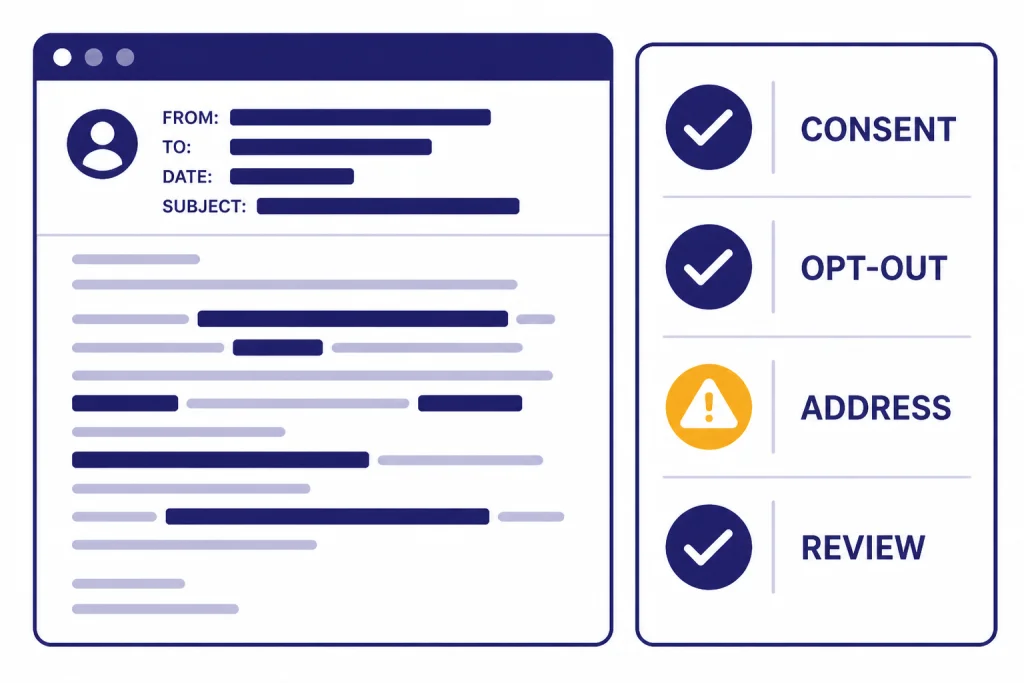
Commercial email also has legal rules. The FTC’s CAN-SPAM guidance says commercial emails must avoid false or misleading header information, avoid deceptive subject lines, identify ads when required, include a valid physical postal address, provide a clear opt-out method, and honor opt-out requests within 10 business days.[5] If you email people in the UK or EU, direct marketing may also require a lawful basis and separate electronic marketing analysis; the ICO says legitimate interests may apply only where PECR does not require consent.[8]
Use ChatGPT to create a compliance checklist, not to decide whether a campaign is legal. Ask it to flag missing unsubscribe language, risky claims, fake urgency, unsupported testimonials, and unclear sender identity. Then route the final version through your normal marketing, legal, or operations review.
Where ChatGPT fits in your email stack
ChatGPT is not a replacement for your email service provider, CRM, deliverability tool, or analytics dashboard. It is a drafting and reasoning layer. Use it before the email enters the sending system and after results come back.
Before sending, ChatGPT can turn a campaign brief into drafts, variants, subject lines, preview text, and segmentation hypotheses. After sending, you can give it exported performance notes and ask for patterns: which audience clicked, which CTA underperformed, which objection appeared in replies, and what to test next. If you analyze exported campaign data in spreadsheets, chatgpt for Excel can help you structure formulas and tables around email metrics.
Some teams will keep ChatGPT separate from live inbox data. Others may use approved connectors or business workflows. Either way, maintain a clear boundary between ideation and sending authority. The AI can draft. A person or approved automation system should decide what goes to the list.
The simple rule is this: use ChatGPT where language, structure, and iteration are the bottleneck. Do not use it as the source of truth for customer permissions, legal compliance, account history, or performance reporting. When those systems disagree, trust the system of record.
Frequently asked questions
Can ChatGPT write cold emails?
Yes, ChatGPT can draft cold emails, subject lines, and follow-ups. The result depends on your targeting and brief. Give it the recipient type, reason for outreach, proof, and one low-friction next step. Always review for accuracy, consent, and compliance before sending.
How do I make ChatGPT emails sound less generic?
Add context that generic prompts omit. Include the audience’s role, the trigger for the email, the offer, real proof, common objections, and examples of your preferred voice. Then ask ChatGPT to remove vague claims and replace them with specific details.
Should I use ChatGPT for subject lines?
Yes, subject lines are a good use case because you can generate many options quickly. Ask for different angles, such as direct, curiosity-based, benefit-led, and reminder-style. Do not use misleading subject lines, because they can damage trust and create compliance risk.
Can ChatGPT improve email conversion rates?
It can help, but it is not magic. ChatGPT improves the parts it can influence: clarity, structure, angle variety, CTA wording, and message fit. Conversion still depends on list quality, deliverability, offer strength, timing, and audience trust.
Is it safe to paste customer emails into ChatGPT?
Only do this if your organization allows it and the account settings match your data policy. Remove unnecessary personal or confidential information whenever possible. For sensitive industries, use approved business tools and follow internal review rules.
What is the best prompt for email writing?
The best prompt includes audience, goal, relationship, offer, proof, objections, tone, and constraints. It should also specify the output format, such as subject lines, preview text, and body copy. If you already have a strong email, include it as a style example.