

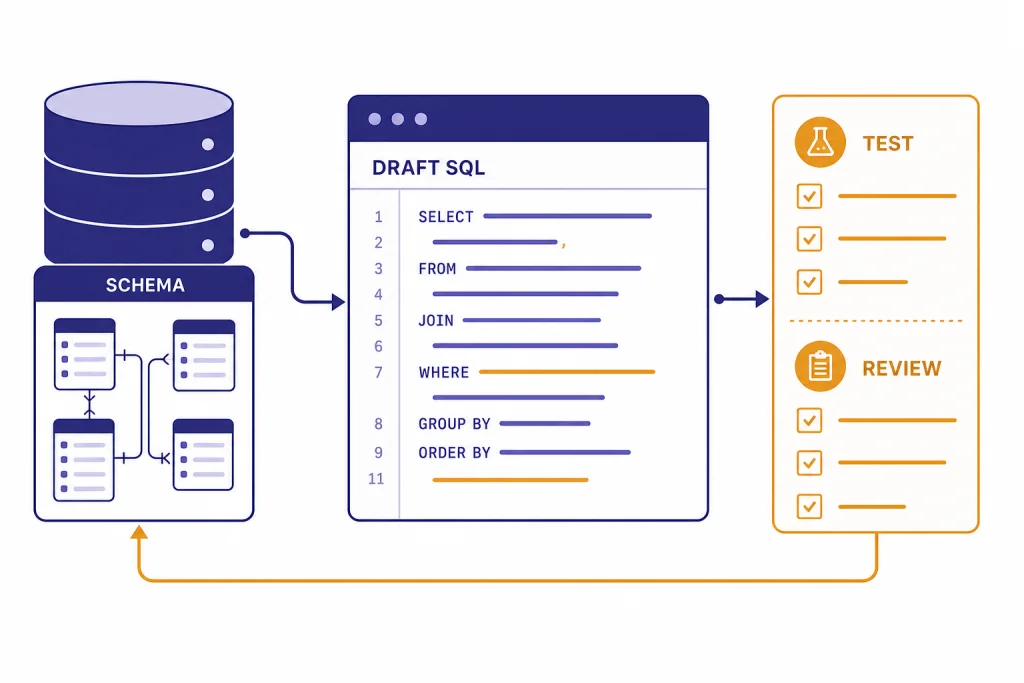
ChatGPT for SQL works best as a database copilot, not as an unsupervised database administrator. It can turn plain-English questions into draft queries, explain joins and window functions, translate between SQL dialects, summarize schemas, review query logic, and help analyze exported CSV or Excel data. It is also useful for debugging errors and reading execution plans when you provide schema details and sample rows. The safe workflow is simple: give ChatGPT structure, constraints, and test data; ask for parameterized SQL; run the result in a read-only or staging environment; and verify the output before it touches production data.
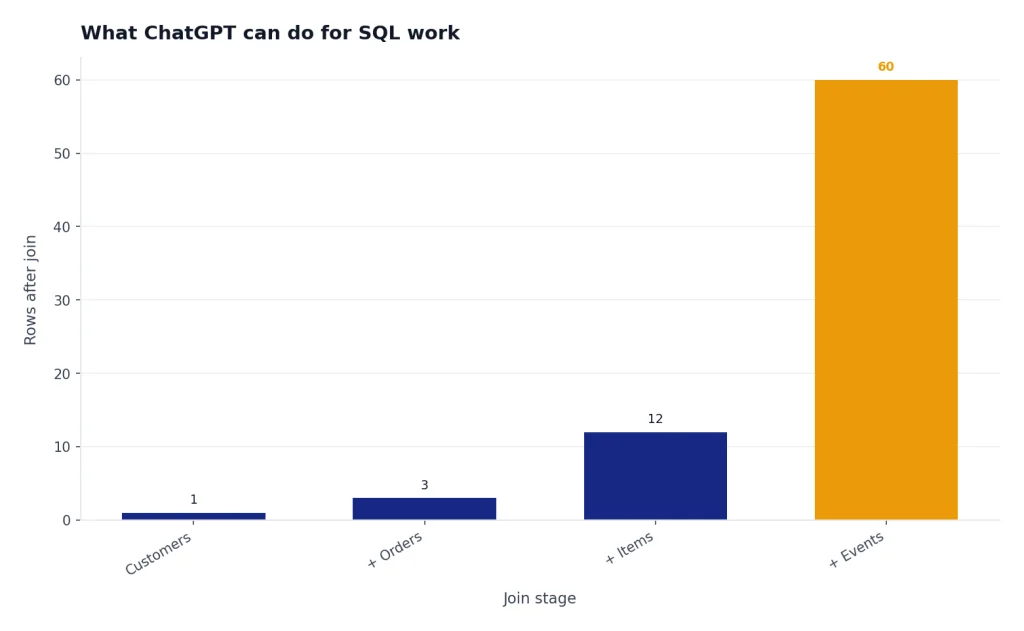
What ChatGPT can do for SQL work
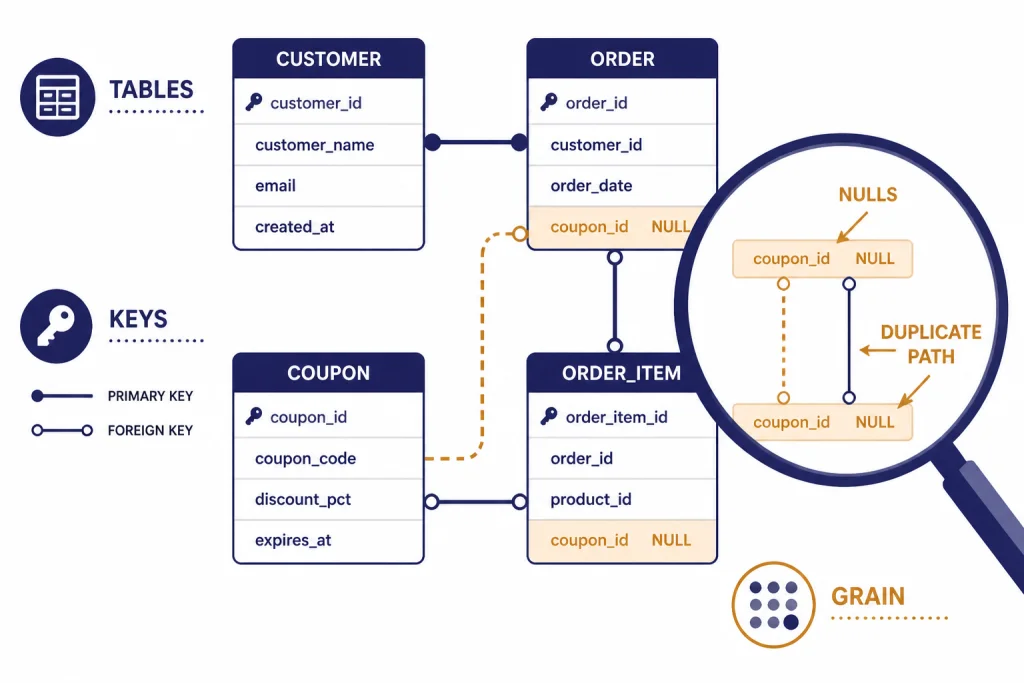
ChatGPT is useful anywhere SQL work has a language layer. It can draft a query from a business question, explain why a join duplicates rows, suggest test cases, convert a report request into aggregation logic, and rewrite a query for a different SQL dialect. It can also help non-specialists ask better questions of a database team.
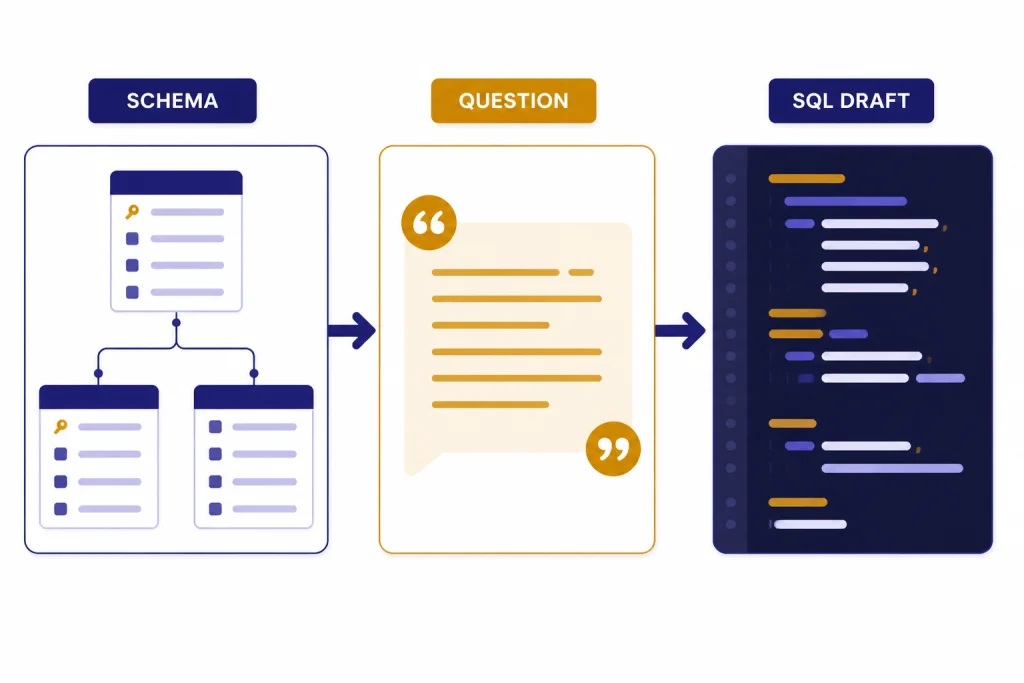
The highest-value use case is translation. You describe the table names, column names, relationships, database engine, and desired result. ChatGPT returns a draft query and explains the assumptions. That explanation is often as valuable as the SQL because it gives you a checklist for review.
ChatGPT can also work with uploaded data files. OpenAI says ChatGPT data analysis supports Excel, CSV, PDF, and JSON files, and can use uploaded structured data inside a secure code execution environment.[1] OpenAI’s data analysis guide also describes a workflow where a user uploads a CSV or Excel file, pastes a table, or connects a supported data source, then asks questions in plain language.[3] If your SQL task is exploratory, an export is often safer than connecting a live database.
Use it for first drafts, explanations, and reviews. Do not treat it as a source of truth. SQL changes data, moves money, powers audits, and controls customer-facing reports. A generated query deserves the same review as a query written by a junior analyst.
A safe workflow for SQL queries
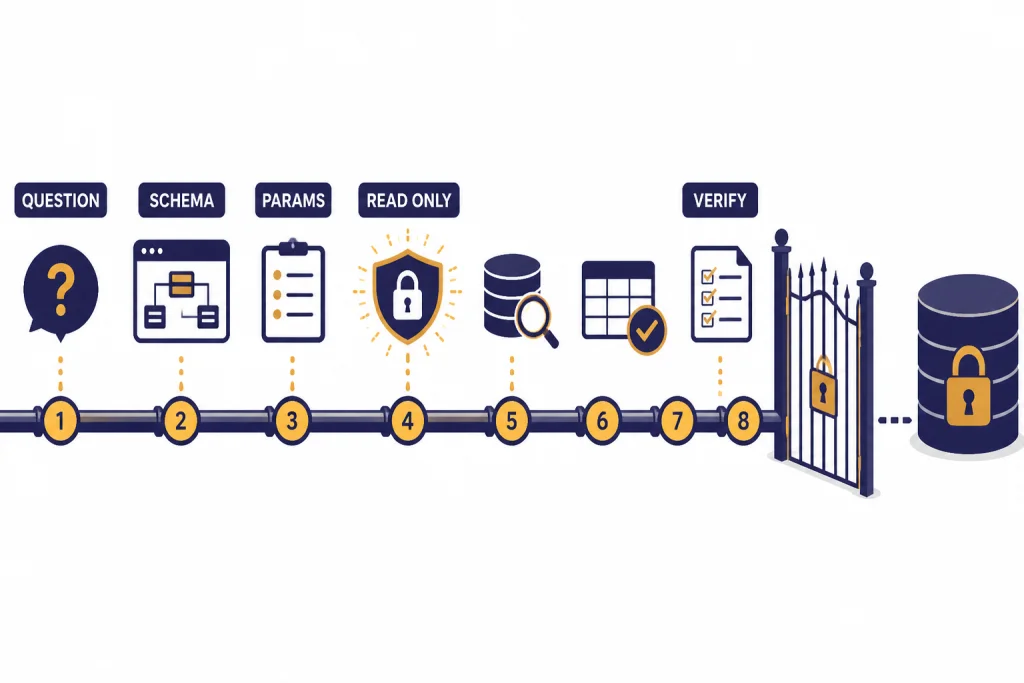
The safest way to use ChatGPT for SQL is to separate generation from execution. Let ChatGPT reason. Let your database, tests, query planner, and human review decide whether the result is correct.
- Start with the business question. Example: “Find customers who placed an order in March but not April.”
- Provide the schema. Include table names, key columns, date fields, primary keys, and foreign keys.
- Name the database engine. Say PostgreSQL, MySQL, SQL Server, BigQuery, Snowflake, SQLite, or another platform. Dialects differ.
- Provide sample rows. Use fake or sanitized rows if the data is sensitive.
- Ask for assumptions. Require ChatGPT to list ambiguous points before the query.
- Request parameterized SQL. This matters when user input reaches a database.
- Run in a safe environment. Prefer a read-only replica, staging database, or transaction you can roll back.
- Compare results to known cases. Check row counts, duplicates, null behavior, and date boundaries.
This mirrors the way experienced analysts work. They do not trust a query because it runs. They trust it after it returns the expected rows for edge cases.
| Task | Good ChatGPT role | Human or system check |
|---|---|---|
| Draft a SELECT query | Translate plain English into SQL | Verify joins, filters, and row counts |
| Build a dashboard metric | Propose grouping and date logic | Compare to the metric definition |
| Write an UPDATE | Suggest a transaction-safe pattern | Run a SELECT preview and backup first |
| Debug an error | Explain likely causes and fixes | Test against the actual schema |
| Tune a slow query | Point out likely bottlenecks | Use the real execution plan |
If you already use ChatGPT for spreadsheets, this workflow will feel familiar. The same review habits from chatgpt for excel apply to SQL, but the stakes are usually higher because SQL can change durable data.
Prompts that produce better SQL
A vague prompt produces a vague query. A strong SQL prompt gives ChatGPT the database engine, schema, desired output, filters, grain, and error conditions. “Write a sales query” is weak. “Write PostgreSQL that returns one row per customer with lifetime revenue, last order date, and a boolean for orders in the last 90 days” is useful.
Prompt for a new query
You are helping me write PostgreSQL.

Goal: Return one row per customer with total paid revenue, first order date, last order date, and number of refunded orders.

Tables:
customers(id, email, created_at)
orders(id, customer_id, status, total_cents, created_at)

Rules:
- Count only orders where status = 'paid' for revenue.
- Count status = 'refunded' separately.
- Use dollars, not cents.
- Include customers with zero paid orders.
- Explain the join choices and any assumptions.
Prompt for query review
Review this SQL for correctness before I run it.

Database: SQL Server.
Expected grain: one row per invoice.
Risk areas: duplicate rows, null dates, and invoices with partial payments.

SQL:
[paste query]

Return:
1. What the query appears to do.
2. Where duplicates could enter.
3. Any filters that change the business meaning.
4. A safer rewritten version if needed.
Prompt for dialect translation
Convert this BigQuery SQL to PostgreSQL 16.
Keep the same output columns.
Call out any functions that do not translate directly.
Do not invent tables or columns.

[paste query]
Keep a reusable prompt library for repeated database work. A shared checklist is more reliable than improvising each time. If your team already maintains writing or research prompts, adapt the same system from our ChatGPT prompt generator and chatgpt for research guides.
Use ChatGPT to review schemas and queries
ChatGPT is especially good at spotting missing context. When you paste a schema, ask it to identify ambiguity before writing SQL. It may ask whether deleted records are soft-deleted, whether timestamps are UTC, whether an order can have multiple payments, or whether status values are mutually exclusive. Those questions prevent bad reports.
For schema review, provide table definitions and a target workload. A schema for an internal analytics mart should be judged differently from a schema for an application transaction table. Ask ChatGPT to review naming, keys, nullable fields, duplicated concepts, and likely reporting pain points.
Practical prompt: “Here is a proposed schema for support tickets, ticket events, users, and teams. Review it for analytics reporting. Focus on historical team membership, reassignment events, time-to-first-response, and reopened tickets.”
For query review, ask for a plain-English interpretation before asking for a rewrite. If ChatGPT cannot explain the current query clearly, the query may already be too tangled. This is also useful for onboarding. A new analyst can paste a legacy query and ask for a map of each common table expression, join, and filter.
Database work overlaps with finance, operations, and compliance. If your SQL supports accounting reports, pair this process with the controls in ChatGPT for Accountants and Bookkeepers. If it supports regulated review, use the same caution described in ChatGPT for Lawyers.
Debugging and performance tuning
ChatGPT can help debug SQL errors when you include the exact error message, database engine, schema, and query. It can explain missing columns, ambiguous aliases, invalid grouping, type mismatches, and date function differences. Ask it to diagnose the smallest likely cause first. That keeps the answer focused.
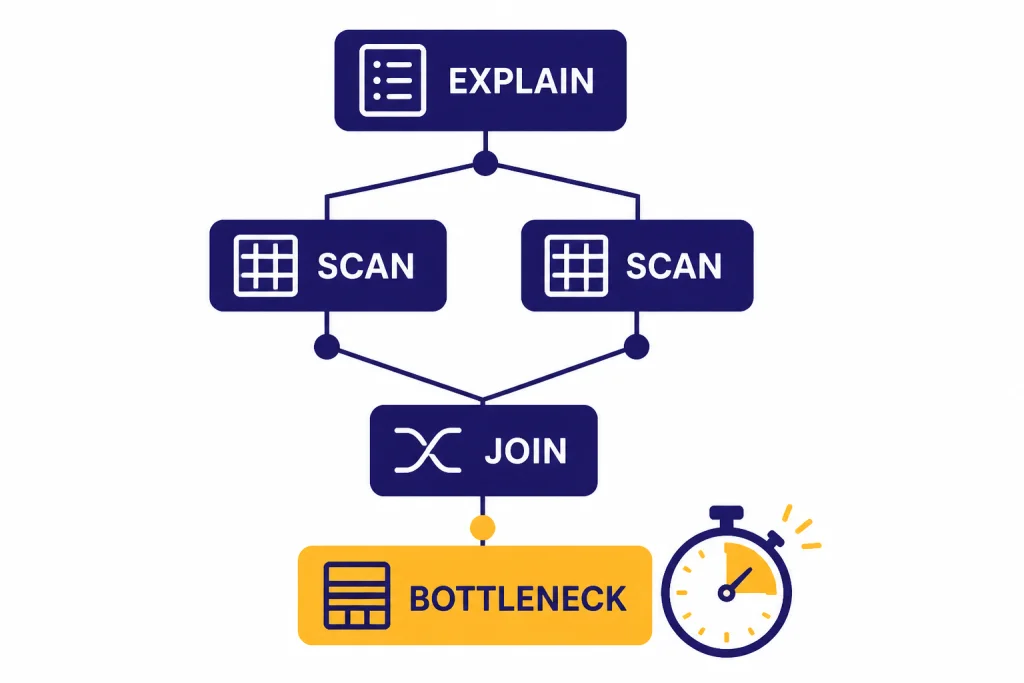
For performance work, give ChatGPT the query and the execution plan. PostgreSQL documentation says the planner creates a query plan for each query and that the EXPLAIN command shows the plan the planner creates.[7] PostgreSQL also supports machine-readable EXPLAIN output formats such as XML, JSON, and YAML, which can be easier to paste into a tool or model for analysis.[7]
Ask ChatGPT to look for patterns, not magic fixes. Useful targets include missing join predicates, accidental cross joins, filters applied after expansion, unneeded DISTINCT clauses, functions wrapped around indexed columns, and aggregations at the wrong grain. Then test each proposed change with the real database.
Analyze this PostgreSQL EXPLAIN output.

Goal: Reduce runtime without changing results.
Return:
- likely bottleneck
- why the planner may choose this path
- indexes worth testing
- SQL rewrite worth testing
- risks of each change

Query:
[paste SQL]

EXPLAIN output:
[paste plan]
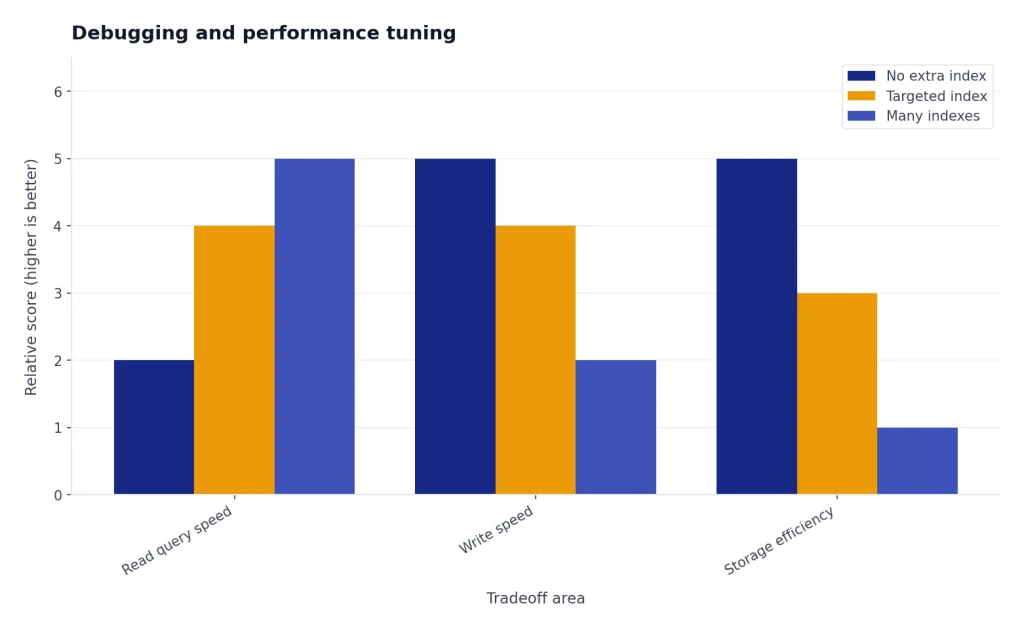
Do not ask ChatGPT to “optimize this” without evidence. It may suggest indexes that improve one query but harm write performance or storage. Performance tuning is a measurement loop: hypothesis, change, test, compare, rollback if needed.
Data analysis with exports instead of direct access
Many SQL questions do not require live database access. You can export a narrow result set, remove sensitive fields, and upload the file for analysis. OpenAI says ChatGPT data analysis can create tables and charts from uploaded data, and uses pandas for data analysis and Matplotlib for charts.[1] That makes it useful for quick profiling, summaries, anomaly checks, and charts after SQL has produced the dataset.
File limits matter. OpenAI’s data analysis help says a conversation can analyze up to 10 files, while a custom GPT can attach up to 20 files as Knowledge when Code Interpreter is enabled.[1] The same help article says files can be 512 MB per file, and that CSV files or spreadsheets cannot exceed approximately 50 MB depending on row size.[1] OpenAI’s File Uploads FAQ also lists a 512 MB per-file limit, an approximately 50 MB limit for CSV or spreadsheet files, a 2M-token cap for text and document files, a 20 MB image limit, and storage caps of 25 GB per end user and 100 GB per organization.[2]
Those limits are not a data architecture plan. For serious analytics, keep the heavy work in your warehouse. Use SQL to filter, aggregate, and anonymize first. Then use ChatGPT to explore the resulting extract, write notes, or produce a chart brief. For heavier file workflows, see our chatgpt tutorial for data analysis. For spreadsheet-first teams, the companion ChatGPT Excel prompts for power users article gives reusable formulas and review patterns.
| Workflow | Best for | Main risk | Safer pattern |
|---|---|---|---|
| Paste schema only | Drafting SQL | Missing business rules | Add sample rows and expected output |
| Upload CSV export | Exploration and charts | Sensitive columns | Export only needed fields |
| Connect a supported source | Workspace-approved analysis | Access control mistakes | Use admin-approved connectors |
| Build API database assistant | Internal tools | Unsafe generated queries | Use allowlists and read-only functions |
Security and privacy rules
SQL work has two separate risks: leaking data into a tool and generating unsafe SQL. Treat both seriously.
For privacy, do not paste secrets, credentials, API keys, full customer records, protected health information, payment data, or confidential business data into a personal chatbot account unless your organization has approved that use. OpenAI says business products such as ChatGPT Enterprise, ChatGPT Business, ChatGPT Edu, ChatGPT for Healthcare, ChatGPT for Teachers, and the API platform are not used to train models by default.[4] For signed-in consumer ChatGPT use, OpenAI’s Data Controls FAQ says users can turn off “Improve the model for everyone,” and that conversations still appear in chat history but are not used to train ChatGPT after the setting is off.[5] Temporary Chats are deleted from OpenAI systems after 30 days, according to the same FAQ.[5]
For SQL safety, ask for parameterized queries. OWASP recommends stopping dynamic SQL built by string concatenation and using defenses such as prepared statements with parameterized queries, stored procedures, allow-list input validation, and least privilege.[6] OWASP also recommends minimizing database account privileges and warns against assigning DBA or admin access to application accounts.[6]
If you build an internal assistant that can query a database, do not let the model write arbitrary SQL against production. Use a controlled function layer. OpenAI’s API documentation describes function calling as a way for models to interface with external systems and access data outside their training data.[9] OpenAI’s Structured Outputs guide says function calling is the right path when connecting a model to tools, functions, data, or systems, while structured response formats are for shaping the model’s reply to the user.[8] GPT Actions documentation also describes data retrieval use cases such as querying a data warehouse.[10]
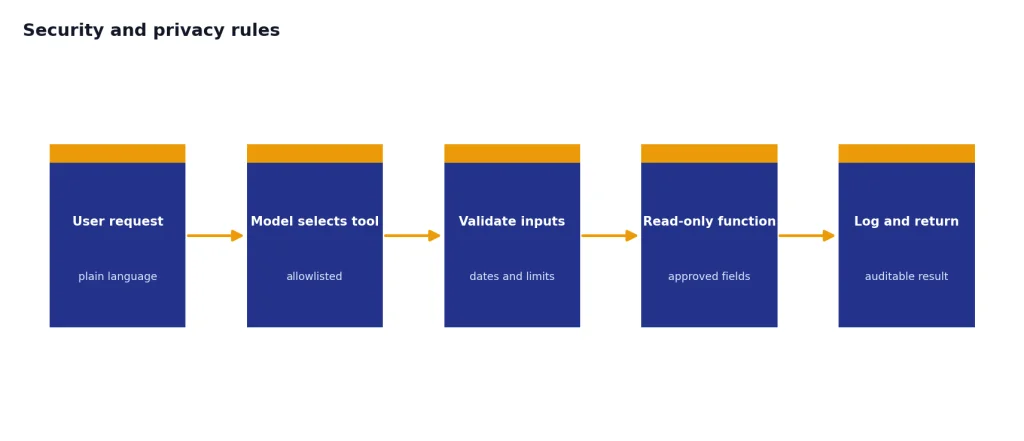
A safe internal design is narrow. Give the model a tool such as get_monthly_revenue(start_date, end_date), not raw database credentials. Validate dates. Limit rows. Log calls. Return only approved fields. If you need cost planning for a production API system, start with openai api pricing before building the workflow.
When not to use ChatGPT for SQL
Do not use ChatGPT as the final authority for financial close, tax reports, clinical reporting, security investigations, legal discovery, or production migrations. It can assist, but your controls must decide.
Avoid using it when you cannot share enough context for a correct answer. SQL depends on hidden business rules. A column named created_at may mean account creation, order creation, event ingestion, or sync time. A status named active may exclude churned users, trial users, suspended users, or deleted users. ChatGPT cannot infer those definitions reliably.
Also avoid using ChatGPT to generate destructive commands unless you already know the safe pattern. Before any UPDATE, DELETE, MERGE, migration, or backfill, write a matching SELECT preview, check the affected rows, use a transaction when possible, and keep a rollback plan.
The best use is collaborative. Let ChatGPT accelerate the boring parts: boilerplate joins, syntax conversion, comments, documentation, and first-pass reasoning. Keep accountability with the person or team that owns the database. That same division of labor applies across many professional workflows, from ChatGPT for Market Research and Surveys to chatgpt for marketing.
Frequently asked questions
Can ChatGPT write SQL queries?
Yes. ChatGPT can write draft SQL from a plain-English request when you provide the schema, database engine, and desired output. You still need to test the query against real or representative data because a syntactically valid query can still answer the wrong business question.
Can ChatGPT connect directly to my database?
ChatGPT should not receive raw production credentials in a normal chat. Some workspaces may support approved data connections, and developers can build controlled database tools with the OpenAI API. The safer pattern is to use approved connectors, read-only access, allowlisted functions, and logging.
Is ChatGPT good for learning SQL?
Yes, if you ask it to explain each clause and then test the query yourself. It is especially helpful for joins, aggregations, window functions, and translating error messages. Do not only copy answers; ask for sample tables and expected outputs so you learn the logic.
Should I paste customer data into ChatGPT?
Only if your organization permits it under your plan, policies, and data classification rules. For most users, the safer approach is to paste schema, fake rows, or anonymized extracts. Remove direct identifiers, secrets, credentials, and sensitive fields unless you are using an approved business environment.
Can ChatGPT optimize a slow SQL query?
It can suggest likely causes and rewrites, but it needs the real query plan to be useful. Provide the SQL, table sizes, indexes, database engine, and EXPLAIN output. Test each change because an index or rewrite can improve one query while hurting another workload.
What is the best prompt for ChatGPT SQL work?
The best prompt includes the database engine, schema, sample rows, expected output, constraints, and review instructions. Ask ChatGPT to list assumptions before writing SQL. For production work, require parameterized SQL and a testing checklist.