

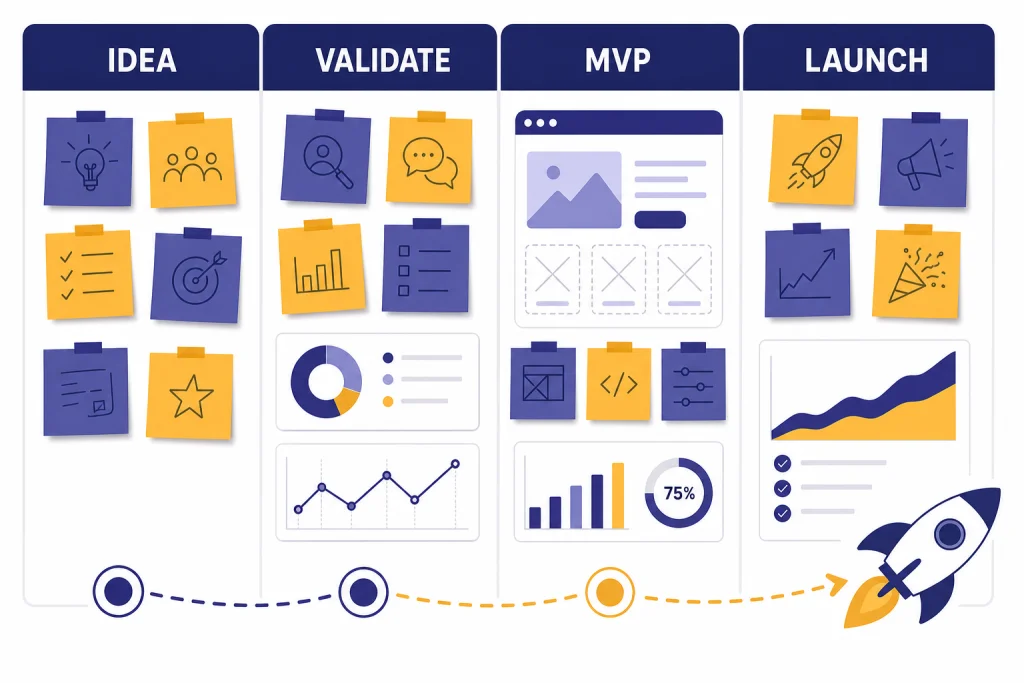
ChatGPT for startups works best as an operating assistant, not a replacement founder. Use it to turn rough ideas into testable assumptions, interview scripts, positioning, landing page copy, MVP specs, sales outreach, investor materials, and customer support drafts. The value is speed and structure. The risk is trusting unverified output. A good startup workflow keeps humans in charge of strategy, privacy, legal review, financial decisions, and customer promises. This guide shows how to use ChatGPT from idea to launch with reusable prompts, practical guardrails, and a simple system your team can improve as the company grows.
Build a startup operating system inside ChatGPT
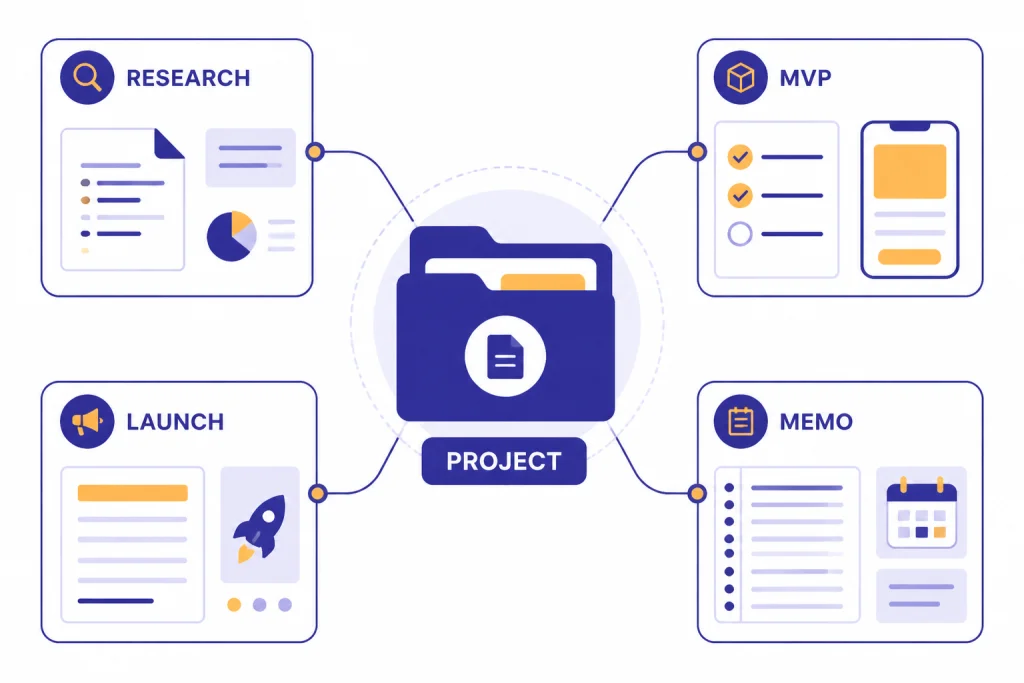
The best way to use ChatGPT for startups is to make it part of a repeatable company workflow. Do not open a new blank chat for every task. Create a project for the startup, add persistent context about the customer, market, product, pricing assumptions, and voice, then reuse that context for research, strategy, copy, analysis, and internal drafts. OpenAI says Projects are available across free and paid subscription types, and Business, Enterprise, and Edu users can share projects with teammates.[6]
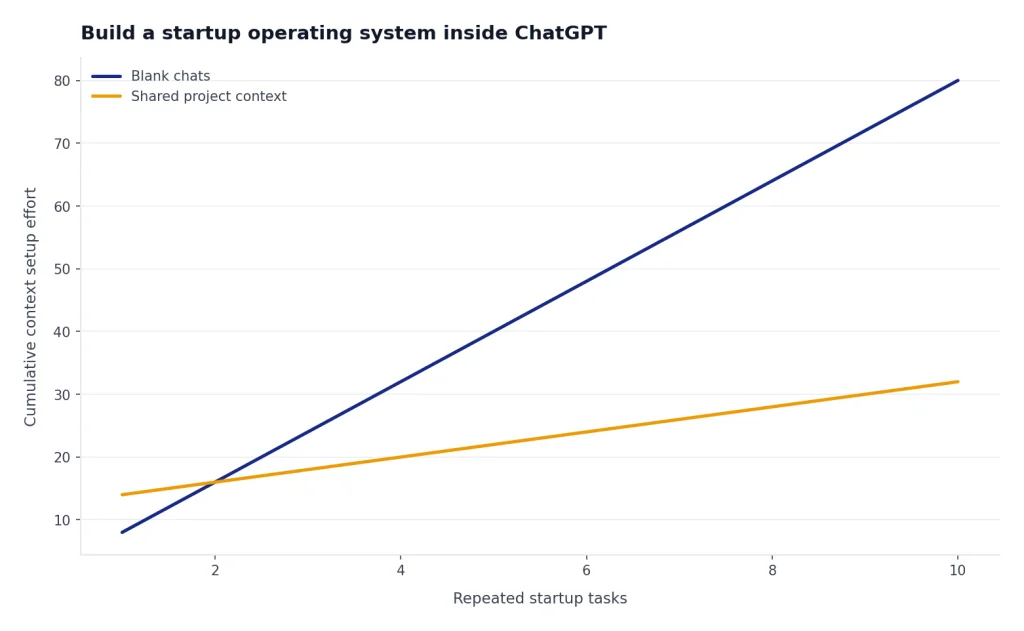
Start with a founder brief. Include the problem, audience, current alternatives, planned business model, constraints, and what you do not know yet. Tell ChatGPT which role it should play in each session: skeptical investor, product manager, customer interviewer, UX reviewer, sales lead, or launch editor. Role prompts help because startup work changes fast. A useful answer for investor positioning may be too polished for discovery research.
For teams, decide whether you need a shared workspace. OpenAI describes ChatGPT Business as a secure, collaborative workspace for startups and growing businesses, with features such as shared projects, data analysis, apps, custom workspace GPTs, admin controls, SAML SSO, and MFA.[1] This matters when founders, contractors, and early employees all need the same context but should not all use separate personal accounts.
Use ChatGPT like a startup chief of staff. It can draft the first version of a memo, identify missing assumptions, turn messy notes into a roadmap, and create alternate versions for different stakeholders. It should not make the final call on what to build, what to promise, or what data to share.
| Startup phase | Best ChatGPT use | Founder check |
|---|---|---|
| Idea | Clarify the problem, customer, alternatives, and assumptions. | Is this painful enough for someone to change behavior? |
| Validation | Create interview guides, survey drafts, and synthesis frameworks. | Did real prospects confirm the problem in their own words? |
| MVP | Turn findings into user stories, acceptance criteria, and launch scope. | Can this be built and tested without adding nonessential features? |
| Launch | Draft landing pages, emails, demos, sales scripts, and support replies. | Are all claims accurate, specific, and defensible? |
| Operations | Summarize feedback, document processes, and organize decisions. | Does the team know what changed and why? |
Validate the idea before you build
Use ChatGPT to sharpen the idea before you spend money on product work. The goal is not to ask, “Is this a good startup idea?” That produces generic encouragement. The better move is to ask for assumptions, risks, competing behaviors, and interview questions. ChatGPT is strongest when it helps you see the structure of the problem.
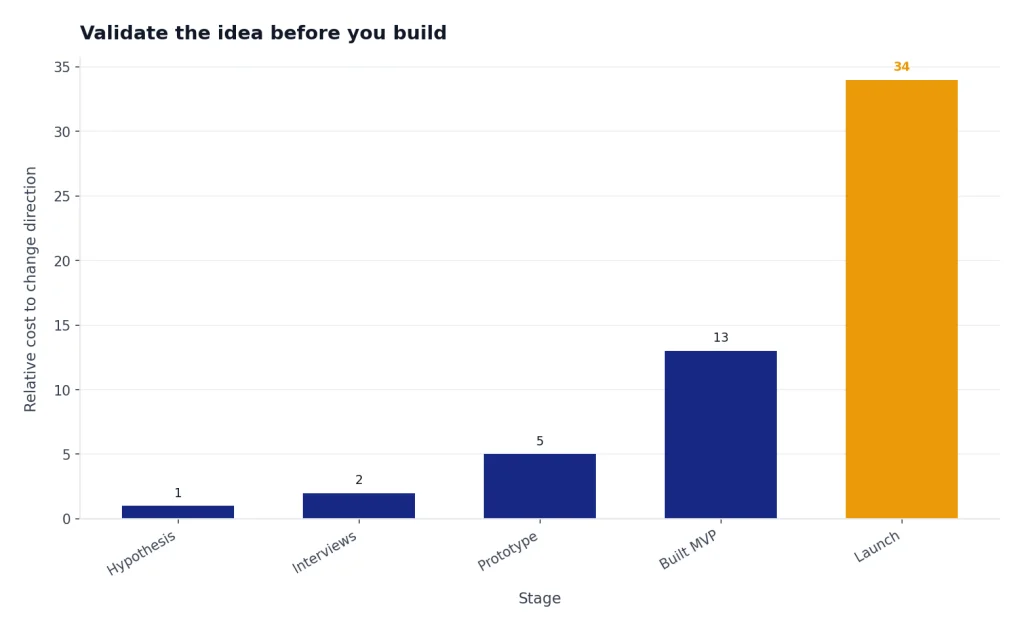
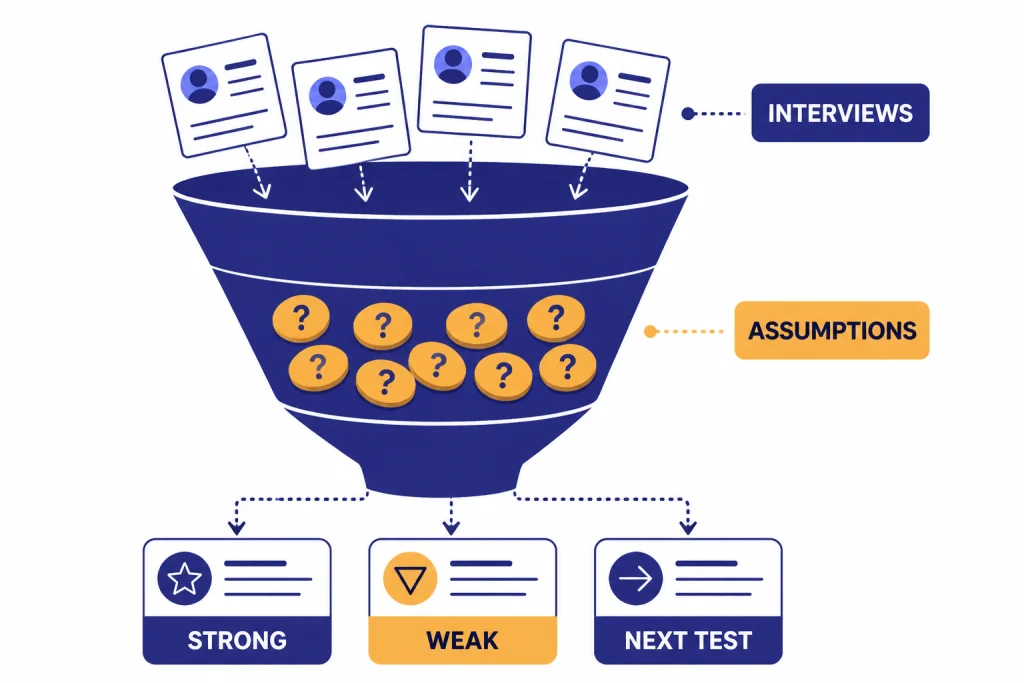
Start by writing a one-sentence hypothesis: “Independent physical therapists lose revenue because patient follow-up is inconsistent after discharge.” Then ask ChatGPT to split that into customer, problem, current workaround, buying trigger, willingness to pay, and risk assumptions. Each assumption becomes a test. If a test fails, the idea changes before the product exists.
For market research, use ChatGPT to prepare questions, not to pretend it knows private buyer demand. Pair it with your own calls, surveys, search research, and customer data. If you need deeper research, OpenAI says ChatGPT tools can include search for current information, data analysis for calculations and visualizations, and deep research for multi-source cited answers, depending on plan and setup.[4] For a broader workflow, see our ChatGPT for Market Research and Surveys guide.
A strong validation prompt is specific about who you want to interview and what you want to learn. Ask ChatGPT to separate curiosity questions from buying questions. Curiosity questions sound useful but do not reveal whether the prospect will switch. Buying questions focus on urgency, current spending, failed workarounds, implementation barriers, and who signs off.
Prompt: “Act as a skeptical startup advisor. Here is my startup hypothesis: [paste]. List the riskiest assumptions in order. For each one, write a customer interview question that avoids leading the person. Then write what a strong validation signal and a weak signal would look like.”
After interviews, paste anonymized notes into ChatGPT and ask for themes, objections, emotional language, and repeated workarounds. Do not paste confidential customer records, private health data, unreleased partner details, or information you are not allowed to process. The output should guide your next calls, not replace them.
Turn research into an MVP scope
Once you have enough validation to build, ChatGPT can help convert research into a narrow MVP. This is where many startups overbuild. Founders turn every customer request into a feature. ChatGPT can act as a scope filter if you ask it to protect the shortest path to learning.

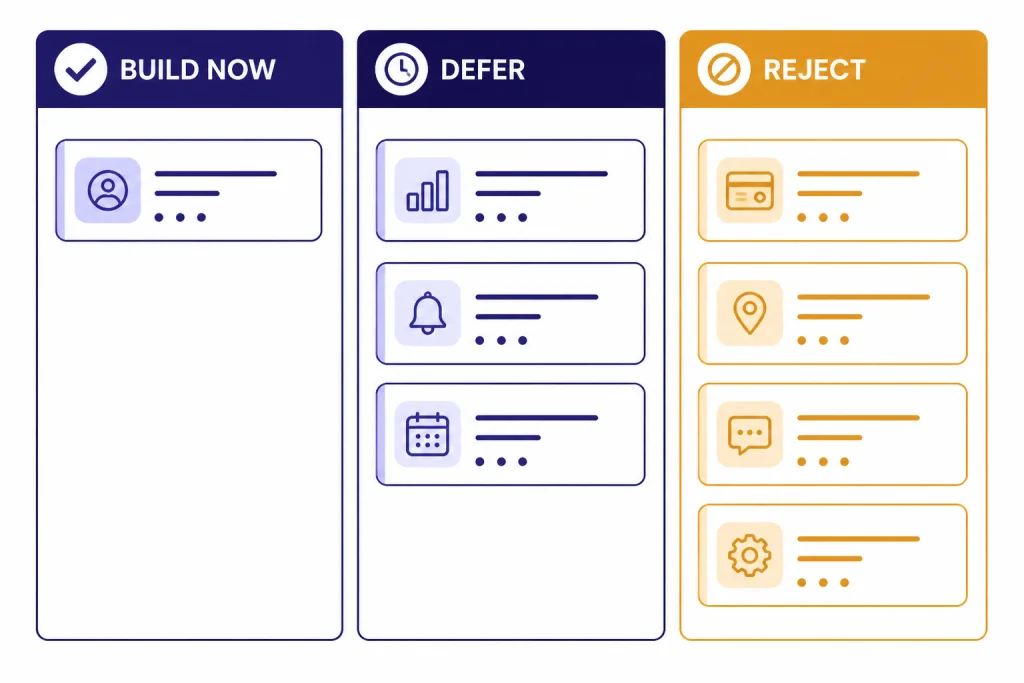
Give ChatGPT the validated pain points, the target user, the desired outcome, and the main constraint. Then ask for a build-now, defer, and reject list. The “reject” column matters. It forces the team to name attractive distractions. If your first product is for sales managers, do not build admin dashboards, partner portals, and advanced analytics unless they are required for the first purchase.
ChatGPT can draft user stories, acceptance criteria, onboarding steps, error messages, and QA checklists. If your startup is technical, pair this with your engineering process and code review. If the product uses an AI feature, separate “using ChatGPT to plan” from “using the OpenAI API in production.” OpenAI says data sent to the OpenAI API is not used to train or improve OpenAI models unless the customer explicitly opts in.[3]
For nontechnical founders, ask ChatGPT to translate product requirements into plain English before sending them to a designer or developer. You can also ask for a risk register: what can go wrong technically, operationally, legally, and commercially. For database-heavy products, our ChatGPT for SQL queries and database work guide can help you create safer query prompts.
| Artifact | What to ask ChatGPT for | What to verify manually |
|---|---|---|
| Product spec | User stories, success criteria, excluded features. | Technical feasibility and actual customer priority. |
| Prototype copy | Button labels, onboarding steps, empty states. | Legal claims, accessibility, and user comprehension. |
| QA plan | Edge cases, test scenarios, regression checklist. | Real device behavior and production data handling. |
| AI feature design | Prompt patterns, failure modes, fallback language. | Safety, privacy, cost, and evaluation results. |
If you build inside documents first, ChatGPT Canvas can help with longer drafts and revisions. We cover that workflow separately in our ChatGPT Canvas tutorial. The main principle is the same: keep the MVP small enough that the market can teach you what to do next.
Prepare go-to-market assets
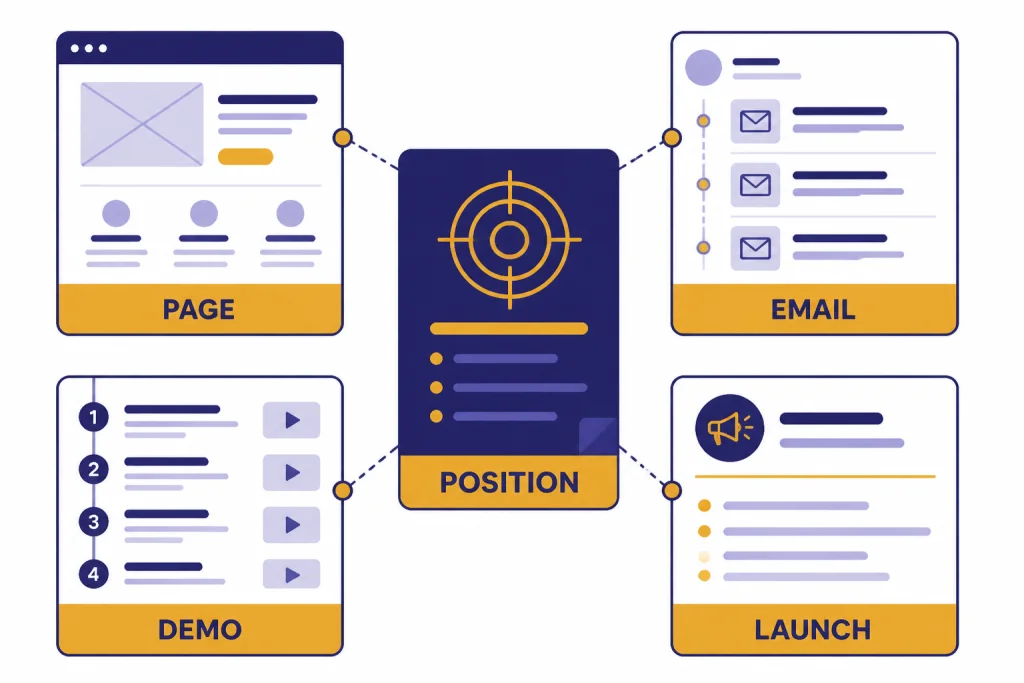
ChatGPT can accelerate go-to-market work because startup messaging is usually scattered across founder notes, interview quotes, product screens, and investor decks. Ask it to turn that raw material into positioning, not slogans. Good positioning states who the product is for, what painful job it solves, why current alternatives fail, and what outcome the buyer can expect.
Use ChatGPT to create variations for different audiences. A landing page for technical evaluators should not sound like a founder’s investor pitch. A cold email should not summarize every feature. A demo script should show the customer’s before-and-after workflow. For more channel-specific help, use our guides to ChatGPT for Sales Professionals, ChatGPT for Email Writing That Converts, and ChatGPT for Marketing.

When drafting launch content, ask ChatGPT to keep claims conservative. It should flag unsupported numbers, vague superlatives, and phrases that may create legal or customer-success risk. If you have proof, provide it. If you do not, ask for language that describes the product clearly without overstating results.
- Landing page: headline, subhead, problem section, outcome section, proof block, FAQ, call to action.
- Demo: opening problem, current workflow, product walkthrough, objection handling, next step.
- Sales: persona-specific pain points, qualification questions, objection responses, follow-up emails.
- Launch: founder announcement, community post, press note, customer onboarding sequence.
Prompt: “Rewrite this landing page for a founder-led B2B launch. Keep the promise specific, remove hype, and add a section that explains who this is not for. Then list every claim that needs proof before publication.”
Design and content should move together. ChatGPT can write the structure of a page, but a designer should decide visual hierarchy, trust signals, and usability. If your startup is still forming its product interface or brand system, our ChatGPT for Designers guide shows where AI helps and where human judgment matters.
Use ChatGPT for daily startup operations
After launch, the most valuable ChatGPT use case is operational clarity. Startups generate messy information: customer calls, bug reports, sales objections, feature requests, investor questions, contractor updates, and support tickets. ChatGPT can summarize, classify, and turn that noise into decisions.
Create a weekly operating rhythm. On Monday, ask ChatGPT to turn priorities into a short team memo. After customer calls, ask it to extract themes and exact customer language. Before a product meeting, ask it to compare feedback against current strategy. On Friday, ask it to draft a founder update with wins, risks, open questions, and next actions.
OpenAI describes Apps in ChatGPT as a way to work with external tools and information in a conversation, including search, reference, deep research, sync, and some write actions, depending on the app and configuration.[2] That can help a startup connect knowledge from tools such as documents, repositories, and work systems. Admins should still decide which apps are allowed and which actions require approval.
Finance, hiring, and legal work need extra care. ChatGPT can draft bookkeeping checklists, job scorecards, contractor briefs, and first-pass policy drafts. It cannot replace a CPA, attorney, or HR professional. For adjacent workflows, see ChatGPT for Accountants and Bookkeepers, ChatGPT for Recruiters and HR Teams, ChatGPT for HR Departments, and ChatGPT for Lawyers.
Documentation is another high-leverage habit. Ask ChatGPT to turn repeated founder explanations into standard operating procedures. Then store the approved version in your company knowledge base. The goal is to reduce repeated questions without freezing the company too early.
Set privacy, accuracy, and legal guardrails
Startup teams move quickly, which makes guardrails important. Decide what information can go into ChatGPT, who can use shared workspaces, what must be reviewed before publication, and which outputs require expert approval. Write the rules down before the team grows.
For company use, review OpenAI’s business privacy and security claims directly. OpenAI says its business data practices support compliance with GDPR and CCPA and align with CSA STAR, SOC 2 Type 2, and ISO/IEC certifications.[5] The ChatGPT Business pricing page also states that Business content is not used to train OpenAI models, and lists admin controls such as SAML SSO, unified billing, a dedicated workspace, an admin console, admin roles, domain verification, and SOC 2 Type 2 compliance.[1]
Accuracy is a separate issue from privacy. OpenAI warns that ChatGPT can produce incorrect or misleading outputs, fabricated references, overconfident answers, and oversimplified responses.[4] For startups, this means every important claim needs a verification path. Check customer-facing numbers, legal statements, pricing terms, competitor comparisons, technical guidance, medical or financial content, and anything that affects a user’s decision.
Use a simple review policy. Low-risk drafts can be edited by the owner. Medium-risk drafts need another teammate. High-risk drafts need a qualified professional. High-risk categories include contracts, regulated industries, financial projections, hiring compliance, security claims, health information, and investor statements.
| Risk level | Example startup use | Required review |
|---|---|---|
| Low | Internal meeting summary or rough brainstorm. | Owner checks for context and tone. |
| Medium | Landing page copy, onboarding email, sales sequence. | Teammate checks claims and customer fit. |
| High | Contract language, compliance claims, investor metrics. | Qualified legal, finance, security, or domain expert. |
Keep sensitive data out unless your plan, settings, contracts, and internal policies allow it. Anonymize interview notes. Remove customer names from pasted support logs. Replace real financials with ranges when possible. If you use the API, confirm your retention and training settings in the platform documentation and your own agreements.[3]
Best ChatGPT prompts for startups
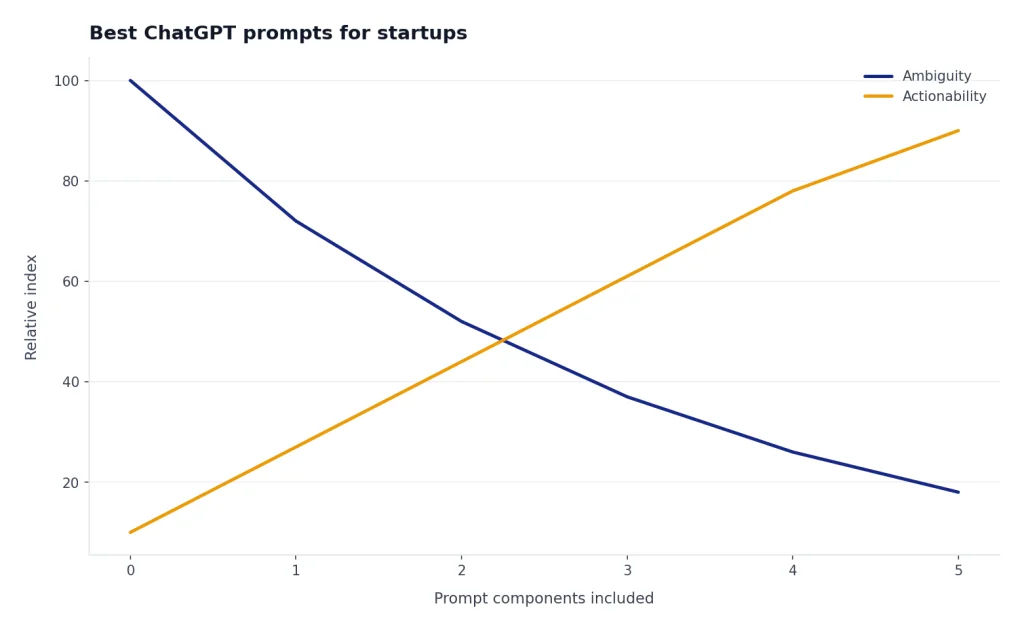
A good startup prompt includes context, role, constraints, format, and the decision you need to make. Weak prompts ask ChatGPT to “make this better.” Strong prompts explain what the business is trying to learn and what output will help the founder act.
Idea pressure test
“Act as a skeptical startup advisor. Here is the idea, target customer, current alternative, and assumed buying trigger: [paste]. Identify the riskiest assumptions. Rank them by how likely they are to kill the company. Suggest the smallest test for each assumption.”
Customer interview guide
“Create a customer discovery interview guide for [persona]. Avoid leading questions. Focus on recent behavior, current tools, cost of the problem, failed workarounds, buying process, and urgency. Include follow-up questions for vague answers.”
MVP scope filter
“Here are customer findings and proposed features: [paste]. Build a table with build now, defer, and reject. Explain the learning goal behind each build-now item and the risk of including each deferred item too early.”
Launch messaging
“Using this product brief and customer language, write three landing page positioning options. Each option should include audience, problem, promise, proof needed, and who the product is not for. Remove hype.”
Investor update
“Turn these founder notes into a concise investor update. Use sections for progress, customer learning, metrics, risks, asks, and next milestone. Flag any claim that needs verification before sending.”
If you want to build a reusable library of these prompts, start with our ChatGPT prompt generator. For content-heavy launches, pair this article with ChatGPT for SEO and ChatGPT for Social Media Content Creation.
Frequently asked questions
Can ChatGPT create a startup idea for me?
It can help generate and refine ideas, but it cannot prove that a market exists. Treat its ideas as starting points. The real test is whether specific customers have a painful problem, use poor workarounds, and show willingness to act.
Should a startup use personal ChatGPT accounts or a business workspace?
Personal accounts can work for early solo experimentation. A shared business workspace becomes more useful when several people need common context, admin controls, shared projects, and clearer data practices. Review OpenAI’s current Business and Enterprise terms before putting company data into any workspace.[1]
Can ChatGPT write my pitch deck?
ChatGPT can draft a pitch deck narrative, tighten slide copy, identify gaps, and prepare likely investor questions. You still need to supply the facts: customer evidence, product status, market logic, financial assumptions, and team details. Verify every metric before sharing the deck.
Is ChatGPT reliable for competitor research?
Use it as a research assistant, not the final source. Ask for a framework, then verify each competitor’s features, pricing, positioning, and customer claims from primary sources. OpenAI notes that ChatGPT can be wrong and may sound confident even when it is incorrect.[4]
Can I use ChatGPT to build an AI product?
Yes, but planning with ChatGPT is different from integrating an AI model into your product. If you use the OpenAI API, review the platform’s data controls, retention rules, cost structure, and safety requirements. OpenAI states that API data is not used to train or improve models unless you explicitly opt in.[3]
What should startups never paste into ChatGPT?
Avoid pasting information you are not authorized to process, including private customer data, regulated records, unreleased partner terms, passwords, API keys, confidential legal documents, and raw financial details. If the information is necessary, anonymize it and confirm that your plan, settings, contracts, and internal policy allow the use.