

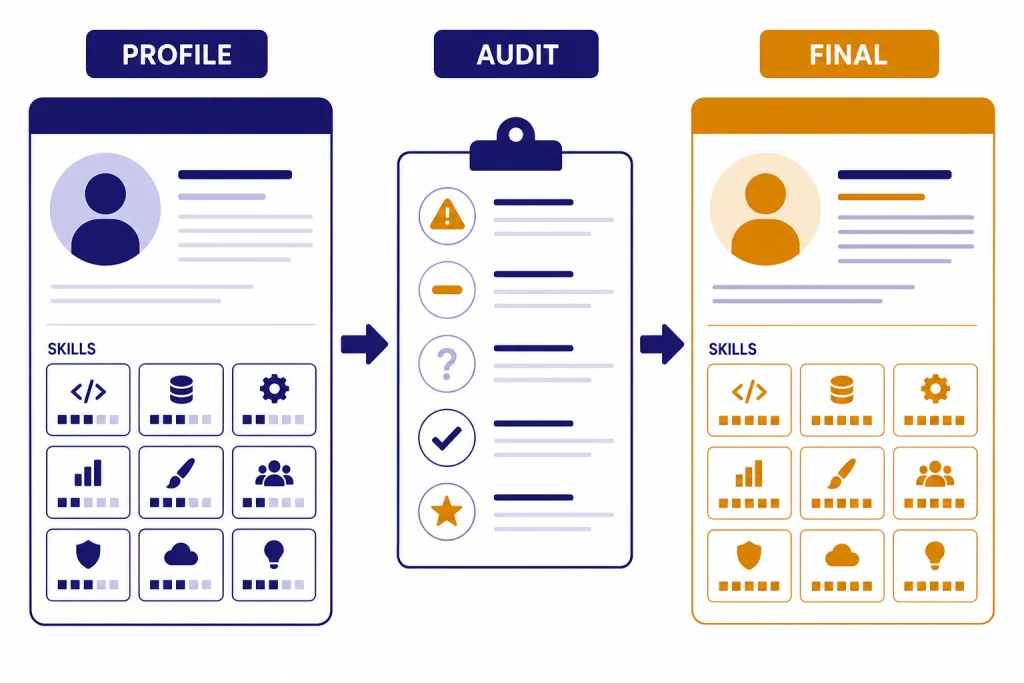
ChatGPT for LinkedIn works best as an editor, strategist, and profile auditor, not as a one-click personal brand machine. Give it your current profile text, target roles, proof points, and sample job descriptions. Then ask it to find gaps, rewrite sections, and produce several versions in your real voice. The goal is not to make your profile sound more “AI-written.” The goal is to make it clearer, more searchable, and easier for recruiters, buyers, clients, and peers to understand. This guide shows you how to use ChatGPT to improve your headline, About section, experience, skills, posts, comments, and networking messages while protecting sensitive career information.
Start with a profile audit
Do not begin by asking ChatGPT to “write me a better LinkedIn profile.” That prompt gives you polished sameness. Start with an audit. LinkedIn describes a profile as a professional page for managing your personal brand, and its core sections include the introduction area, Experience, Education, Licenses & certifications, Skills, Recommendations, Projects, Publications, and more.[1] ChatGPT can help you decide which sections need sharper copy, which sections are thin, and which sections do not support your current goal.
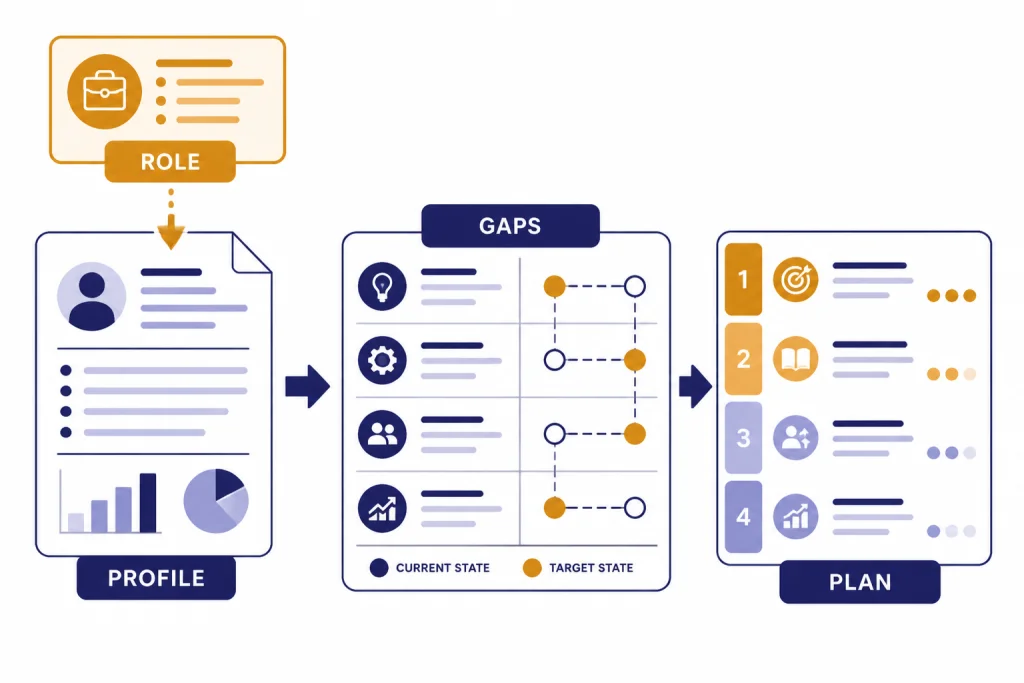
Copy your current headline, About section, recent experience entries, skills list, and two or three target job descriptions into ChatGPT. If you are a consultant or founder, paste ideal client language instead of job descriptions. Ask for a diagnostic report before any rewrite.
You are my LinkedIn profile editor. Audit the profile text below for one goal: attracting [target role, recruiter, client, or partner]. Identify unclear positioning, missing keywords, weak proof, credibility gaps, duplicated ideas, and claims that sound generic. Do not rewrite yet. Return a prioritized fix list.This order matters. A strong LinkedIn profile is not one long bio. It is a set of signals. Your headline helps people decide whether to click. Your About section explains your direction. Your experience proves your claims. Your skills support search and matching. Your activity shows whether you still work in the area you claim.
If you work in recruiting, talent operations, or hiring, pair this article with ChatGPT for Recruiters and HR Teams. If your own profile is meant to support outreach or pipeline building, also read ChatGPT for Sales Professionals.
| Profile area | What to give ChatGPT | Best output to request | Human check |
|---|---|---|---|
| Headline | Target title, specialty, audience, proof | Several concise headline options | Does it fit your actual work? |
| About | Career story, target reader, proof points | A clear first-person profile summary | Does it sound like you? |
| Experience | Responsibilities, metrics, projects, tools | Outcome-focused bullets | Can you defend every claim? |
| Skills | Current skills and target job descriptions | Skill gap map and priority list | Are the skills honest and current? |
| Activity | Topics, opinions, examples, audience | Post ideas and comment drafts | Would you say this publicly? |
Write a LinkedIn headline that works in search and on the profile
Your headline is not just a decorative tagline. LinkedIn says the professional headline appears below your name, shows in search results, can differ from your current job title, and can promote an area of expertise.[2] That makes it one of the highest-leverage fields to improve with ChatGPT.
A useful headline usually answers four questions: what you do, who you help, what domain you work in, and why someone should trust you. ChatGPT is good at generating variations across these dimensions. It is less good at knowing which one is true. You must supply the raw facts.
Create 12 LinkedIn headline options for me. Use this structure: role or specialty | audience or industry | proof or differentiator. Keep the tone direct and credible. Avoid buzzwords such as visionary, passionate, results-driven, and guru. My details: [paste role, audience, skills, metrics, certifications, target role].For a job seeker, the headline should align with the next role, not only the last one. For a consultant, it should make the buyer and problem obvious. For a founder, it should explain the category clearly enough for a stranger to place you. For a student, it should state the field, project work, and direction instead of only listing a school name.
| Weak headline pattern | Better ChatGPT instruction | Example direction |
|---|---|---|
| Only a job title | Add specialty and business context | Product manager for B2B onboarding and activation |
| Too many buzzwords | Replace adjectives with concrete scope | Revenue operations analyst focused on CRM data quality |
| Too broad | Name the audience and use case | Freelance designer for SaaS landing pages and product launches |
| Career change is unclear | Bridge past work to target role | Teacher moving into learning design and enablement |
LinkedIn also offers an AI-powered writing assistant for selected profile sections to a select group of Premium users.[6] ChatGPT is still useful because you can control the brief, compare multiple positioning strategies, and reuse your profile inputs for posts, messages, and interview preparation.
Rewrite the About section with proof and direction
The About section should not read like a cover letter pasted into LinkedIn. It should make the first few lines specific, then support the claim with evidence. Ask ChatGPT to write in first person unless your field has a strong reason to use third person. First person sounds more natural on a profile and is easier to edit.
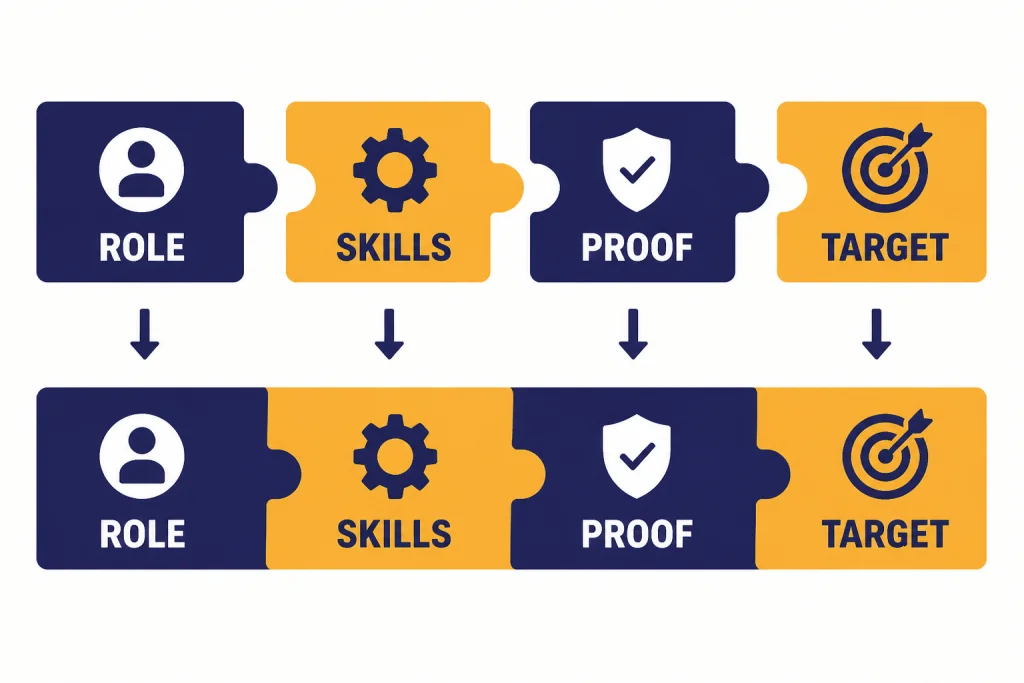
Use a five-part structure: current positioning, strongest proof, relevant skills, career direction, and a light call to action. The call to action does not need to be salesy. “I’m open to conversations about analytics roles in healthcare operations” is enough for a job seeker. “I help seed-stage teams clarify product messaging before launch” is enough for a consultant.
Rewrite my LinkedIn About section using this structure: 1) one-line positioning statement, 2) short career context, 3) three proof points, 4) tools or skills I want associated with me, 5) what I am open to next. Use plain language. Keep it human. Do not exaggerate. Ask follow-up questions before writing if any proof is missing.ChatGPT will often over-polish this section. Push it back toward specificity. Replace “cross-functional leader” with the teams you worked with. Replace “data-driven” with the metric you improved. Replace “strong communicator” with the audience you communicate to, such as executives, customers, engineers, patients, students, or nonprofit boards.
If you publish articles, newsletters, or long-form posts, your About section should also match your content voice. The same editing discipline applies to ChatGPT for Blog Writing, chatgpt for writing, and chatgpt for social media content creation.
Ask for versions, not one answer
One draft can trap you into accepting ChatGPT’s first frame. Ask for three versions: recruiter-focused, client-focused, and peer-focused. Then combine the best parts. A profile for a public-company finance leader should not sound like one for a freelance creator, even if both use the same platform.
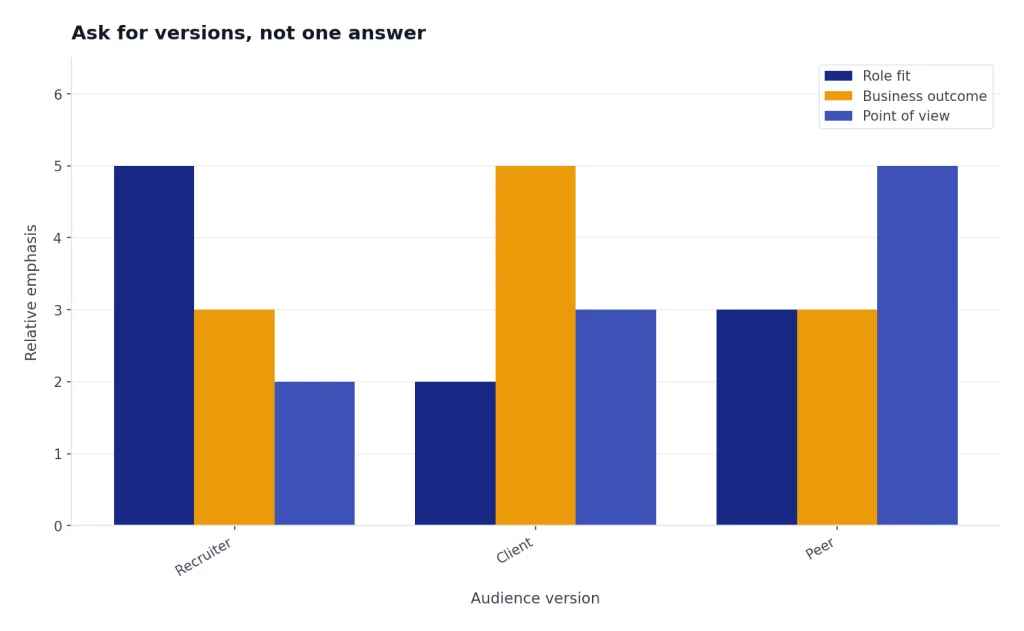
Now create three versions of the About section: A) recruiter-focused, B) client-focused, and C) industry-peer focused. After each version, explain what tradeoff it makes.Upgrade experience, skills, and proof
Your experience section should do more than list responsibilities. It should prove the claims in your headline and About section. Give ChatGPT rough notes for each role: scope, projects, tools, teams, outcomes, constraints, and before-and-after results. Then ask for bullets that show action and evidence.
Turn these rough notes into LinkedIn experience bullets. Prioritize outcomes, scope, tools, and business impact. Keep each bullet specific. Do not invent metrics. If a metric is missing, insert [METRIC NEEDED] instead of guessing.Skills deserve the same attention. LinkedIn says members can add up to 100 skills to their profile.[3] That does not mean you should add every skill you have ever touched. Use ChatGPT to compare your current skills against job descriptions or buyer language, then choose the skills that match your next direction.
LinkedIn distinguishes between explicit skills listed in the Skills section and implicit skills extracted from profile text such as summaries, position descriptions, titles, and headlines.[5] That means ChatGPT should help you place important language in more than one profile area. Do not hide a key skill only in an old role. Mention it in the headline, About section, experience, and Skills section when it is central to your positioning.
Skill endorsements also matter as credibility signals. LinkedIn says 1st-degree connections can validate skills through endorsements, and that endorsements can contribute to profile strength and increase the likelihood of being discovered for related opportunities.[4] Use ChatGPT to draft short, polite messages asking close colleagues for specific endorsements or recommendations, but never pressure people or mass-send the same note.
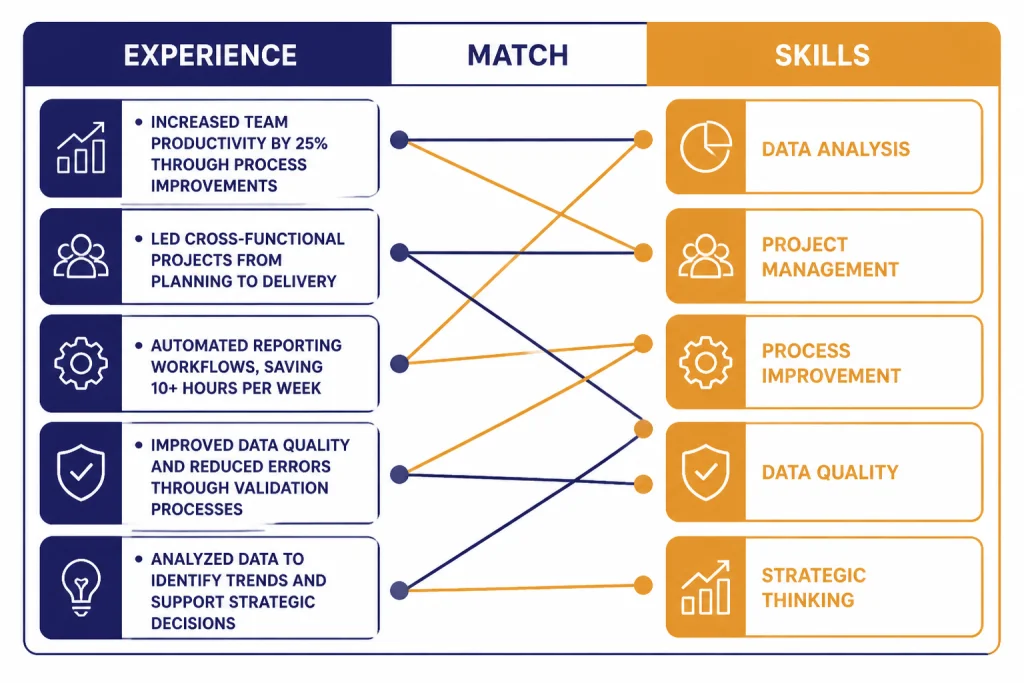
| Input | ChatGPT task | Profile improvement |
|---|---|---|
| Three target job descriptions | Extract repeated skills and phrases | Better headline, About, and Skills alignment |
| Old resume bullets | Convert to LinkedIn-style achievement bullets | Clearer experience entries |
| Project notes | Identify proof points and missing metrics | Stronger credibility without exaggeration |
| Colleague relationship details | Draft a personal recommendation request | More specific social proof |
Profession-specific language matters here. An accountant, designer, lawyer, or doctor should not use the same profile structure or risk tolerance. For examples of adapting ChatGPT to specialized fields, see ChatGPT for Accountants and Bookkeepers, ChatGPT for Designers, ChatGPT for Lawyers, and ChatGPT for Doctors and Healthcare Professionals.
Create LinkedIn content without sounding automated
Your profile is easier to trust when your activity supports it. ChatGPT can turn your work history into post ideas, short reflections, comments, and connection messages. The risk is that it will produce generic advice that sounds like every other AI-assisted post. Avoid that by giving it lived examples.
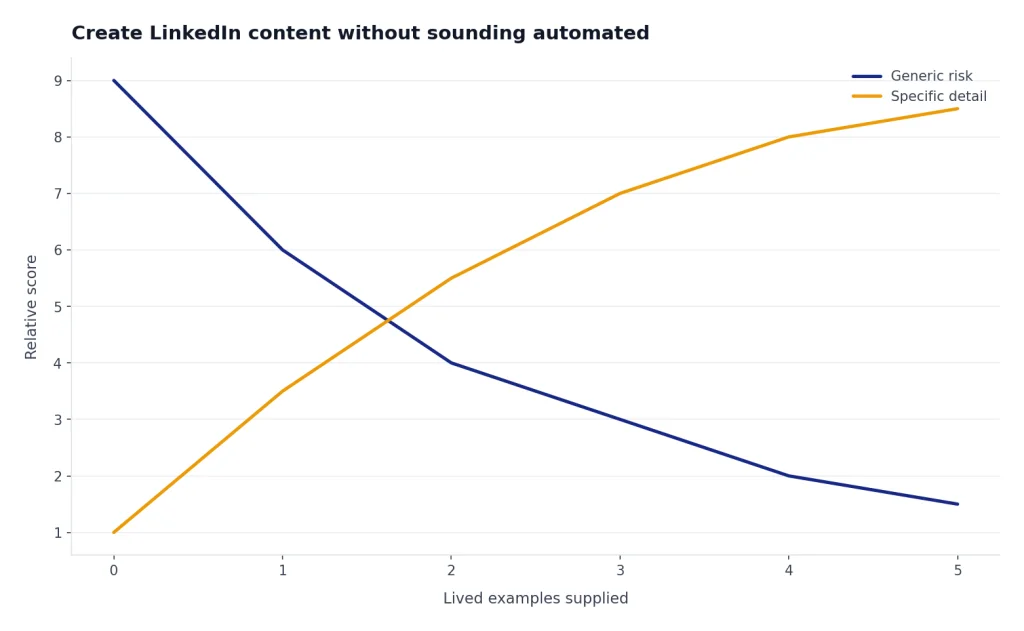
LinkedIn distinguishes posts from longer articles, and its Help Center states that posts have a 3,000-character limit while articles are longer-form publishing formats.[10] For most profile optimization, short posts and thoughtful comments matter more than long essays. They keep your profile current and give visitors more context for how you think.
Generate 20 LinkedIn post ideas from my recent work. Each idea must include: the specific situation, the lesson, the audience, and one concrete detail I can add from experience. Avoid motivational clichés. Do not write the posts yet.Once you have ideas, ask ChatGPT to draft in your style. Paste three posts or emails you have actually written. Tell ChatGPT what to preserve and what to avoid. If you do client work, sales, recruiting, or marketing, keep your content aligned with the buyer or candidate journey. Related workflows appear in chatgpt for marketing, ChatGPT for Email Writing That Converts, and chatgpt for seo.
Use comments as a profile signal
Comments are often easier to sustain than posts. Ask ChatGPT to create comment angles, not finished comments. A good comment adds a missing example, clarifies a tradeoff, or asks a specific question. A weak comment repeats the original post in different words.
Give me five comment angles for this LinkedIn post. Each angle should add a useful point from the perspective of [your role]. Keep them concise. Do not praise the author unless there is a specific reason.Use ChatGPT safely with LinkedIn data
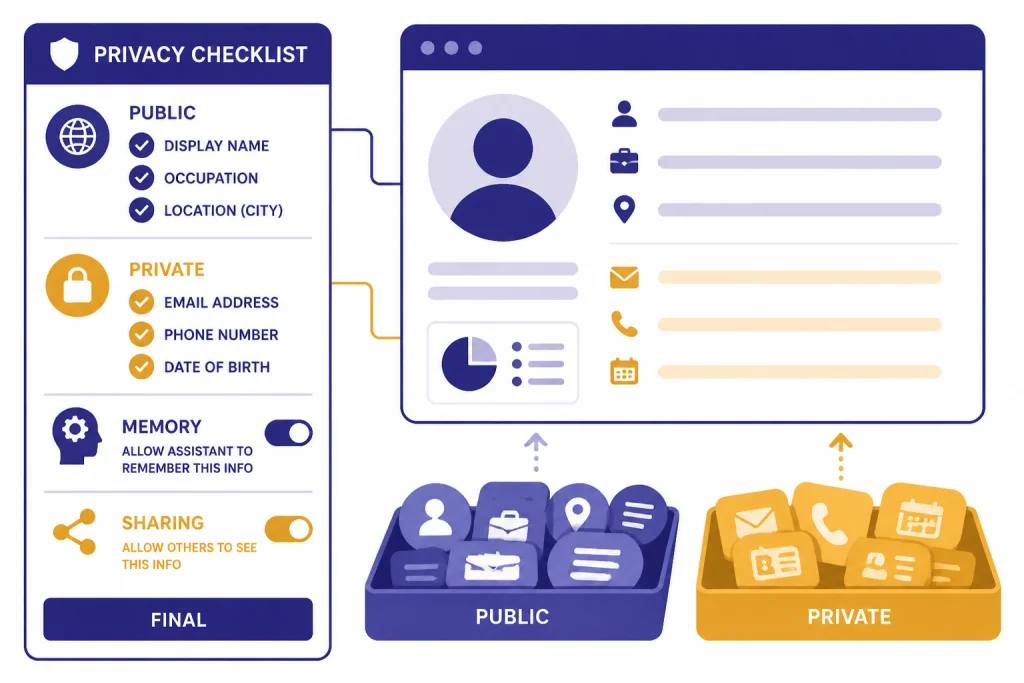
LinkedIn profiles can contain sensitive career information: client names, revenue figures, internal project details, personal contact information, immigration status, salary hints, health-related work, legal matters, and job-search plans. Remove private details before pasting material into ChatGPT. Use placeholders such as [CLIENT], [REVENUE RANGE], [CITY], or [CURRENT EMPLOYER] when the exact detail is not needed.
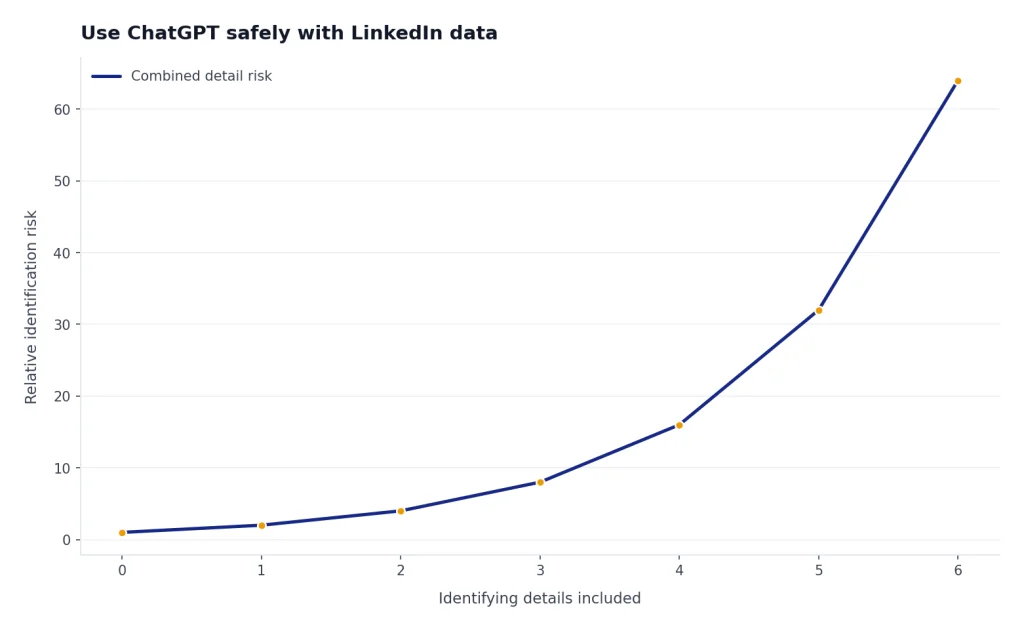
OpenAI’s Data Controls let users decide whether conversations help improve models, and signed-in users can access additional options such as exporting data or deleting an account.[7] If you are using ChatGPT for a confidential job search or employer-sensitive profile rewrite, review those settings before you paste drafts.
Memory is another setting to understand. OpenAI says ChatGPT memory can use saved memories and chat history to make future responses more relevant, and users can reset memory, delete saved memories, or turn memory off.[8] That can be useful if you want ChatGPT to remember your preferred tone and target roles. It can be a problem if you do not want one employer, client, or career direction to influence future drafts.
For current company research, job description comparisons, and market language, ChatGPT search can help because OpenAI says ChatGPT can search the web and provide timely answers with sources.[9] Still, verify any source before you use it in a public profile or outreach message. A wrong company name, stale product description, or misread job requirement can make the profile look careless.
Prompt pack for LinkedIn profile optimization
Use these prompts as reusable building blocks. Save the ones that match your situation. If you build a larger personal library, chatgpt prompt generator workflows can help you standardize them across profile writing, outreach, content, and interview preparation.
Profile positioning prompt
Act as a LinkedIn positioning editor. Based on my background and target audience, summarize my profile in one sentence, then list three possible positioning angles. For each angle, explain who it attracts, what proof it needs, and what it might unintentionally exclude.Headline refinement prompt
Review these headline options. Score each for clarity, search relevance, credibility, and memorability. Then create a stronger hybrid option using only claims supported by my background.About section editing prompt
Edit this About section for clarity and credibility. Remove filler. Make the first two lines more specific. Preserve my voice. Mark any claim that needs evidence instead of inventing proof.Experience bullet prompt
Rewrite these experience notes into LinkedIn bullets. Use active verbs. Show scope and outcomes. Keep confidential information private. If a bullet sounds like a resume cliché, replace it with a more specific version.Skills gap prompt
Compare my current skills list with these target job descriptions. Group missing or underused skills into: must-have, useful, optional, and not worth adding. Explain where each must-have skill should appear on my profile.Recommendation request prompt
Draft a short LinkedIn recommendation request to a former colleague. Mention the project we worked on, the skill I would appreciate them highlighting, and a no-pressure tone. Keep it personal and concise.Frequently asked questions
Can ChatGPT write my entire LinkedIn profile?
Yes, but you should not publish the first draft without editing. ChatGPT can structure and polish your profile, but you must supply true details, real proof, and your preferred tone. The best workflow is audit, draft, verify, personalize, then publish.
What should I paste into ChatGPT first?
Start with your current headline, About section, experience bullets, skills list, and target role or audience. Add job descriptions or buyer language if you want the profile to support a specific goal. Remove confidential names, numbers, and internal details before pasting.
Will recruiters know I used ChatGPT?
They may suspect it if your profile sounds vague, inflated, or full of common AI phrases. The solution is not to avoid ChatGPT. The solution is to use it as an editor and add specific proof, real examples, and language you would actually use in conversation.
Can ChatGPT help with LinkedIn keywords?
Yes. Paste several target job descriptions or client briefs and ask ChatGPT to identify repeated skills, tools, titles, and industry terms. Then place the honest matches in your headline, About section, experience, and Skills section.
Should I use ChatGPT for LinkedIn posts too?
Yes, if you use it to develop ideas and sharpen drafts. Avoid posting generic content that could apply to anyone. The strongest posts usually start with a real project, decision, mistake, lesson, or example from your work.
Is LinkedIn’s own AI writing assistant enough?
It may be enough for quick edits if the feature is available to your account. ChatGPT gives you more control over strategy, voice, comparison drafts, and reuse across messages, posts, and interview prep. Many users will get better results by using both, then editing manually.