

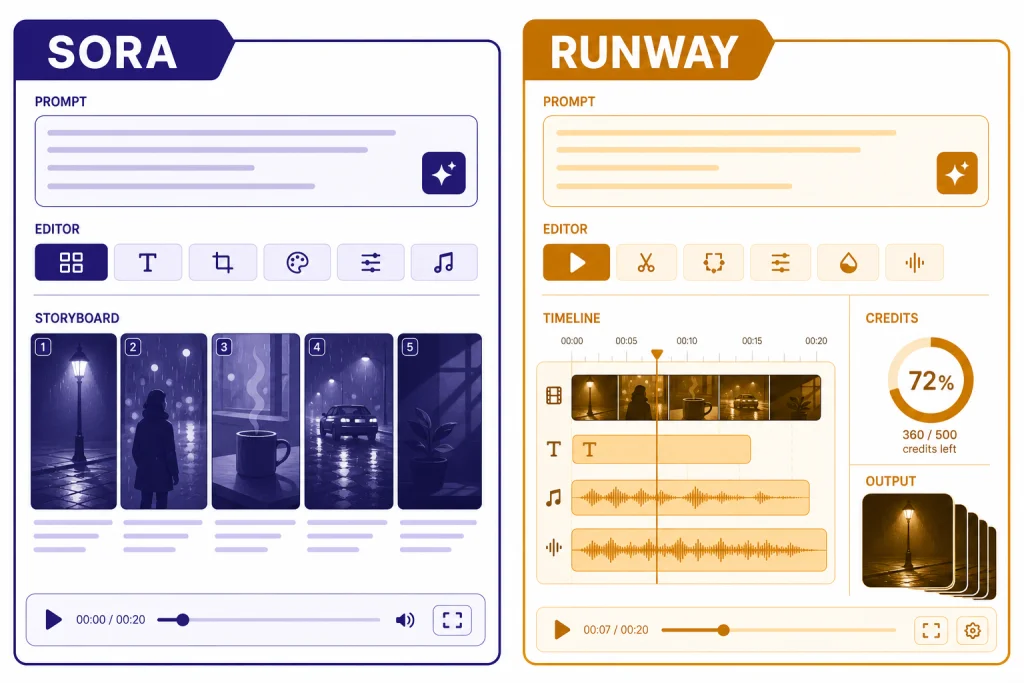
On March 18, 2026, the Sora vs Runway answer is not one-size-fits-all. Runway is the better choice if you want a dedicated text-to-video workbench with stronger shot control, repeatable production tools, and a clearer path from prompt to finished asset. Sora is the better choice if you already pay for ChatGPT and want simple concept generation inside the OpenAI ecosystem. For serious creators, Runway is the safer pick. For occasional ideation, Sora is the better value. The practical winner depends less on a single sample clip and more on your budget, workflow, export needs, and tolerance for generation limits.
Quick verdict
Choose Runway if your main job is making video. Its Gen-4.5 and Gen-4 tooling gives creators more explicit control over prompt structure, motion, aspect ratio, image-to-video starts, iteration, and downstream editing. Runway introduced Gen-4.5 on December 1, 2025 and positioned it around motion quality, prompt adherence, and visual fidelity.[10]
Choose Sora if your main job is already happening in ChatGPT. OpenAI launched Sora as a standalone product for ChatGPT Plus and Pro users on December 9, 2024, with text, image, and video prompting plus storyboard-style controls.[1] It is easier to justify when you also use ChatGPT for scripting, ideation, captions, research, and image generation. For a broader plan comparison, see ChatGPT Free vs Plus vs Pro.
The short version: Runway is the better text-to-video model environment. Sora is the better bundled creative add-on. If you are comparing OpenAI’s video stack against other frontier video systems, also read our Sora vs Google Veo breakdown.
Core differences at a glance
Sora and Runway overlap on prompt-to-video generation, but they are built for different habits. Sora feels like a fast creative surface attached to ChatGPT. Runway feels like a production suite built around shots, assets, credits, and iteration.
| Criterion | Sora | Runway |
|---|---|---|
| Best fit | ChatGPT users who want fast concept clips and simple prompting. | Creators and teams that need a dedicated AI video pipeline. |
| Current flagship comparison point | OpenAI’s Sora product family, launched publicly for Plus and Pro users in December 2024.[1] | Runway Gen-4.5 for text-to-video and image-to-video, with Gen-4 and Gen-4 Turbo still relevant for image-start workflows.[5][6] |
| Clip length and resolution | The Sora billing FAQ lists Plus and Business at up to 480p and 10 seconds, and Pro at up to 1080p and 20 seconds.[2] | Gen-4.5 supports 2-10 second generations at 720p; Gen-4 supports 5 or 10 second clips with several aspect-ratio-specific resolutions.[5][6] |
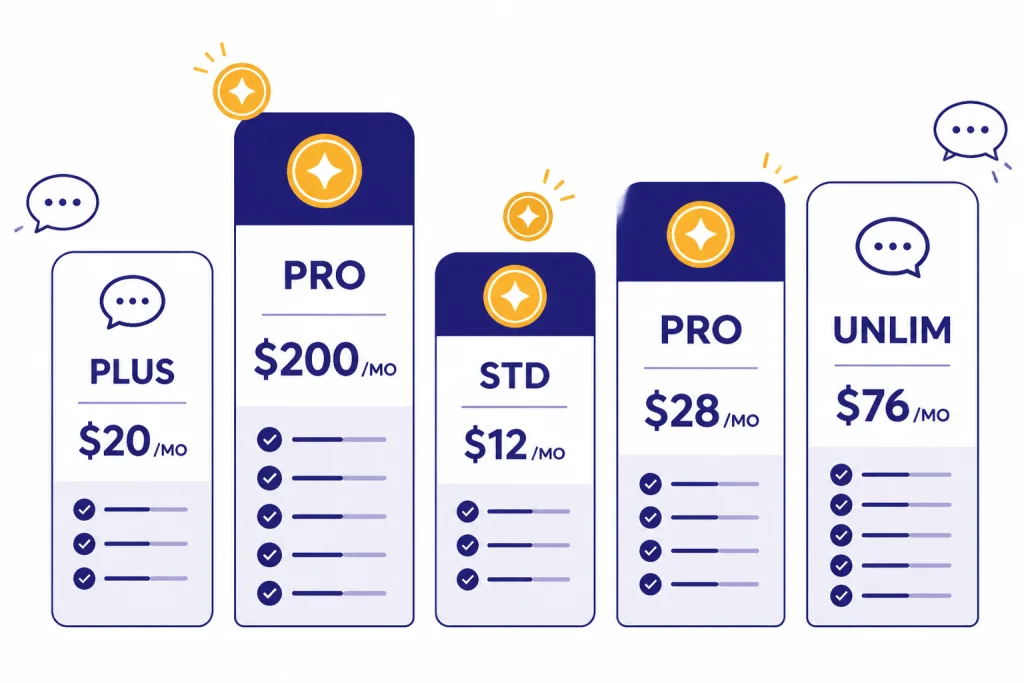
| Pricing style | Bundled into ChatGPT subscriptions. ChatGPT Plus is $20/month, and OpenAI introduced ChatGPT Pro as a $200 monthly plan.[3][4] | Credit-based Runway plans. Annual-billed monthly equivalents shown by Runway include $12 Standard, $28 Pro, and $76 Unlimited.[7] |
| Workflow | Best for ideation, storyboard creation, remixes, and quick social concepts. | Best for shot iteration, production asset management, upscaling, model switching, and team workflows. |
| Main caution | Plan limits and feature wording have changed across OpenAI pages, so check the plan screen before buying only for video. | Runway credits and model rates need active budgeting, especially if you iterate heavily. |
Output quality and prompt control
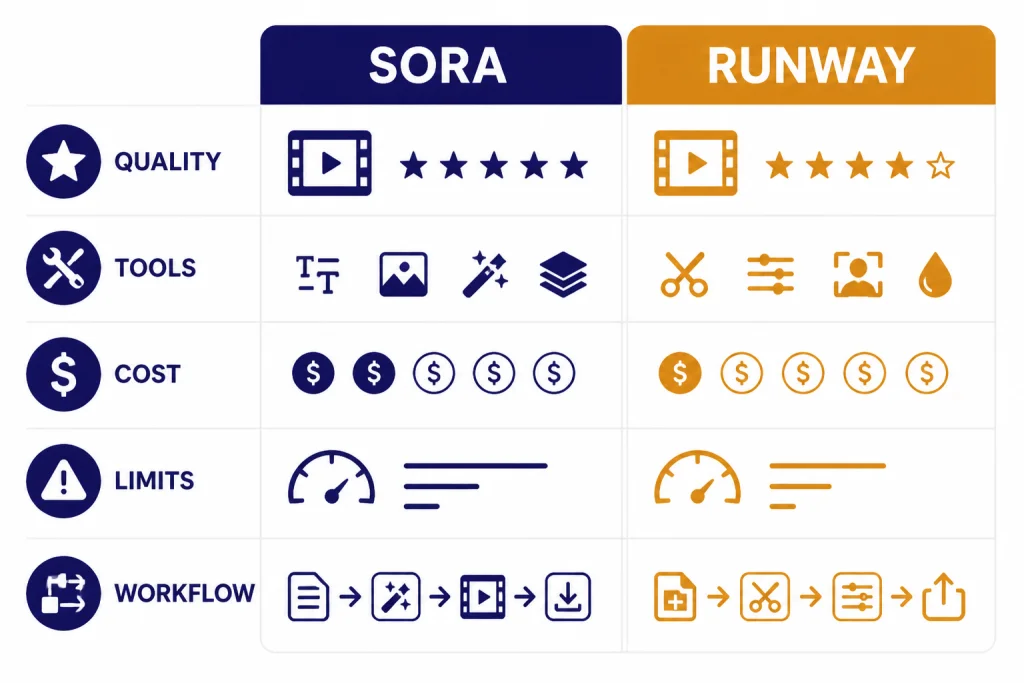
Runway has the edge for users who care about repeatable text-to-video control. Runway says Gen-4.5 can handle complex, sequenced instructions, including camera choreography, scene composition, timing, and atmospheric changes inside one prompt.[5] That matters when you are not just asking for a nice clip, but trying to direct a shot.
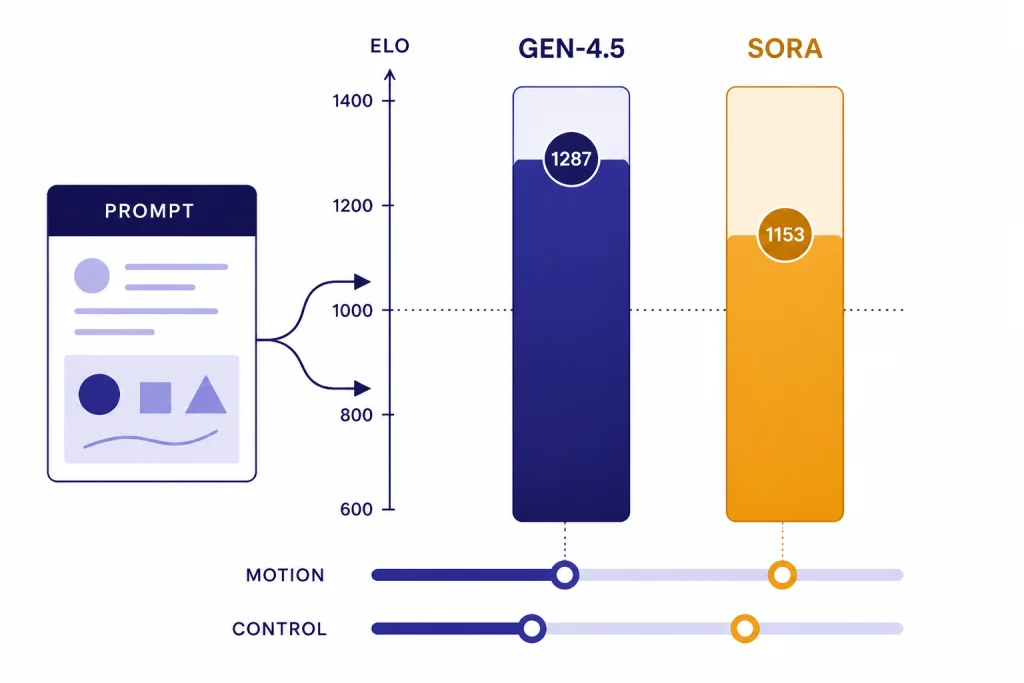
Runway’s launch post reported that Gen-4.5 reached 1,247 Elo points on the Artificial Analysis Text to Video benchmark as of November 30, 2025, and a third-party report from The Decoder independently described the same 1,247 Elo result.[10][12] Treat that as a strong signal, not a permanent crown. Artificial Analysis ranks video models through blind user votes on paired outputs from the same prompt, and live leaderboards move as new models and votes arrive.[11]
Sora is still strong at natural-language ideation. OpenAI describes Sora as able to generate complex scenes with multiple characters, specific motion, and subject-background detail.[2] In practice, that makes Sora good for broad creative prompts such as “a surreal product teaser with soft studio lighting and slow camera movement.” It is less compelling when you need a repeatable production system with many shot variants, matched camera moves, and careful version control.
Both systems still fail in ways that matter. OpenAI’s Sora technical report notes that the model can struggle with physical interactions, such as glass shattering.[13] Runway’s Gen-4.5 launch materials list limitations around causal reasoning, object permanence, and actions succeeding too easily.[10] The practical lesson is simple: neither tool replaces review. Use them for candidate footage, then inspect motion, hands, faces, object continuity, and cause-and-effect before publishing.
A useful test prompt is a single-take scene with a beginning, middle, and end: “A ceramic cup tips over, liquid spills across a reflective table, a hand enters frame with a towel, and the camera slowly pushes in.” Runway is more likely to reward structured direction. Sora is more likely to reward a rich, plain-English creative brief. If your work is mostly images, the same tradeoff appears in DALL-E vs Midjourney: simplicity is not the same thing as production control.
Editing workflow and production tools
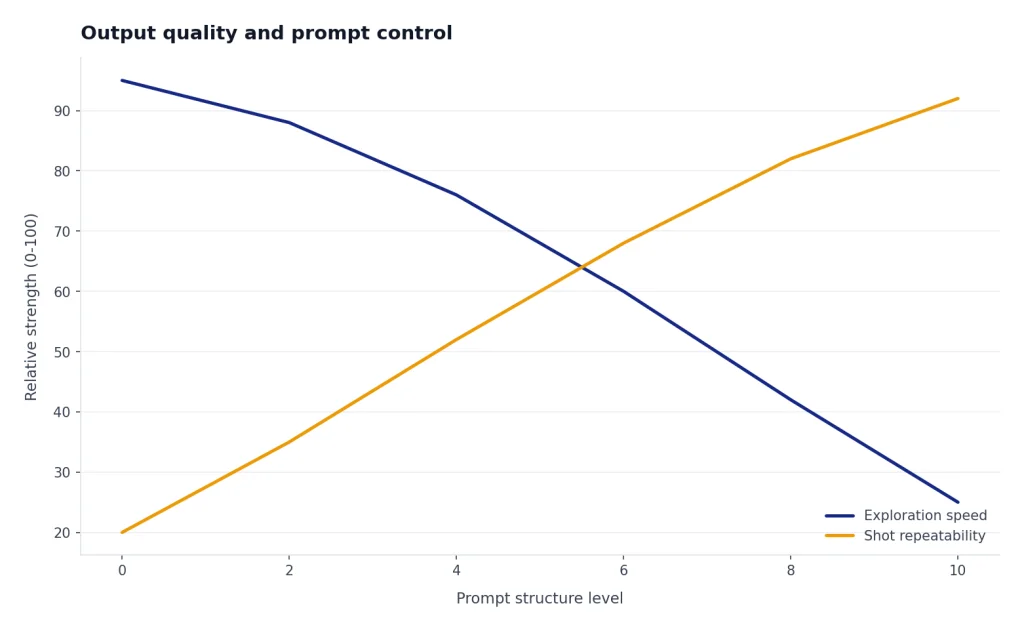
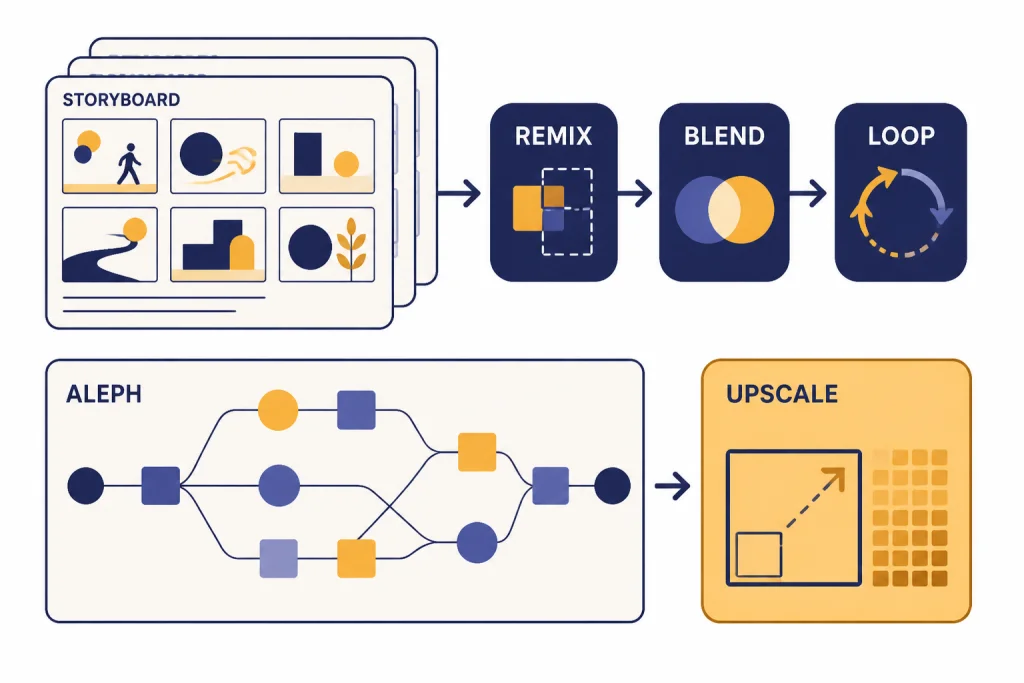
Sora’s editor is strongest when you want to branch an idea. OpenAI’s Sora help page describes Re-cut for trimming and extending, Remix for describing changes, Blend for transitions between videos, and Loop for seamless loops.[1] That is useful for concepting. A writer can generate a clip, ask for a variation, turn one moment into a loop, and keep exploring without leaving the Sora surface.
Runway is stronger when a clip becomes a production asset. Gen-4 requires an input image and uses that image as the first frame, which makes it useful when you already have a reference frame, product shot, character still, or art direction board.[6] Gen-4.5 adds text-to-video and image-to-video control on Standard and higher plans.[5] Runway also connects generated clips to actions such as retiming, lip sync, using a frame as a new input, and upscaling to 4K from the Gen-4 output controls.[6]
This is why Runway usually fits agencies, editors, and video-first creators better. It behaves like a bench of tools. Sora behaves like a creative prompt surface. That difference is similar to DALL-E vs Stable Diffusion: the easier tool can win for speed, while the more tunable tool can win for production.
For teams, the workflow question often matters more than the model question. If your organization already manages ChatGPT seats, compare ChatGPT Pro vs Team and ChatGPT Team vs Enterprise before treating Sora as a separate video platform. If your team is video-first, Runway’s asset, credit, and editor model is usually easier to budget around.
Pricing, limits, and value
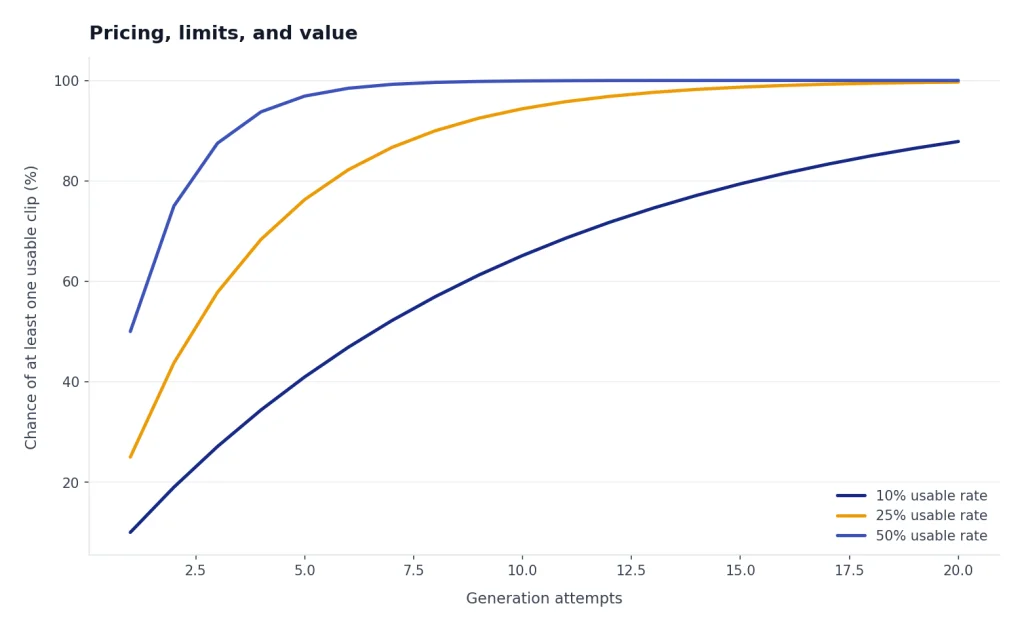
Price is where Sora vs Runway gets messy. Sora can look cheaper because it is bundled with ChatGPT. Runway can look more expensive because it makes video costs visible through credits. The real question is how many usable clips you need after failed generations, re-prompts, and exports.
| Plan or tier | Price or credit model | Video value | Main watch-out |
|---|---|---|---|
| ChatGPT Plus | $20/month.[3] | Sora access inside the broader ChatGPT subscription. | The Sora FAQ lists Plus at up to 480p, 10 seconds, and 1 concurrent generation for the cited Sora web experience.[2] |
| ChatGPT Pro | OpenAI introduced Pro as a $200 monthly plan.[4] | The Sora FAQ lists Pro at up to 1080p, 20 seconds, 5 concurrent generations, faster generations, and watermark-free downloads.[2] | Hard to justify if you only need occasional video. |
| Runway Standard | $12/user/month when billed annually; 625 monthly credits.[7] | Entry paid plan for Runway’s broader video toolset. | Monthly plan credits reset and do not roll over.[9] |
| Runway Pro | $28/user/month when billed annually; 2,250 monthly credits.[7] | Better fit for active creators who need more monthly generation room. | Still credit-bound unless you buy more or move to Unlimited. |
| Runway Unlimited | $76/user/month when billed annually; 2,250 monthly credits plus Explore Mode.[7] | Relaxed-rate infinite image and video generations for supported tools.[8] | Explore Mode can be slower and concurrency can be limited.[8] |
There are two caveats. First, OpenAI’s Sora launch post described Plus usage as up to 50 videos at 480p or fewer videos at 720p each month, while the Sora billing FAQ now describes Plus and Pro access as unlimited, subject to terms and temporary restrictions.[1][2] Use the current plan screen before subscribing only for Sora.
Second, Runway’s own pages need careful reading. The Gen-4.5 help page and credit FAQ list Gen-4.5 at 12 credits per second, but Runway’s pricing page says 625 credits equals 25 seconds of Gen-4.5, which implies a higher effective rate for that plan example.[5][7][9] Check the in-app generation estimate before you queue a large batch.
If you already pay for ChatGPT Plus, Sora is the cheaper place to start. If you are billing client video work, Runway is easier to treat as a production cost. Keep ChatGPT subscription pricing separate from API budgeting; for that side of the stack, use our OpenAI API pricing reference.
Which one should you choose?
Use Sora when speed and bundle value matter
Sora is the better first stop for writers, social media managers, educators, and solo users who already live in ChatGPT. You can write a concept, ask ChatGPT to improve the prompt, generate a clip, and use the same subscription for captions, scripts, thumbnails, and campaign copy. If your use is occasional, Sora avoids the mental overhead of credits.
Use Runway when the clip has to survive production review
Runway is better for creators who need many attempts, reference images, consistent shot planning, upscaling, model switching, and a clean asset workflow. It also gives finance and production teams a more explicit cost model. That model can be annoying, but it is easier to audit than “unlimited” language with guardrails.
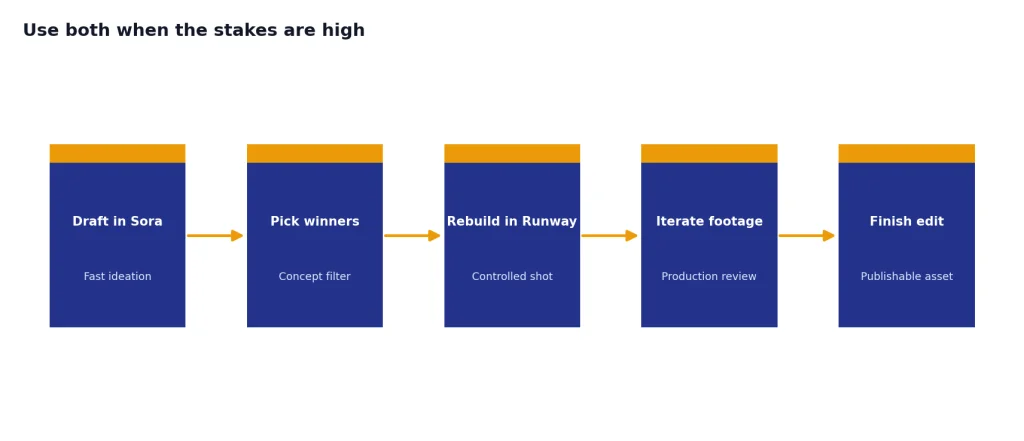
Use both when the stakes are high
A practical workflow is to ideate in Sora, then rebuild the strongest concepts in Runway for more controlled production. Use ChatGPT to generate prompt variants, shot lists, scripts, and negative checks. Use Runway to iterate the footage. This hybrid approach is common with AI tools: one model helps you think, and another helps you finish. If you are mapping the wider OpenAI model stack, see all GPT models compared side by side.
Do not choose either blindly for commercial likeness or brand work
Both tools require rights discipline. Do not upload people, products, music, characters, or brand assets unless you have the right to use them. OpenAI’s Sora upload guidance warns users not to upload content they do not own or have rights to use, including images or videos of other people without consent.[1] For broader tool shopping, compare the market in best AI chatbot alternatives to ChatGPT.
Final recommendation: choose Runway if the final output matters. Choose Sora if the idea matters and the output is a starting point.
Frequently asked questions
Is Sora better than Runway?
Not for most production video work. Runway has the stronger dedicated workflow and stronger public quality signal around Gen-4.5. Sora is better if you already use ChatGPT and want quick concept generation without adding another video subscription.
Which one makes longer clips?
The cited Sora billing FAQ lists ChatGPT Pro Sora generations at up to 20 seconds, while Runway Gen-4.5 supports 2-10 second durations.[2][5] Runway Gen-4 also supports 5 or 10 second generations.[6] If a single longer generation matters, Sora Pro has the clearer advantage in the cited docs.
Is Runway cheaper than Sora?
It depends on usage. ChatGPT Plus costs $20/month, while Runway’s Standard annual-billed price is $12/user/month with 625 monthly credits.[3][7] Heavy iteration can make Runway credits disappear quickly, but Runway is easier to budget for video-only production.
Which is better for TikTok, Reels, and Shorts?
Both can support vertical formats. OpenAI’s launch post said Sora supports widescreen, vertical, and square aspect ratios.[1] Runway Gen-4.5 supports 9:16 image-to-video at 720×1280, and Gen-4 supports 9:16 at 720×1280 as well.[5][6]
Does either tool replace a normal video editor?
No. Runway has more production tools, but generated clips still need review, trimming, color, sound, captions, and sometimes manual cleanup. Sora and Runway can both produce physical or temporal errors, so final editing remains necessary.[10][13]
Should ChatGPT Plus users pay for Runway too?
Start with Sora if you only need occasional concept clips. Pay for Runway when you need repeatable video work, many iterations, reference-image starts, or better production tooling. If video becomes part of your weekly work, Runway is usually worth testing for one billing cycle.