

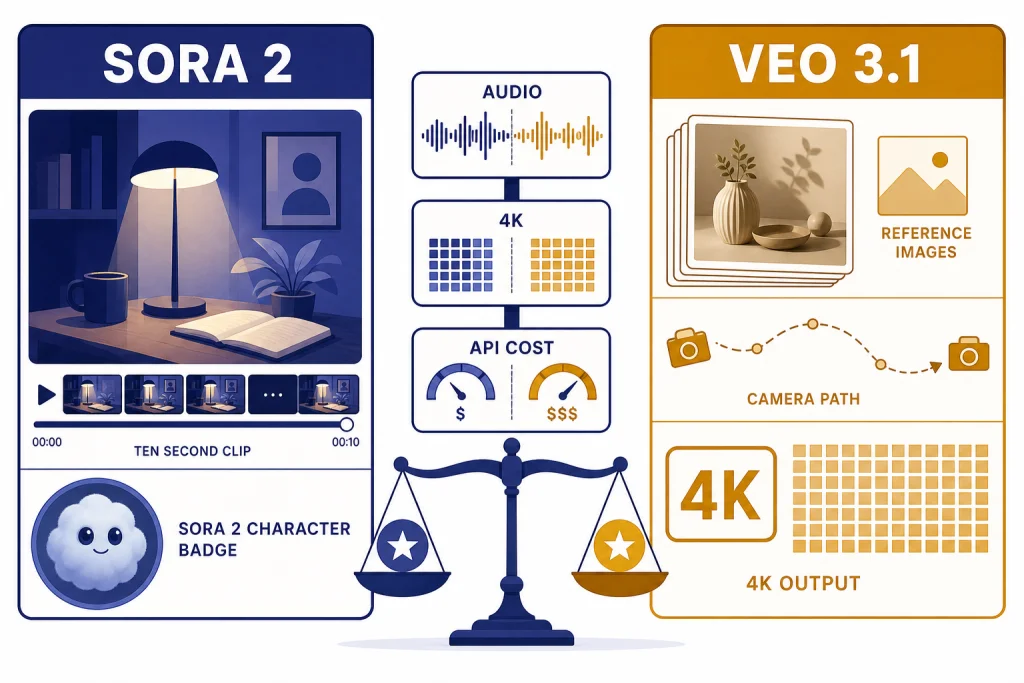
Sora vs Veo is not a simple winner-take-all matchup. Sora is the better choice for quick social video, likeness-controlled character clips, remixing, and creators already paying for ChatGPT or building against OpenAI’s video API. Veo is stronger for production-style control, reference-image workflows, 4K output options, and teams that want Google’s Flow, Gemini API, or Vertex AI path. As of March 22, 2026, this comparison centers on OpenAI’s Sora 2 and Sora 2 Pro and Google’s Veo 3.1 and Veo 3.1 Fast.[1][8]
Quick verdict
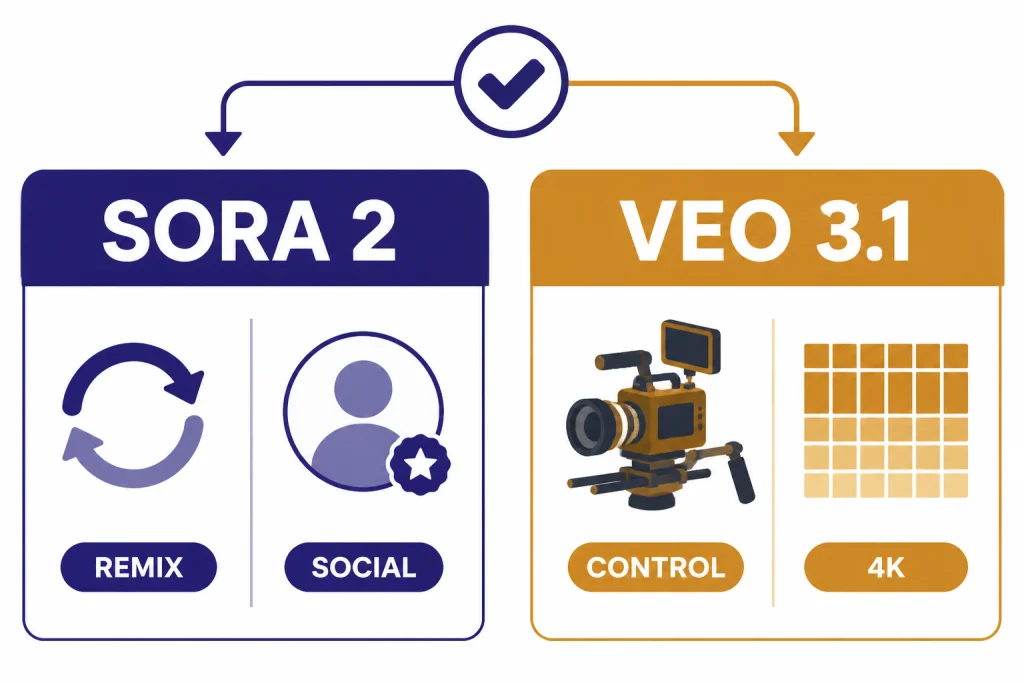
Choose Sora if you want fast creative iteration, short social clips, remixing, or character-based videos inside OpenAI’s consumer workflow. The Sora app is built around short videos with synchronized audio, text or photo starts, remixing, and permissioned characters.[3] If you are comparing OpenAI against another video-first product, start with our Sora vs Runway breakdown after this guide.
Choose Veo if your work looks more like production planning than casual posting. Google positions Veo 3.1 around reference images, style matching, character consistency, scene extension, camera controls, object changes, 1080p, and 4K output options.[7] The Gemini API documentation also exposes concrete video parameters for duration, aspect ratio, resolution, frame rate, extensions, and safety behavior.[8]
- Best casual creator pick: Sora.
- Best production-control pick: Veo.
- Best low-friction ChatGPT add-on: Sora.
- Best Google Cloud or Vertex AI path: Veo.
- Best answer for most teams: test both on your own shot list before committing.
Sora vs Veo at a glance
The practical difference is not only video quality. It is the product shape around the model. Sora feels like a creation network and OpenAI media API. Veo feels like a filmmaking stack that spans Gemini, Flow, Gemini API, and Vertex AI.
| Category | Sora | Google Veo |
|---|---|---|
| Main current models | Sora 2 and Sora 2 Pro.[1][3] | Veo 3.1 and Veo 3.1 Fast.[8] |
| Best fit | Short social clips, remixes, likeness-controlled character posts, and OpenAI workflows. | Storyboard work, reference-image control, cinematic shot planning, and Google Cloud workflows. |
| Consumer access | Sora app, sora.com, and ChatGPT plan access depending on tier.[3][4] | Gemini and Flow, with developer access through Gemini API and Vertex AI.[7][8] |
| Audio | Sora 2 generates synchronized dialogue and sound effects.[1] | Veo 3.1 natively generates audio with video, including dialogue, sound effects, and ambient cues.[8] |
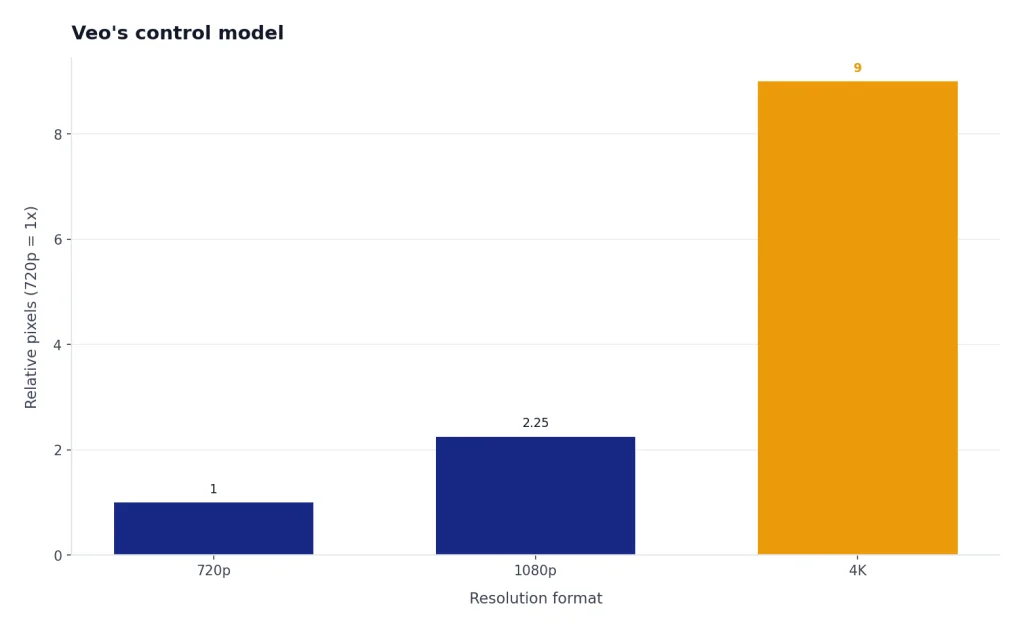
| Resolution and duration | OpenAI’s Sora help page lists up to 720p and 10 seconds for Plus and Business, and up to 1080p and 20 seconds for Pro.[4] | Gemini API docs list 4, 6, and 8 second generations, 24 fps, and 720p, 1080p, and 4K support for Veo 3.1 where the mode supports it.[8] |
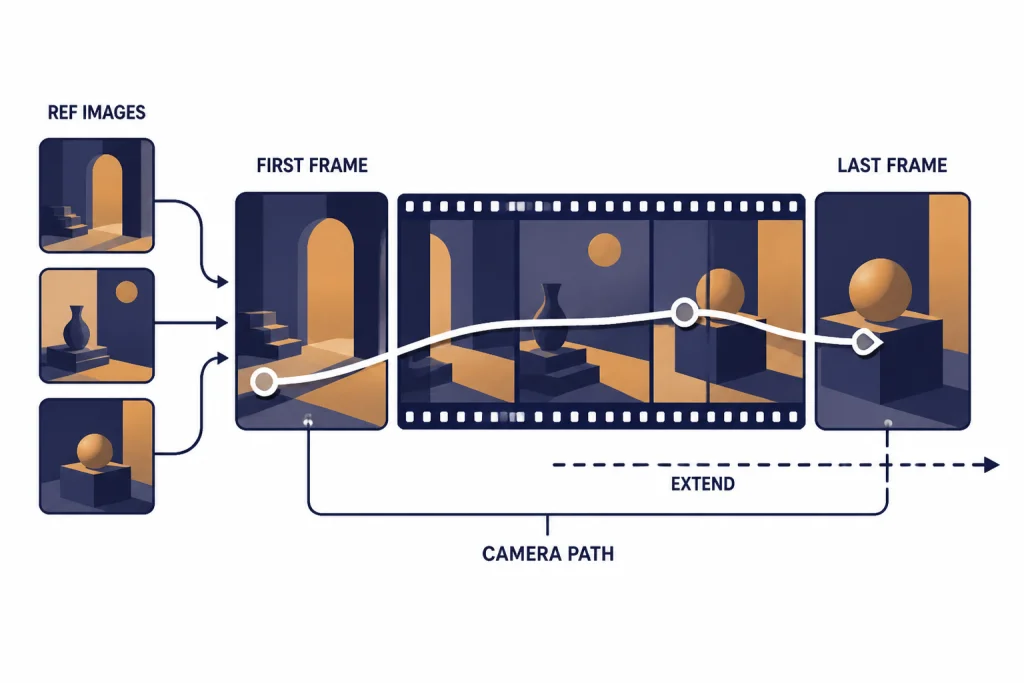
| Control tools | Text and image starts, remixing, characters, API image references, reusable non-human characters, edits, and extensions.[3][6] | Reference images, first-and-last-frame generation, scene extension, camera controls, outpainting, object insertion, object removal, and motion controls.[7][8] |
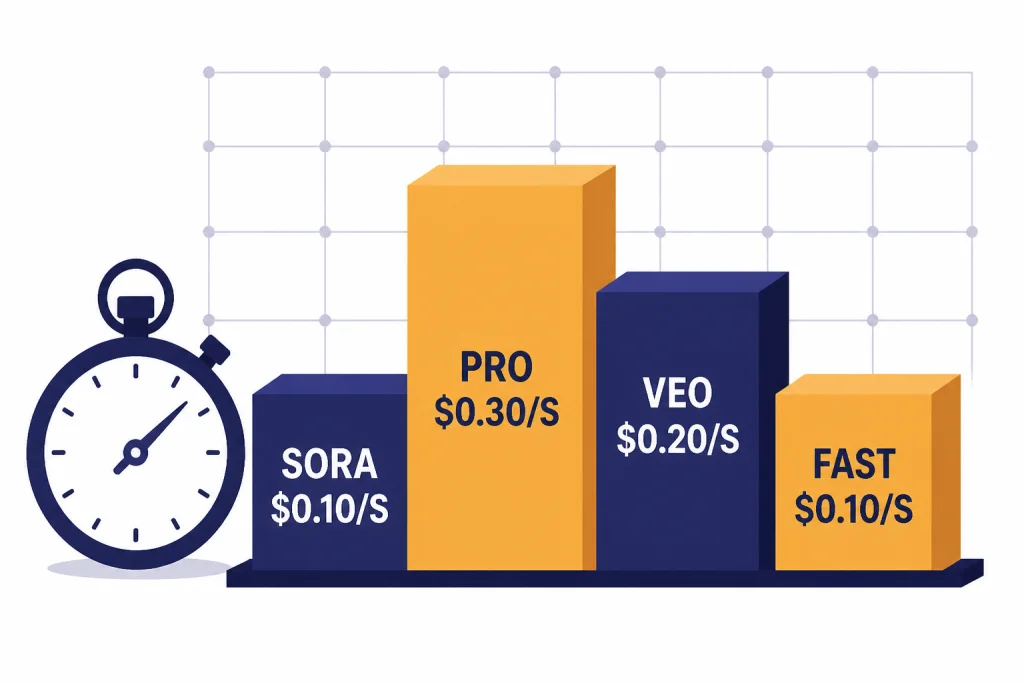
| API pricing examples | OpenAI lists sora-2 at $0.10 per second at 720p and sora-2-pro from $0.30 to $0.70 per second depending on resolution.[5] | Google Cloud lists Veo 3.1 video plus audio at $0.40 per second for 720p or 1080p and $0.60 per second for 4K; Veo 3.1 Fast starts lower.[10] |
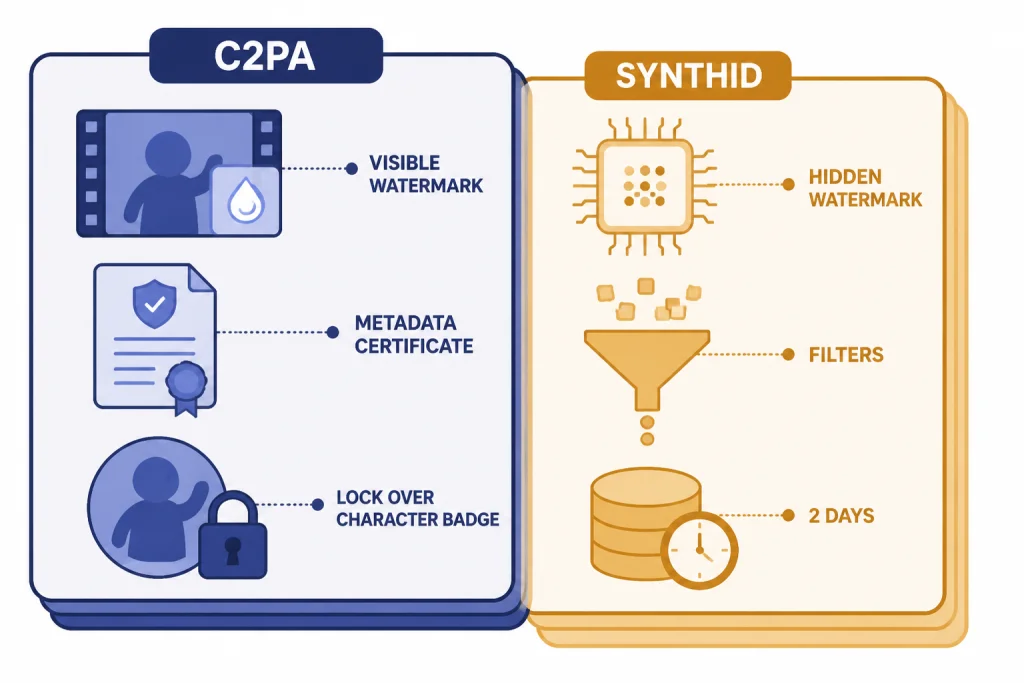
| Provenance | Sora app videos include a visible moving watermark and C2PA metadata at launch.[3] | Veo videos are watermarked with SynthID and run through safety and memorization checks.[8] |
Limits vary by surface. Google’s Gemini API table lists 1 video per request, while the Vertex AI Veo 3.1 documentation lists a maximum of 4 output videos per prompt.[8][9] Treat every number in this comparison as surface-specific, not as a universal model limit.
Access, pricing, and workflow
Sora is easier to understand if you already live in ChatGPT. OpenAI’s help page says Sora is available to ChatGPT Plus, Business, and Pro users, with Pro prioritized in the generation queue.[4] For readers comparing subscription tiers, our ChatGPT plan comparison gives more context on how OpenAI separates Free, Plus, Pro, and business plans.
The OpenAI API path is clearer for developers who want direct cost control. OpenAI’s pricing page lists video generation prices per second for sora-2 and sora-2-pro, with separate prices for 720p, 1024p, and 1080p outputs.[5] The Sora API guide also documents image references, character assets, video extensions, edits, and batch workflows.[6] For a wider cost view across OpenAI models, use our OpenAI API pricing guide.
Veo has more access paths. Google’s Veo page points users to Gemini, Flow, and developer access, while the Gemini API and Vertex AI documents give builders separate implementation routes.[7][8][9] Google AI Ultra launched in the U.S. at $249.99 per month and included the highest Flow limits, 1080p generation, advanced camera controls, and early access to Veo 3.[11] By 2026, the strategic split is clear: use Flow for creative control, Gemini for casual use, and the API or Vertex AI for application work.
| API price snapshot | Listed public price | Notes |
|---|---|---|
sora-2 | $0.10 per second. | 720p output, portrait 720×1280 or landscape 1280×720.[5] |
sora-2-pro | $0.30, $0.50, or $0.70 per second. | Prices correspond to 720p, 1024p, and 1080p output sizes.[5] |
| Veo 3.1 | $0.40 per second for video plus audio at 720p or 1080p; $0.60 per second for 4K. | Google Cloud also lists video-only Veo 3.1 at $0.20 per second for 720p or 1080p and $0.40 per second for 4K.[10] |
| Veo 3.1 Fast | $0.10 per second for 720p video plus audio; $0.12 per second for 1080p video plus audio. | Video-only Fast starts at $0.08 per second for 720p and $0.10 per second for 1080p.[10] |
The pricing headline is more nuanced than it first appears. Sora starts low for 720p API output. Veo Fast is competitive when you need synchronized audio at lower resolutions. Standard Veo 3.1 gets expensive faster, but it also exposes higher-end controls and 4K pricing on Google Cloud.[10]
Prompt adherence, motion, and audio
Motion and physics
OpenAI’s case for Sora 2 centers on physical realism and controllability. The launch post says Sora 2 is more physically accurate and better at modeling failure, such as a missed basketball shot rebounding instead of teleporting into success.[1] The Sora 2 system card also describes sharper realism, synchronized audio, enhanced steerability, and broader stylistic range.[2]
Google’s case for Veo 3.1 is broader production quality. Google says Veo 3.1 is state of the art in text-to-video, image-to-video, text-to-audio-plus-video generation, and realistic physics, and it reports human-rater comparisons across 1,003 MovieGenBench prompts for text-to-video measures.[7] Those are Google-reported results, not a neutral public benchmark, but they do show what Google is optimizing for.
Audio and dialogue
Both systems now treat audio as part of the generation, not as a post-production afterthought. OpenAI says Sora 2 creates background soundscapes, speech, and sound effects with a high degree of realism.[1] Google’s Veo 3.1 documentation says the model natively generates audio with video and lets prompts include dialogue, sound effects, and ambient noise cues.[8]
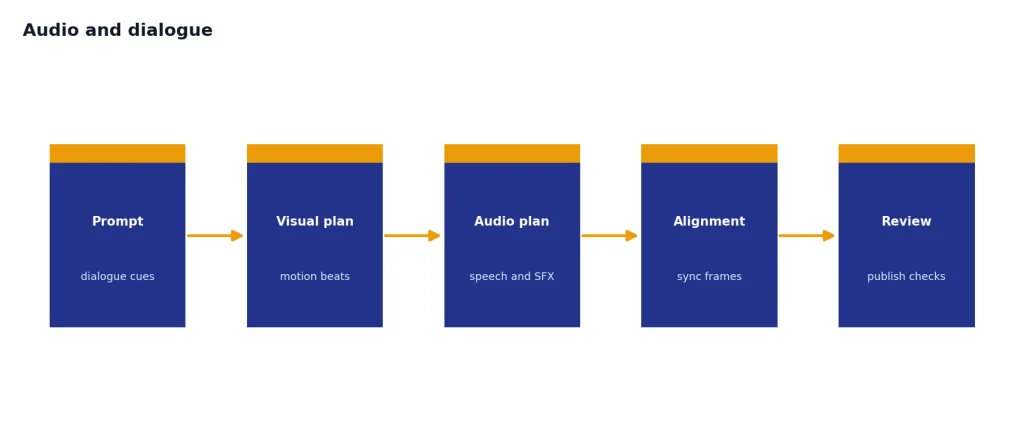
The difference is workflow. Sora makes the strongest pitch to creators who want a finished short clip quickly. Veo makes the stronger pitch to directors, editors, and brand teams who need repeatable shots, reference assets, and more control knobs. If your project starts as still-image exploration before moving into video, our DALL-E vs Midjourney and DALL-E vs Stable Diffusion comparisons can help you choose the image side of the pipeline.
Controls, editing, and shot continuity
Sora’s control model
Sora’s consumer controls are designed around creation and remixing. The app lets users describe a scene, generate a 10-second vertical video by default, start from an image, remix an existing post, and use permissioned characters after video-and-audio verification.[3] This is a strong design for social-native creation because it lowers the cost of trying an idea and branching from it.
The Sora API adds more production logic. OpenAI documents image references that act as the first frame, reusable non-human character assets, video edits, and extensions. Each Sora API extension can add up to 20 seconds, and a video can be extended up to 6 times for a maximum total length of 120 seconds.[6] That makes Sora more capable than the consumer app alone suggests.
Veo’s control model
Veo’s control stack is more explicitly cinematic. Google describes reference images for scenes, characters, and objects; style matching; character consistency; scene extension; camera controls; first-and-last-frame transitions; outpainting; object insertion; object removal; character controls; and motion controls.[7] The Gemini API guide adds implementation details, including up to 3 reference images, 4, 6, and 8 second generation settings, 24 fps output, and 720p, 1080p, and 4K modes for Veo 3.1 where supported.[8]
That makes Veo the better first test for a team that already thinks in shots, scenes, aspect ratios, and references. Sora is still compelling when the key asset is a character, a meme-like remix, or a rapid iteration loop. If your team is also choosing text and reasoning models for the same workflow, keep our all GPT models compared guide nearby, and use ChatGPT Pro vs Team if access management matters.
Safety, watermarking, and likeness controls
Video generation raises higher abuse risks than image generation because motion, voice, and likeness can make synthetic media feel more persuasive. Sora addresses this directly through permissioned characters. OpenAI says character setup is opt-in, includes video-and-audio verification, lets users approve or revoke who can use their character, and lets them remove videos that include that character.[3]
OpenAI also says Sora videos include a visible moving watermark and C2PA metadata at launch.[3] The Sora 2 system card describes a safety stack that includes text and image moderation, output blocking, stricter safeguards for minors, provenance work, and detection systems across frames, scene descriptions, and audio transcripts.[2] These controls are useful, but they do not remove the need for review before publishing commercial or sensitive content.
Google uses a different provenance system. The Gemini API documentation says Veo videos are watermarked with SynthID, can be verified through a SynthID platform, pass through safety filters and memorization checks, and are stored on the server for 2 days unless downloaded or extended.[8] That is a strong fit for organizations that want a documented developer workflow, but it still requires human policy review for ads, politics, health, finance, legal, and real-person depictions.
Which one should you use?
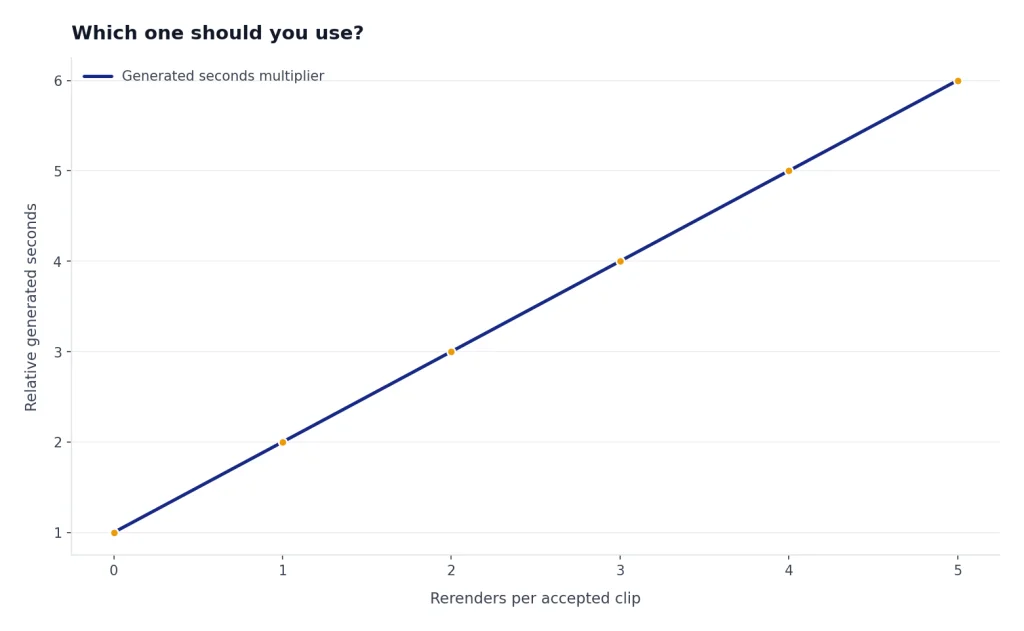
Use your shot list, not the model brand, as the deciding factor. A video model that wins a cinematic prompt may still lose on product consistency, hands, legibility, latency, policy fit, or cost. Run the same 10 prompts through both systems, including at least 2 prompts with dialogue, 2 with difficult motion, 2 with reference images, 2 vertical clips, and 2 clips that require continuity across shots.
| Your priority | Better first pick | Reason |
|---|---|---|
| Fast social clips | Sora | Sora’s app design centers on short videos, remixing, sharing, and characters.[3] |
| Production controls | Veo | Veo exposes more visible controls for reference images, first-and-last-frame generation, camera movement, and 4K output.[7][8] |
| Lowest listed 720p API starting price | Depends | sora-2 starts at $0.10 per second, while Veo 3.1 Fast video plus audio at 720p also starts at $0.10 per second.[5][10] |
| Existing ChatGPT workflow | Sora | It fits naturally with ChatGPT plans and OpenAI’s media API path.[4][6] |
| Existing Google Cloud workflow | Veo | Gemini API and Vertex AI documentation make Veo easier to place in Google infrastructure.[8][9] |
| Broader market scan | Test alternatives | Video generation is changing quickly. Keep a shortlist that includes Sora, Veo, Runway, and other tools in our ChatGPT alternatives for 2026 list. |
My practical recommendation is simple. Pick Sora if you need a fast creative loop around ChatGPT, characters, remixes, and lower-friction short clips. Pick Veo if you need stronger shot control, reference-driven production, and a Google developer or studio workflow. If the budget is material, price the actual seconds, resolution, audio requirement, and rerender rate before choosing.
Frequently asked questions
Is Sora better than Google Veo?
Sora is better for short social creation, remixing, and OpenAI-native workflows. Veo is better for production-style controls, reference images, higher-resolution options, and Google Cloud workflows. The right answer depends on whether your bottleneck is creativity, control, cost, or deployment.
Can Sora and Veo both generate audio?
Yes. OpenAI says Sora 2 creates synchronized dialogue, sound effects, and background soundscapes.[1] Google says Veo 3.1 natively generates audio with video and supports prompts for dialogue, sound effects, and ambient noise.[8]
Which is cheaper through the API?
At the listed starting point, sora-2 costs $0.10 per second for 720p output.[5] Google Cloud lists Veo 3.1 Fast video plus audio at $0.10 per second for 720p, while standard Veo 3.1 video plus audio starts at $0.40 per second for 720p or 1080p.[10] Your real cost depends on rerenders, resolution, audio, batch use, and rejected generations.
Can either model make longer videos?
Both offer extension workflows, but not in the same way. OpenAI’s Sora API guide says each extension can add up to 20 seconds and that a video can be extended up to 6 times, for a maximum total length of 120 seconds.[6] Google’s Veo 3.1 guide says it can extend prior Veo videos by 7 seconds up to 20 times.[8]
Are Sora and Veo videos watermarked?
OpenAI says Sora videos include a visible moving watermark and C2PA metadata at launch.[3] Google says Veo videos are watermarked using SynthID and can be verified through the SynthID platform.[8] Check the current export rules before using either tool in a client deliverable.
Which one should a business use?
A ChatGPT-heavy business should test Sora first because access and review can fit existing OpenAI workflows. A Google Cloud, Vertex AI, or Flow-heavy business should test Veo first because the controls and deployment path are more aligned with Google’s stack. In either case, use a written policy for real-person likeness, claims, rights clearance, and human review.