

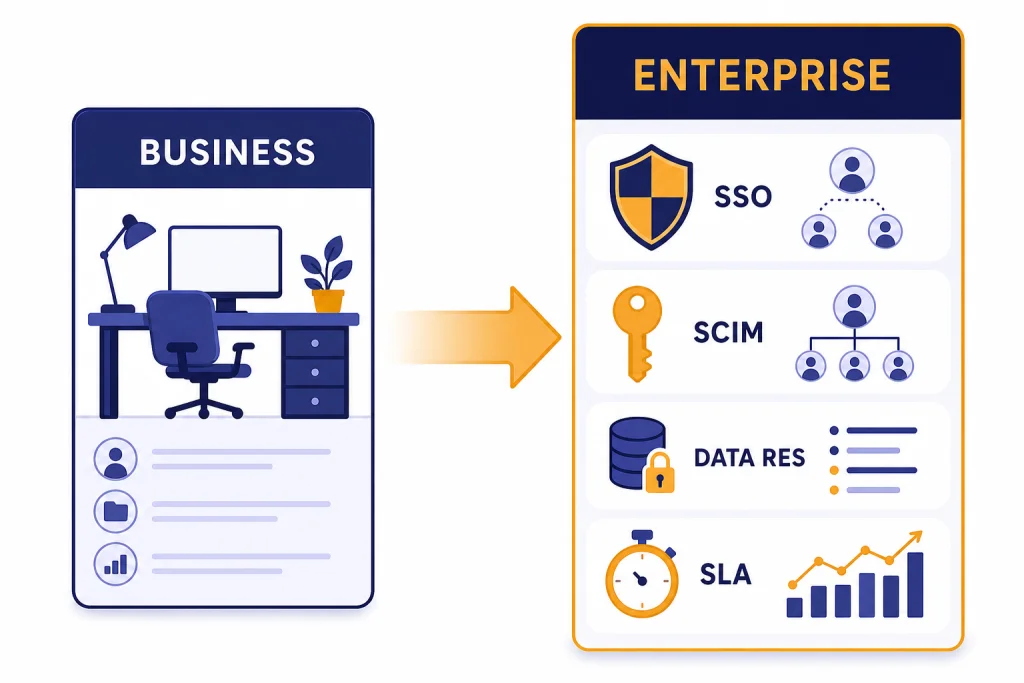
ChatGPT Team vs Enterprise is now best understood as ChatGPT Business vs ChatGPT Enterprise. OpenAI renamed ChatGPT Team to ChatGPT Business on August 29, 2025, but many buyers still use the old name.[5] Stay on Business if you want a self-serve workspace, predictable per-user pricing, shared billing, SAML SSO, MFA, and common team features. Upgrade to Enterprise when IT, security, procurement, or legal needs stronger controls: SCIM, enterprise key management, role-based access controls, data residency, analytics, custom legal terms, SLAs, and managed support. The practical cutoff is not headcount alone. It is governance burden.
Short answer
Most small and midsize teams should start with ChatGPT Business, the plan formerly called ChatGPT Team. It has a secure shared workspace, centralized billing, member management, SAML SSO, MFA, custom workspace GPTs, shared projects, data analysis, apps, Codex access, and no training on business data by default.[1] If your organization is comparing business plans against individual plans first, read our ChatGPT Free vs Plus vs Pro breakdown and ChatGPT Plus vs Team guide before you move into Enterprise procurement.
ChatGPT Enterprise is for organizations that need managed rollout, deeper security review, account support, stronger identity automation, custom legal terms, data residency, or advanced audit and administration. OpenAI lists Enterprise as custom pricing and says customers should contact sales.[1] That alone changes the buying process. Business is a subscription you can usually start quickly. Enterprise is a vendor relationship.
| Decision factor | Choose ChatGPT Business | Upgrade to ChatGPT Enterprise |
|---|---|---|
| Buying motion | Self-serve plan for teams | Sales-led agreement with custom pricing[1] |
| Minimum standard ChatGPT seats | 2 standard ChatGPT seats[2] | Organization-level purchase[3] |
| Core productivity features | Shared projects, GPTs, data analysis, apps, record mode, and Codex[1] | Includes the same core work features plus enterprise controls[1] |
| Security posture | SAML SSO, MFA, domain verification, admin console, SOC 2 Type 2 alignment[1] | Adds SCIM, EKM, role-based access controls, IP allowlisting, and data residency[1] |
| Support | Standard business support | 24/7 priority support, SLAs, dedicated onboarding, account management, and custom security review[1] |
Why ChatGPT Team is now ChatGPT Business
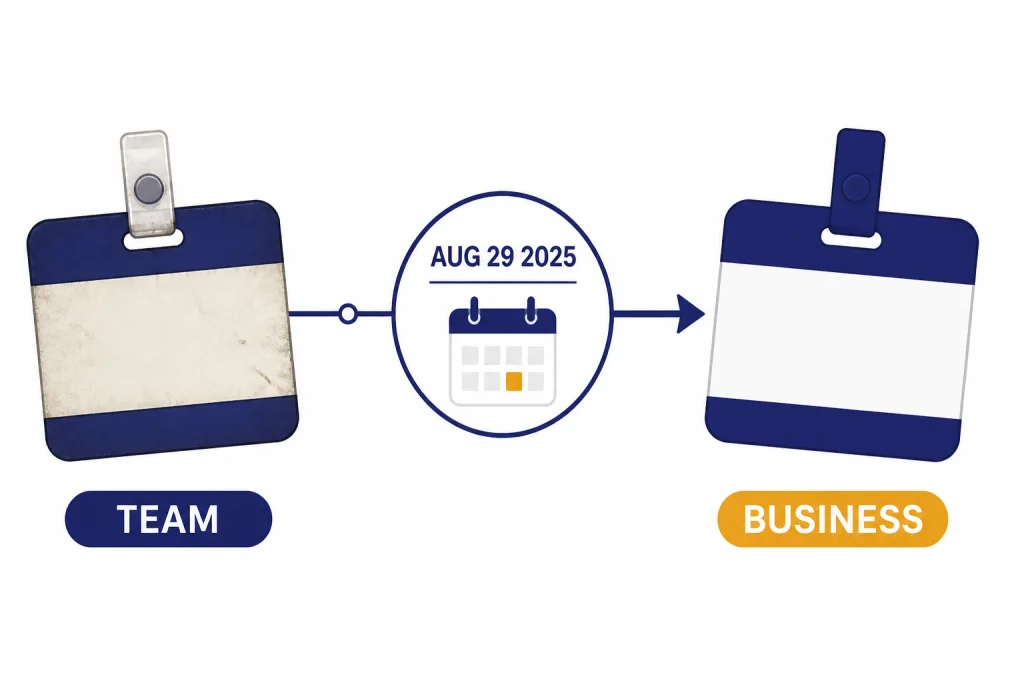
OpenAI renamed ChatGPT Team to ChatGPT Business on August 29, 2025.[5] The older name still appears in search behavior, invoices, internal budget notes, and comparison articles. For this article, “Team” means the current ChatGPT Business plan unless stated otherwise.
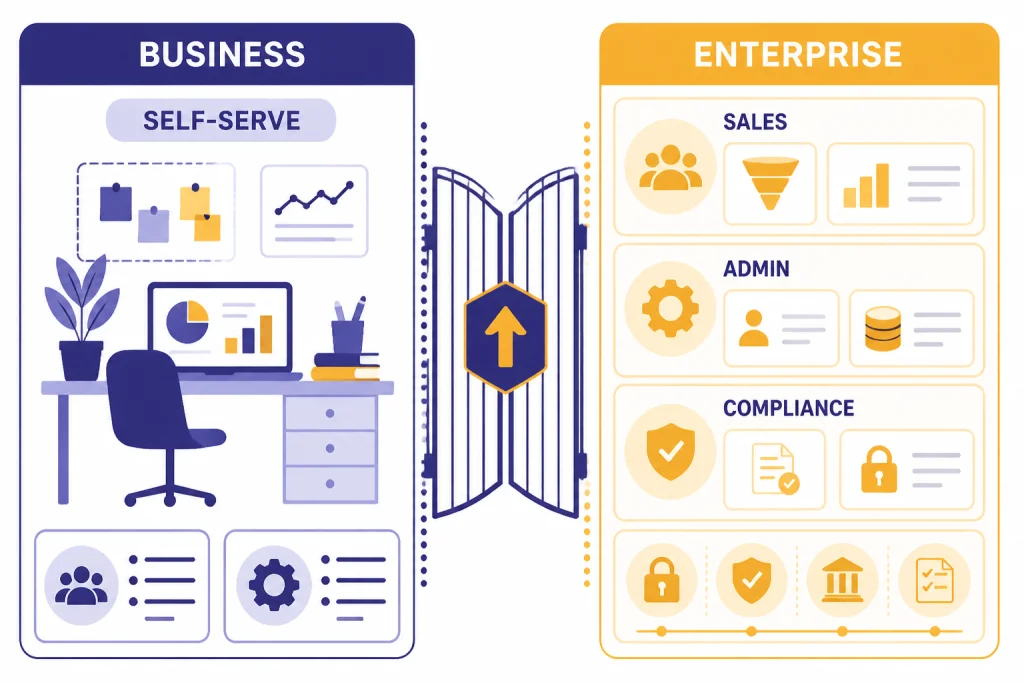
The rename matters because OpenAI has been moving the plan closer to a full company workspace. Business is not just a shared version of Plus. It adds administration, billing, workspace controls, company-facing privacy commitments, and team collaboration. If you are deciding between an individual power-user plan and a team workspace, our ChatGPT Pro vs Team comparison covers that earlier step.
The rename also helps separate the plan from Enterprise. Business is for teams that can use standard controls. Enterprise is for organizations that need negotiated terms, stronger identity and compliance options, and a larger deployment motion.
ChatGPT Team vs Enterprise side by side
The biggest difference is not model access. Business and Enterprise overlap on many everyday features. Both can support writing, analysis, file work, custom GPTs, projects, apps, company knowledge, data analysis, vision, image generation, and deep research workflows.[1] The gap appears when you ask how the workspace is governed.
Business gives a team a shared AI workspace. Enterprise gives an organization a controlled AI environment. That difference becomes visible in identity, auditability, residency, legal review, support, and deployment planning.
| Category | ChatGPT Business | ChatGPT Enterprise | Why it matters |
|---|---|---|---|
| Published price | $20 per user per month with annual billing, for Business ChatGPT & Codex[1] | Custom pricing through sales[1] | Business is easier to budget. Enterprise requires negotiation. |
| Seat types | Standard ChatGPT seats and Codex-only seats[2] | Standard ChatGPT seats and Codex-only seats[3] | Both can separate broad ChatGPT users from coding-only users. |
| Apps and integrations | OpenAI lists more than 60 apps, including Slack, Google Drive, SharePoint, GitHub, and Atlassian.[1] | Apps plus enterprise controls around connectors and administration[1] | The same integration surface may need stronger governance at scale. |
| Context window | 32K for non-reasoning and 196K for reasoning on the pricing comparison page[1] | 128K for non-reasoning and 196K for reasoning on the pricing comparison page[1] | Enterprise gives larger non-reasoning context for long inputs and files. |
| Advanced admin controls | Admin console, admin roles, bulk member management, SAML SSO, MFA, and domain verification[1] | Adds SCIM, EKM, role-based access controls, analytics dashboard, compliance API logs, IP allowlisting, data residency, global admin console, and connector registry[1] | Enterprise is built for IT, security, and compliance teams. |
| Support and legal | Standard terms and support path | 24/7 priority support, SLAs, custom legal terms, dedicated onboarding, account management, and custom security review[1] | Enterprise fits formal vendor management. |
If model selection is your main concern, compare the underlying model families separately. Our GPT models comparison, GPT vs the o-Series guide, and context window comparison explain the model tradeoffs outside the subscription packaging.
When to upgrade to Enterprise
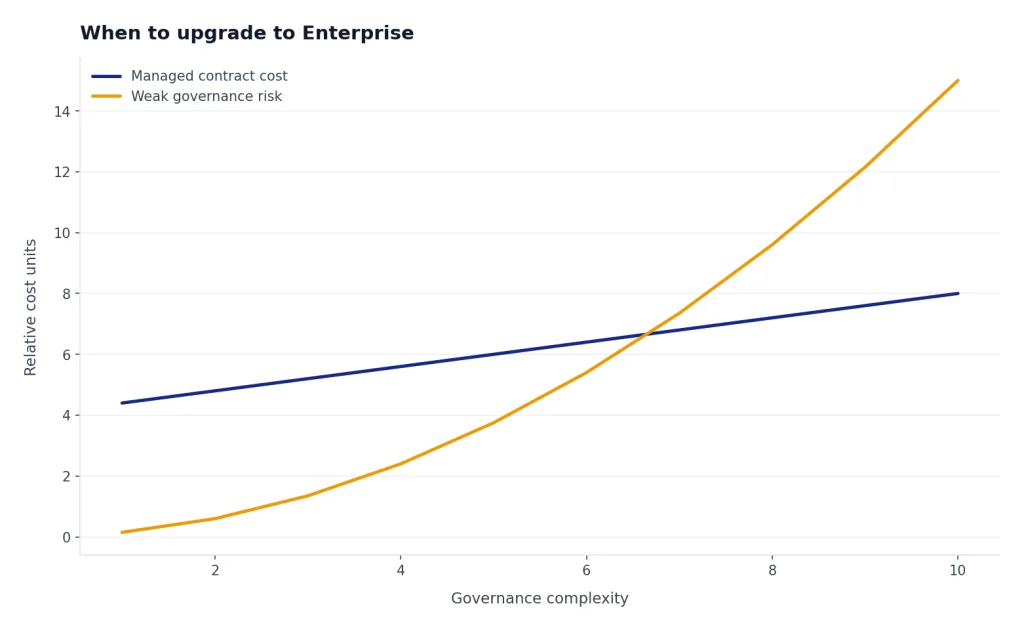
Upgrade when the cost of weak governance is higher than the cost of a managed contract. A ten-person startup may be fine on Business. A regulated company with a smaller pilot may still need Enterprise if legal, IT, and compliance require it.
Your identity team needs automated provisioning
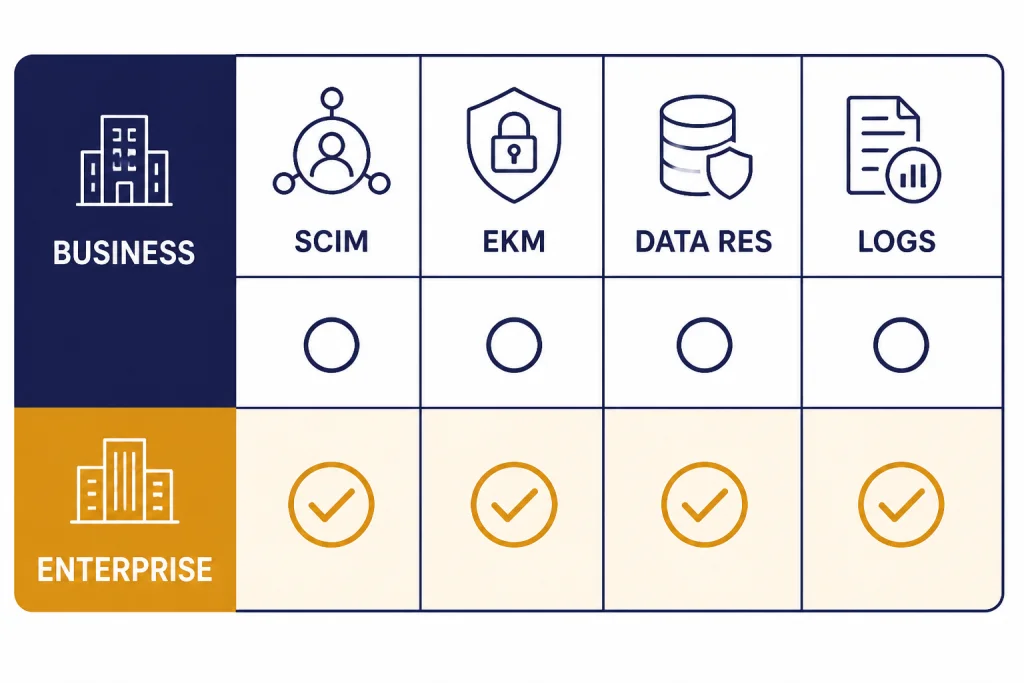
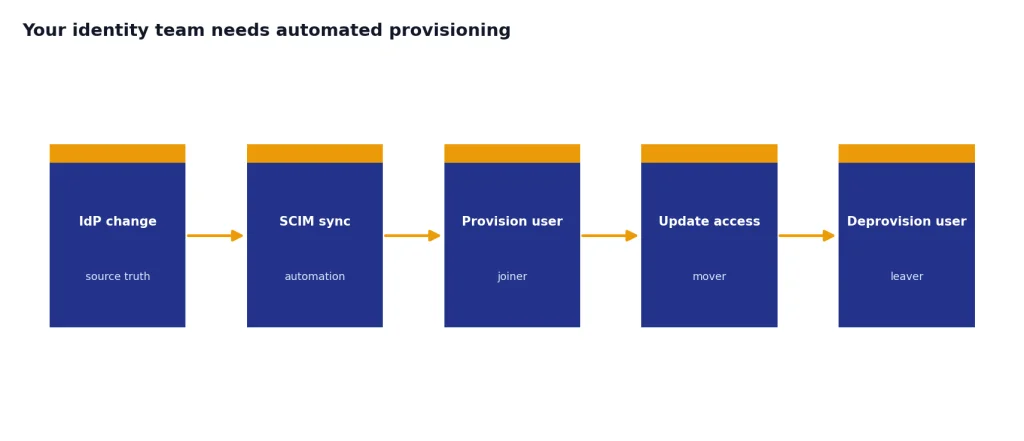
Business includes SAML SSO, but OpenAI’s pricing comparison marks SCIM as unavailable on Business and available on Enterprise.[1] If your organization requires automatic provisioning and deprovisioning through an identity provider, that is a strong Enterprise signal.
Security needs enterprise key management or IP allowlisting
Enterprise key management and IP allowlisting are listed for Enterprise, not Business.[1] These controls matter when your security team must prove where access originates, who controls encryption keys, and how the workspace fits into existing enterprise security architecture.
Legal needs custom terms or a formal SLA
Business is simpler because it uses a standard subscription motion. Enterprise is the better fit when procurement needs negotiated terms, custom legal review, invoicing, volume discounts, priority support, or SLAs.[1] In many companies, this is the real upgrade trigger.
You need regional data residency
OpenAI lists data residency across US, EU, UK, JP, CA, KR, SG, IN, AU, and UAE for Enterprise, not Business.[1] If residency is part of your vendor checklist, Business will usually fail that requirement.
You need central analytics and audit workflows
OpenAI lists an analytics dashboard and Compliance API Logs Platform for Enterprise, not Business.[1] This matters when leaders need adoption reporting, risk review, incident investigation, or evidence for internal audits.
Pricing and procurement differences
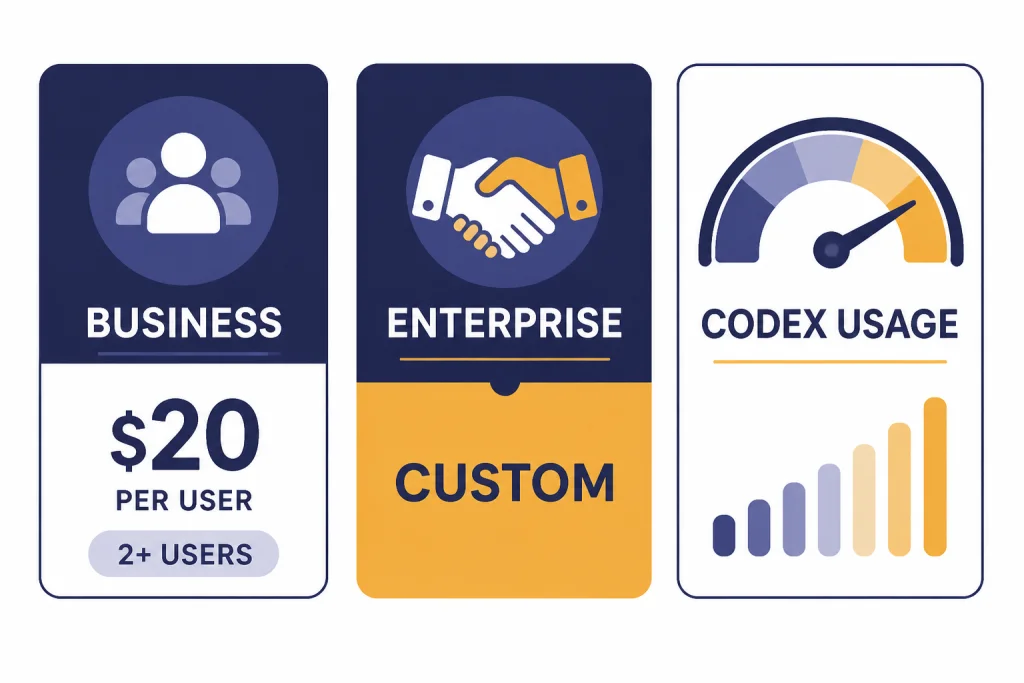
ChatGPT Business is the cleaner budget line. OpenAI’s business pricing page lists Business ChatGPT & Codex at $20 per user per month with annual billing and a 2+ user note.[1] OpenAI’s Business help article also says standard ChatGPT seats have a fixed per-user, per-month cost and require a minimum of 2 standard ChatGPT seats.[2]
Enterprise does not have a public sticker price on OpenAI’s pricing page. OpenAI describes it as custom pricing and directs organizations to contact sales.[1] That means the real comparison is not only monthly spend. It is total cost of procurement, legal review, security review, rollout support, and administration.
OpenAI also changed Business pricing shortly before this article’s publication date. The Business help article says that, as of April 2, 2026, OpenAI reduced subscription-based ChatGPT seats by USD $5 per month, with regional differences possible.[2] If you priced Team before that date, refresh your math before deciding.
The API is separate from ChatGPT Business. OpenAI states that a ChatGPT Business subscription does not include API usage and that API usage is billed separately.[2] If your team wants to build an internal app, automate workflows outside ChatGPT, or connect models directly into software, compare subscription pricing with OpenAI API pricing instead of assuming Enterprise includes everything.
Security and admin controls
Business is enough when your security requirement is a protected team workspace with SAML SSO, MFA, admin roles, domain verification, a dedicated workspace, unified billing, and no training on business data by default.[1] That covers many small companies, agencies, consultancies, and internal departments.
Enterprise is the right tier when security teams need to manage ChatGPT like a major SaaS platform. OpenAI lists SCIM, enterprise key management, role-based access controls, analytics dashboard, compliance API logs, IP allowlisting, data residency, branded workspace, global admin console, connector registry, enhanced support, dedicated onboarding, ongoing account management, and custom security review as Enterprise features not included in Business.[1]
Do not upgrade just because “Enterprise sounds safer.” Upgrade because a named control is required. If no one in your company can explain why SCIM, EKM, logs, data residency, or custom legal terms are needed, Business may be the more efficient plan.
Models, limits, and flexible usage
Business and Enterprise are closer on daily model access than many buyers expect. OpenAI’s pricing page lists GPT-5.2 as unlimited for both Business and Enterprise, subject to reasonable use and policy guardrails, and lists flexible access for GPT-5.2 thinking, GPT-5.2 pro, GPT-5 thinking mini, OpenAI o3, and OpenAI o4-mini.[1]
Flexible pricing is now part of the decision. OpenAI says that, as of April 2, 2026, Business and Enterprise include standard ChatGPT seats and Codex-only seats based on flexible pricing.[4] Credits can unlock additional access to advanced features such as Deep Research, Thinking models, Image Gen, Advanced Voice, and Codex.[4]
This changes the upgrade logic. If a team is running into occasional advanced-feature limits, buying additional credits or changing seat types may solve the problem without Enterprise. If the issue is governance, reporting, identity automation, residency, or support, Enterprise is more likely the right answer.
For organizations standardizing AI across vendors, compare ChatGPT’s plan structure with the broader market. Our ChatGPT alternatives 2026 guide and GPT vs Microsoft Copilot comparison are useful when procurement is evaluating more than OpenAI.
Who should stay on Business
Stay on Business if your team needs shared ChatGPT access but does not need enterprise contracting. Common examples include startups, agencies, sales teams, support teams, small product organizations, research groups, and internal departments that can operate under standard terms.
- You have a small team. Business is built for a shared workspace with standard ChatGPT seats and a minimum of 2 standard ChatGPT seats.[2]
- You want predictable user-based budgeting. The published annual Business price is $20 per user per month for Business ChatGPT & Codex.[1]
- You need collaboration more than compliance. Shared projects, custom workspace GPTs, apps, data analysis, canvas, file uploads, and company knowledge may be enough.[1]
- You do not need SCIM or data residency. If SAML SSO and MFA satisfy your IT requirements, Enterprise may be more than you need.
- You are still piloting. A Business pilot can reveal usage patterns before you negotiate an Enterprise contract.
Business is also the better first step when internal adoption is uncertain. You can start with a smaller group, measure what they actually use, and then decide whether the organization needs Enterprise controls.
A simple migration plan
If you think Enterprise may be coming, do not wait until the renewal deadline. Build a short migration plan that gives IT, legal, finance, and department leaders enough evidence to decide.
- Inventory current use. List teams, seats, common workflows, files uploaded, GPTs created, and integrations used.
- Define blocked use cases. Separate “we want more usage” from “we cannot deploy because of SCIM, EKM, data residency, logs, or legal terms.”
- Document required controls. Ask security and legal for a written list of must-have controls. Map each item to Business or Enterprise.
- Estimate seat types. Decide who needs a standard ChatGPT seat and who only needs Codex access. OpenAI supports standard ChatGPT seats and Codex-only seats on both Business and Enterprise.[4]
- Run a decision review. If the gaps are only training and adoption, stay on Business. If the gaps are identity, compliance, residency, logging, support, or contract terms, open an Enterprise conversation.
The best upgrade case is specific. “We need Enterprise because procurement asked for it” is weak. “We need Enterprise because SCIM, IP allowlisting, data residency, audit logs, custom terms, and SLAs are required before company-wide rollout” is strong.
Frequently asked questions
Is ChatGPT Team still available?
OpenAI renamed ChatGPT Team to ChatGPT Business on August 29, 2025.[5] The old name is still common, but the current plan name is Business. In this article, ChatGPT Team and ChatGPT Business refer to the same current business workspace plan.
Is ChatGPT Enterprise better than Business for model quality?
Not automatically. Business and Enterprise overlap on many model and productivity features. Enterprise is mainly about scale, governance, procurement, support, and advanced controls rather than a simple quality upgrade.
How much does ChatGPT Business cost?
OpenAI’s business pricing page lists Business ChatGPT & Codex at $20 per user per month with annual billing and a 2+ user note.[1] OpenAI also says Business standard ChatGPT seats have a minimum of 2 seats.[2] Regional pricing and billing details can vary, so check the checkout page before purchase.
How much does ChatGPT Enterprise cost?
OpenAI does not publish a fixed Enterprise price on its business pricing page. It lists Enterprise as custom pricing and directs organizations to contact sales.[1] Expect the final quote to depend on contract scope, deployment requirements, support needs, and commercial terms.
Does ChatGPT Business include API usage?
No. OpenAI says ChatGPT Business is separate from the API platform and that API usage is billed separately.[2] If you need to build software with OpenAI models, evaluate API pricing and governance separately from ChatGPT workspace subscriptions.
When should a company upgrade from Business to Enterprise?
Upgrade when required controls are missing from Business. The strongest triggers are SCIM, enterprise key management, role-based access controls, compliance API logs, IP allowlisting, data residency, custom legal terms, SLAs, dedicated onboarding, and ongoing account management.[1] If you only need shared access and standard administration, Business is usually the better starting point.