

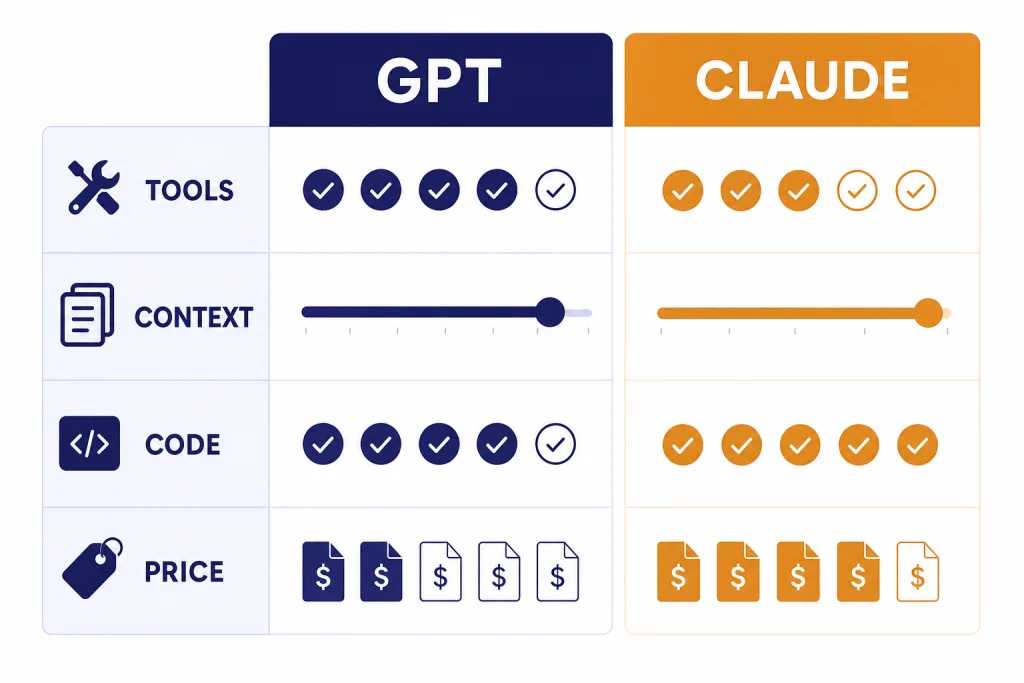
GPT and Claude are not interchangeable labels for the same thing. GPT is OpenAI’s model family behind ChatGPT, the API, and Codex; Claude is Anthropic’s model family behind Claude.ai, Claude Code, and Anthropic’s API.[1][5] The real difference is product philosophy. OpenAI optimizes around a broad, tool-rich platform with routing, multimodal tools, and a large developer ecosystem. Anthropic optimizes around Claude’s conversational style, long-context work, careful writing, and coding agents. If you want one default assistant for mixed work, start with ChatGPT. If your work centers on long documents, writing judgment, and code review, Claude is often the more natural first test.
The short version
Treat GPT as the more general operating layer and Claude as the more editorial, document-heavy collaborator. That is an oversimplification, but it helps. ChatGPT’s strongest edge is the number of workflows it wraps around the model: chats, files, image work, custom GPTs, Codex, and API deployment.[1][2] Claude’s strongest edge is the feel of the answer: restrained prose, careful code review, long-context reasoning, and strong document handling.[4][5] If you are building an AI stack, test both. If you are choosing one subscription for one person, pick the one that matches your daily work.
| Reader need | GPT is usually the better first test | Claude is usually the better first test |
|---|---|---|
| One daily assistant | You want one place for files, search, images, custom GPTs, and coding tools.[2] | You want a calmer writing partner with strong document and project workflows.[7] |
| Long documents | You use ChatGPT tools and need long-context reasoning inside OpenAI’s workflow.[2] | You often review large drafts, policies, contracts, or codebases and want Claude’s long-context model line.[5][6] |
| Coding and agents | You want Codex, API deployment, computer-use work, or GPT-5.4’s professional-work tooling.[1] | You want Claude Code, code review, refactoring help, and strong agent planning.[4][5] |
| API cost planning | You want OpenAI’s broad model and tool catalog, then tune cost by model choice.[1] | You want a simple Sonnet versus Opus split for cost and capability.[6][10] |
| Team rollout | You already plan to standardize around ChatGPT workspaces and OpenAI models. | You want Claude projects, Claude Code, and Claude’s workplace writing style. |
If you are comparing the whole market, not just these two systems, start with our ChatGPT alternatives in 2026. If your decision is mainly about ChatGPT tiers, use the ChatGPT Free vs Plus vs Pro breakdown.
How the model families differ
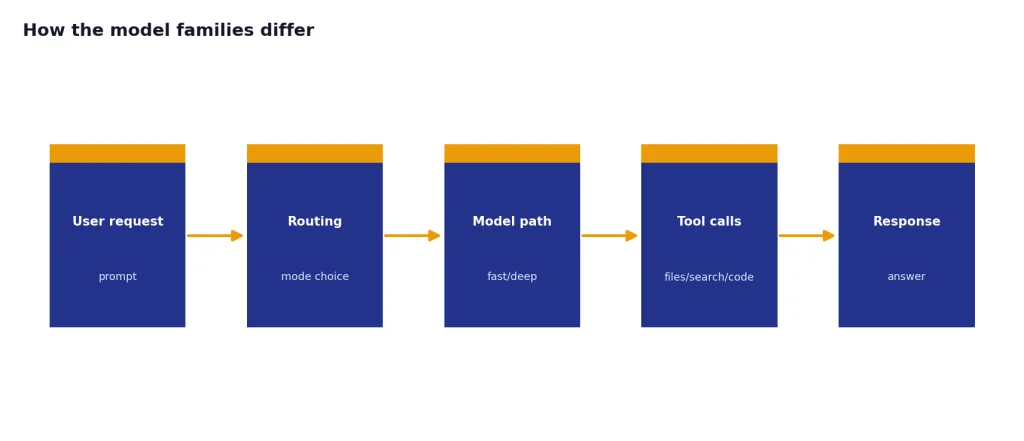
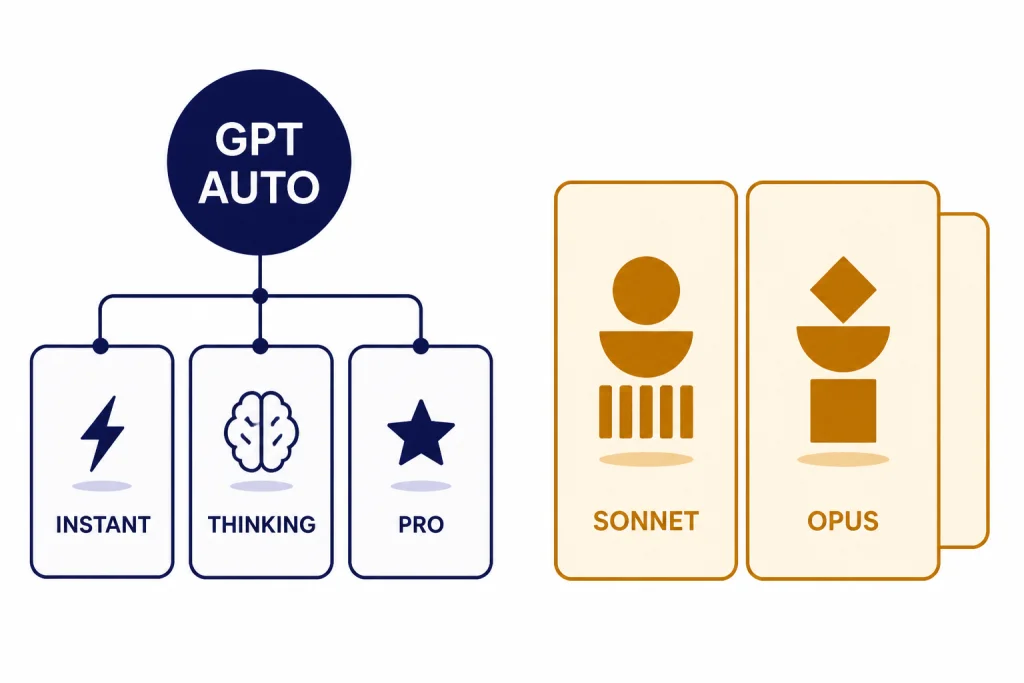
OpenAI no longer presents GPT as one fixed model for every task. On March 5, 2026, OpenAI released GPT-5.4 in ChatGPT as GPT-5.4 Thinking, in the API, and in Codex, with GPT-5.4 Pro available for users and developers who need maximum performance on complex work.[1] OpenAI’s ChatGPT release notes also said that, as of March 11, 2026, GPT-5.1 models were no longer available in ChatGPT, and existing GPT-5.1 conversations would continue on GPT-5.3 Instant, GPT-5.4 Thinking, or GPT-5.4 Pro.[3]
That matters because GPT in ChatGPT is more of a routed product experience than a single model name. You ask a question. The product may answer quickly, switch into deeper reasoning, call tools, search, analyze files, or move into Codex. This makes GPT strong for mixed work where the task changes from writing to spreadsheet analysis to code to image work in one sitting.
Claude is organized more visibly around model families. Anthropic introduced Claude Opus 4.6 on February 5, 2026, as its smartest model at that point, with stronger coding, longer agentic work, code review, debugging, research, document, spreadsheet, and presentation abilities.[4] Anthropic introduced Claude Sonnet 4.6 on February 17, 2026, as its most capable Sonnet model, with upgrades across coding, computer use, long-context reasoning, agent planning, knowledge work, and design.[5]
The practical translation is simple. GPT asks you to trust a platform that routes across modes and tools. Claude asks you to choose between model personalities and capability tiers, especially Sonnet for broad high-performance use and Opus for harder reasoning work. OpenAI has not published an official figure for this. Anthropic has not published official parameter counts for these Claude models in the primary sources we found, so parameter-count comparisons are not useful here.
Interface and workflow are the biggest practical difference
ChatGPT feels like a control center. The official ChatGPT model help page for GPT-5.3 and GPT-5.4 listed tools such as web search, data analysis, image analysis, file analysis, Canvas, image generation, Memory, and custom instructions.[2] That makes it strong when your day moves across many formats. You can ask for research, upload a file, generate a chart, revise a draft, move into code, and keep the same workspace.
Claude feels more like a focused workspace for thinking through material. Anthropic’s pricing page lists Claude features such as web chat, code generation, data visualization, text and image analysis, web search, Memory, code execution, file creation, connectors, extended thinking, Claude Code, Claude Cowork, projects, Research, and office-document integrations across its plans.[7] Those features overlap with ChatGPT, but Claude’s advantage is often in how it structures long explanations, edits prose, and keeps a consistent tone across a project.
This is why two people can test the same prompt and disagree. A founder building a spreadsheet-heavy workflow may prefer ChatGPT because it moves quickly between tools. A lawyer, editor, or policy analyst may prefer Claude because it rewrites and critiques with less visible friction. A developer may use both: GPT for tool orchestration and Claude for code review or architectural critique.
For organization-level decisions inside OpenAI’s product line, compare ChatGPT Team vs Enterprise. For individual versus workplace upgrades, read ChatGPT Pro vs Team.
Coding, agents, and computer use
For builders, GPT’s advantage is breadth. GPT-5.4 was released across ChatGPT, the API, and Codex, and OpenAI described it as a model for professional work that combines reasoning, coding, agentic workflows, computer use, tool search, and long-horizon task execution.[1] If you want to build an agent, wire a model into production, or use a coding workflow that can call tools and operate across software environments, GPT is often the more complete platform.
Claude’s coding advantage is judgment. Opus 4.6 was described by Anthropic as stronger at planning, sustaining agentic tasks, operating in larger codebases, and catching its own mistakes in code review and debugging.[4] Sonnet 4.6 brought more of that capability to the default Claude experience and to a lower-cost API tier, with strong emphasis on coding, computer use, agent planning, and knowledge work.[5]
- Use GPT first when you need a coding assistant tied to API tools, Codex, structured outputs, multi-step tool calls, or a product workflow.
- Use Claude first when you need code review, careful refactoring, architectural critique, long-context repository reasoning, or a second opinion before merging.
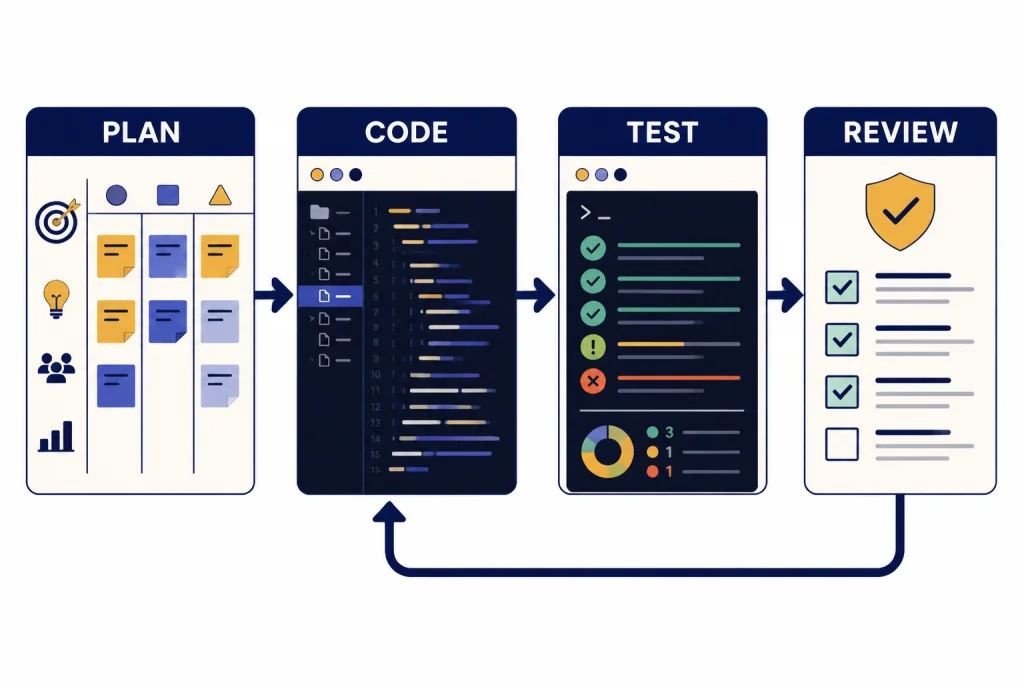
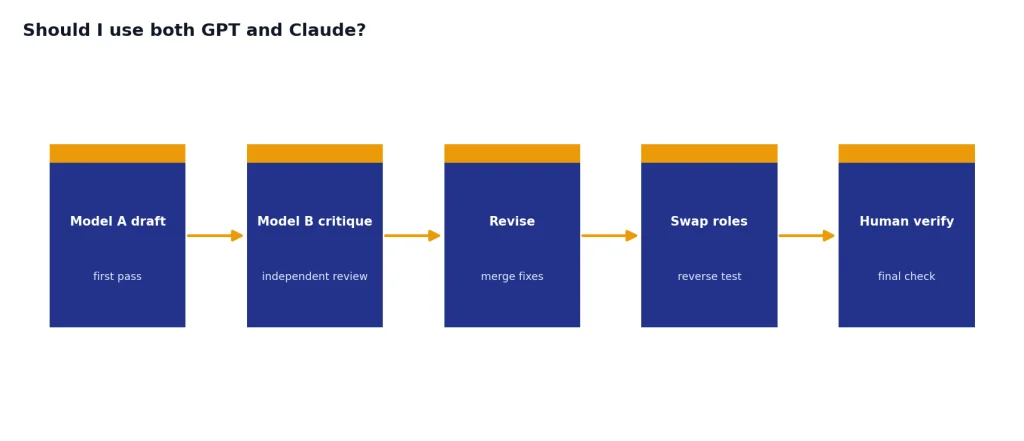
- Use both when the task is expensive. Ask one model to implement and the other to review. Then reverse the roles.
If your real question is whether to use a reasoning model or a faster GPT model, see GPT vs the o-Series. If latency is the constraint, use our fastest GPT model benchmarks before choosing a production model.
Context windows and long documents
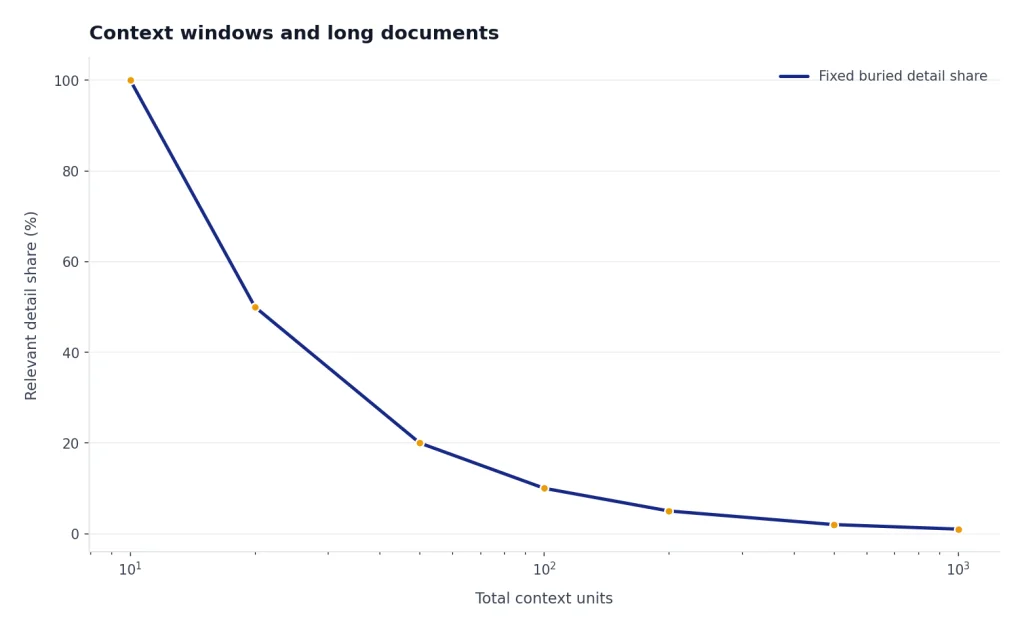
Context window size matters, but it is not the whole story. A larger context window lets a model accept more tokens at once. It does not guarantee that the model will use every buried detail correctly. Retrieval quality, prompt structure, output limits, and the model’s ability to stay on task matter just as much.
| Context question | GPT side | Claude side | What it means |
|---|---|---|---|
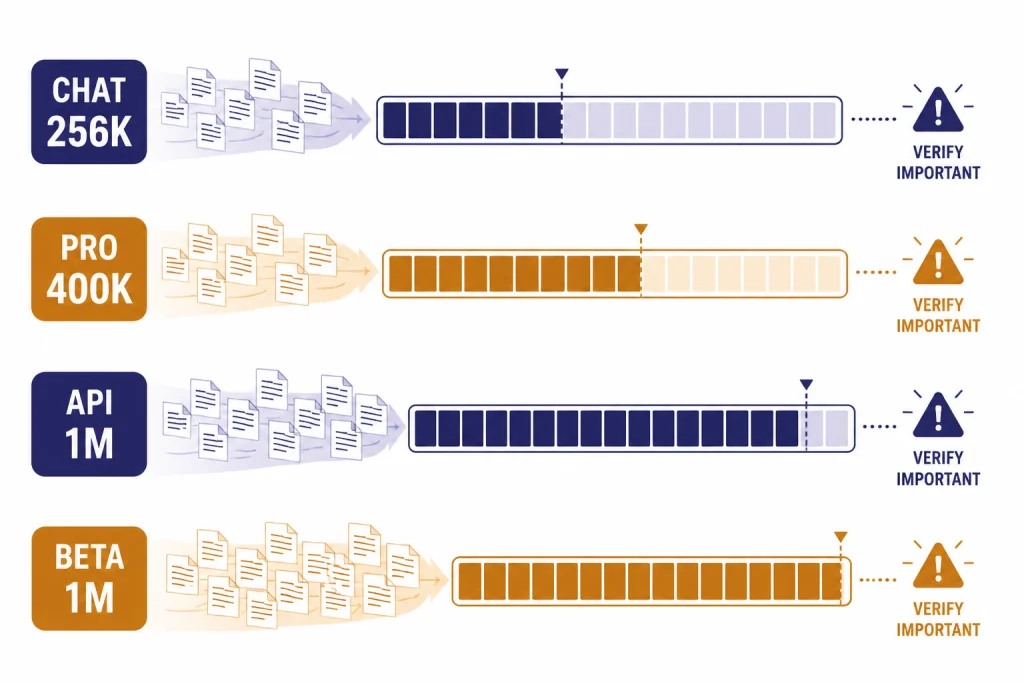
| What is available in chat? | OpenAI’s help page listed GPT-5.4 Thinking at 256K for paid tiers and 400K for the Pro tier when manually selected.[2] | Anthropic described Opus 4.6 and Sonnet 4.6 as featuring a 1M token context window in beta.[4][5] | Chat limits and model-picker behavior can differ from API limits. |
| What is available for builders? | OpenAI said GPT-5.4 in Codex included experimental support for a 1M context window, with requests beyond the standard 272K context counting against usage at 2x the normal rate.[1] | Anthropic’s Sonnet 4.6 model page said the 1M token context window was available in beta on the API only.[6] | Large-context API work needs cost tests, not just capability tests. |
| What should you test? | Ask for source-grounded extraction, then verify exact page references and edge cases. | Ask for long-document synthesis, contradictions, and change tracking across drafts. | The best long-context model is the one that preserves the facts you care about. |
For a broader model-by-model reference, use our context window comparison. It is especially useful if you are comparing chat limits, API limits, and output-token ceilings.
Pricing and plan tradeoffs
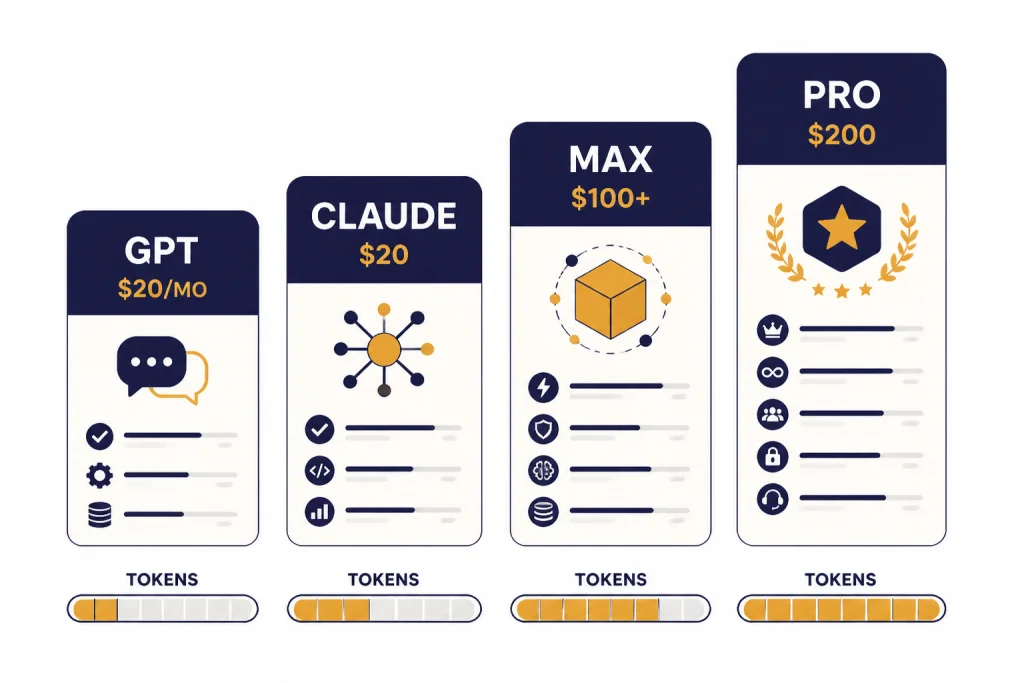
For individual chat, the mainstream entry point is similar. ChatGPT Plus is $20 per month, and OpenAI says API usage is billed separately.[8] Claude Pro is $17 per month with annual billing, billed as $200 upfront, or $20 if billed monthly.[7] The more expensive tiers diverge. OpenAI introduced ChatGPT Pro as a $200 monthly plan for scaled access to its best models and tools.[9] Anthropic’s Max plan starts at $100 per month and offers 5x or 20x more usage than Pro.[7]
| Cost area | GPT or OpenAI | Claude or Anthropic | Practical takeaway |
|---|---|---|---|
| Main paid chat plan | ChatGPT Plus: $20 per month.[8] | Claude Pro: $20 monthly, or $17 monthly with annual billing.[7] | The everyday subscription price is not the main difference. |
| Heavy consumer use | ChatGPT Pro was introduced at $200 per month.[9] | Claude Max starts at $100 per month, with 5x or 20x usage options.[7] | Heavy users should compare actual weekly limits, not only sticker price. |
| Balanced API model | GPT-5.4 API pricing was listed at $2.50 per million input tokens, $0.25 cached input, and $15 per million output tokens.[1] | Claude Sonnet 4.6 starts at $3 per million input tokens and $15 per million output tokens.[6] | For this pair, output pricing matches and input pricing is close. |
| Premium API model | GPT-5.4 Pro was listed at $30 per million input tokens and $180 per million output tokens.[1] | Claude Opus 4.6 starts at $5 per million input tokens and $25 per million output tokens.[10] | Do not compare premium models by price alone. Test task success per dollar. |
Plan names and limits change. Before buying for a team, confirm the current plan page and run a real workload. For OpenAI-specific cost planning, use our OpenAI API pricing guide.
Privacy, teams, and ecosystem fit
For teams, the best model is often the one that fits your governance. Ask where data is stored, which admins can manage access, whether connectors are approved, whether logs are retained, and whether users can paste customer data. Do this before comparing benchmark scores. A model that is slightly weaker but easier to deploy safely can be the better business choice.
ChatGPT fits teams that want one broad AI workspace with OpenAI models, custom GPT workflows, coding tools, and API continuity. Claude fits teams that want a writing-heavy and code-review-heavy assistant with projects, Claude Code, Claude Cowork, and strong long-document habits. Both can be useful. The mistake is letting employees choose ad hoc tools without data rules.
If you are standardizing around OpenAI, compare all GPT models side by side before you buy seats. If the decision is only about plan level, the ChatGPT Team vs Enterprise comparison is more relevant than a model benchmark.
Which one you should choose
Choose GPT if you want the broadest default assistant. It is the better first pick for people who move between research, analysis, files, images, code, and automation in the same day. It is also the safer default for developers who need API breadth, Codex, tool calling, and deployment options.
Choose Claude if your work depends on judgment over long material. It is the better first pick for editing, summarizing, policy analysis, legal-style review, code review, and long-form planning. Claude often feels less like a utility panel and more like a careful collaborator.
- Students and general users: start with the interface you find easier to use every day.
- Writers and analysts: test Claude first, then compare ChatGPT on research and files.
- Developers: test GPT for implementation workflows and Claude for review workflows.
- Teams: decide based on data policy, admin controls, connectors, and training needs.
- API builders: run the same benchmark through both systems and measure task success per dollar.
The honest answer is that many serious users keep both. GPT is the better platform bet. Claude is the better second brain for many document and code-review tasks. The best choice is not the model with the loudest launch. It is the model that saves you the most review time without creating new risk.
Frequently asked questions
Is GPT better than Claude?
GPT is better if you want a broad platform with many tools, API options, and coding workflows. Claude is better if your work depends on careful writing, long documents, and code review. The right answer depends on the task, not the brand.
Is Claude better for coding?
Claude is often excellent for code review, refactoring plans, and reasoning across a large codebase. GPT is often stronger when you need Codex, tool use, API deployment, and agent workflows tied to OpenAI’s platform.[1][4] Serious developers should test both on the same repository.
Which is cheaper, GPT or Claude?
The mainstream paid chat plans are close: ChatGPT Plus is $20 per month, while Claude Pro is $20 monthly or $17 per month with annual billing.[8][7] API costs vary by model. Compare your actual input, output, caching, and retry patterns before deciding.
Can Claude handle longer documents than GPT?
Claude Opus 4.6 and Sonnet 4.6 were described with a 1M token context window in beta, while GPT-5.4 also included 1M context support in Codex as an experimental configuration.[4][5][1] The best long-document choice still depends on retrieval accuracy and output quality. Test with your real documents.
Should I use both GPT and Claude?
Yes, if the work is important enough. Use one model to draft, code, or analyze, then use the other to critique the result. This catches blind spots and reduces overreliance on one model’s style.
Are GPT and Claude open source?
No. The main GPT and Claude frontier models discussed here are proprietary services. You can access them through their chat products and APIs, but you cannot download their full model weights from OpenAI or Anthropic.