

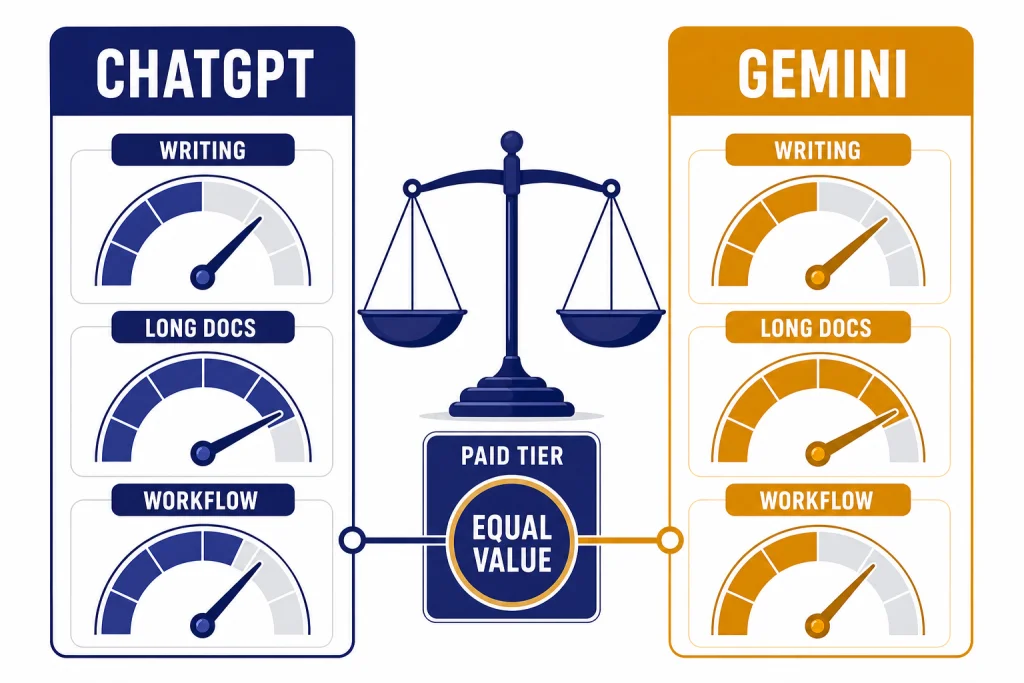
ChatGPT is the better default if you want a polished all-purpose assistant for writing, coding, data analysis, custom workflows, and OpenAI’s broader tool ecosystem. Gemini is the better choice if you live in Google Search, Gmail, Docs, Drive, Android, and need a very long context window for large files or research. On March 22, 2026, the closest paid comparison is ChatGPT Plus against Google AI Pro, with ChatGPT Pro and Google AI Ultra serving heavier users.[1][2][5] The short answer: choose ChatGPT for workflow breadth and coding depth; choose Gemini for Google integration and long-context reading.
Quick verdict
The best choice depends less on raw intelligence and more on where your work already lives. ChatGPT is the safer single-tool pick for people who draft, revise, code, analyze files, and build repeatable personal workflows. Gemini is the easier recommendation for users who already keep their documents, email, calendar, notes, photos, and searches inside Google’s ecosystem.
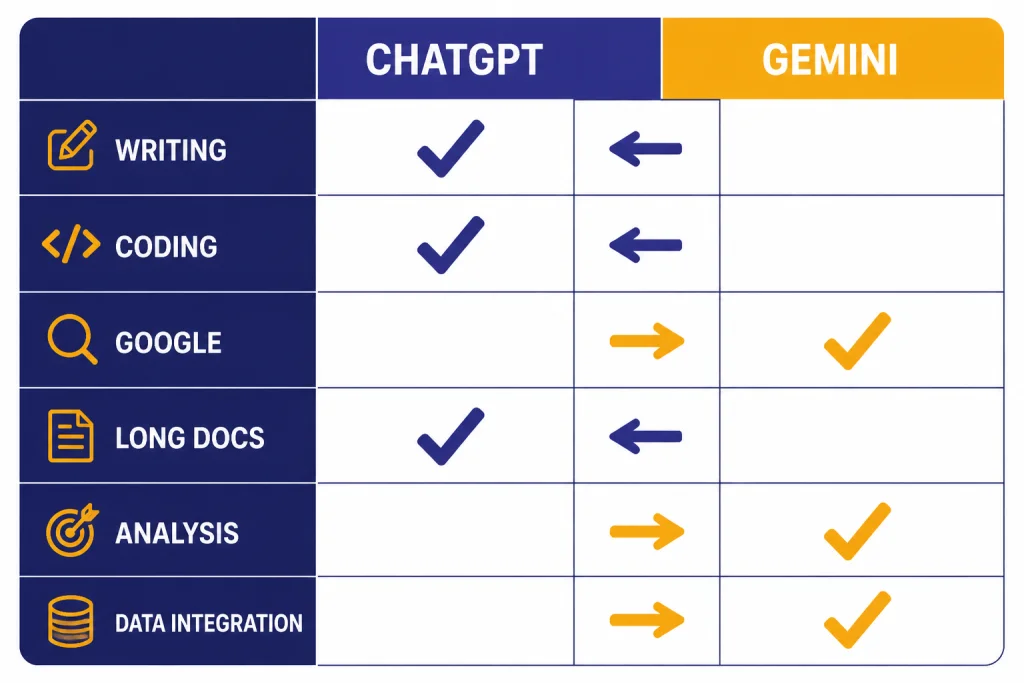
| Category | ChatGPT | Gemini | Better fit |
|---|---|---|---|
| Everyday writing and editing | Strong for structured drafts, rewrites, tone control, and iterative editing. | Good for quick drafts, summaries, and Google-connected work. | ChatGPT |
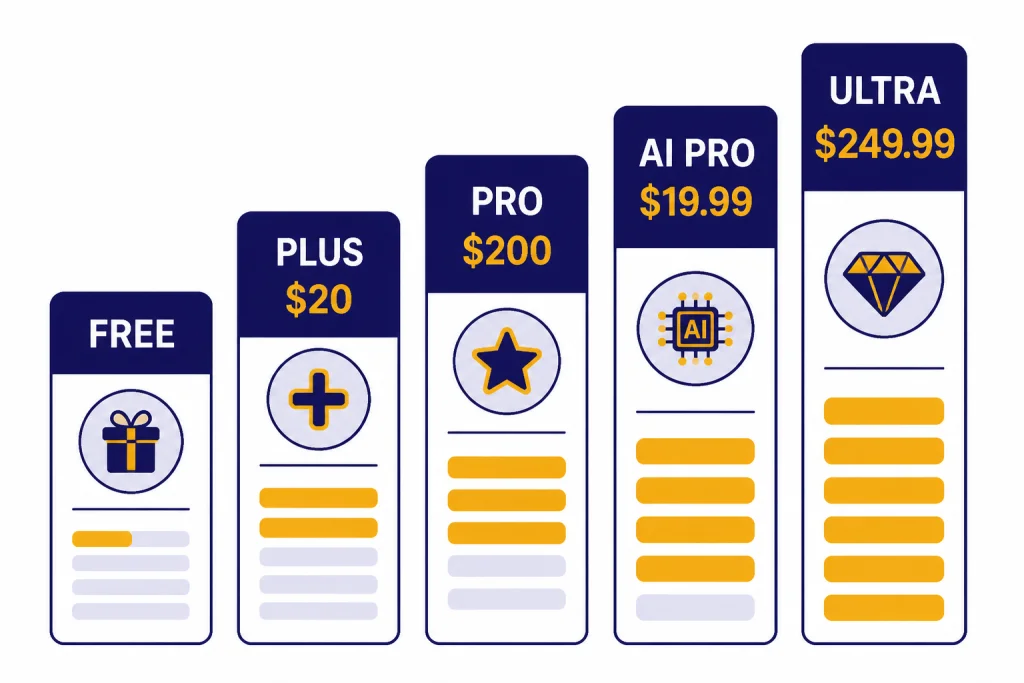
| Paid middle tier | ChatGPT Plus is listed at $20/month.[1] | Google AI Pro is listed at $19.99/month.[5] | Tie |
| Highest individual tier | ChatGPT Pro was introduced as a $200 monthly plan for scaled access.[2] | Google AI Ultra is listed at $249.99/month.[5] | Depends on workload |
| Current model direction | OpenAI positioned GPT-5.4 as a reasoning, coding, and agentic-work model across ChatGPT, API, and Codex.[3] | Google positioned Gemini 3.1 Pro for complex reasoning across the Gemini app, NotebookLM, API, Vertex AI, and related tools.[4] | Split |
| Very long files | Strong file analysis, but limits vary by plan and model. | Google publishes a one million-token context size for higher Gemini app tiers.[6] | Gemini |
| Business workspace | Best if your team wants a standalone AI workspace across mixed tools. | Best if your team already runs on Google Workspace. | Depends on stack |
Do not treat any usage limit as permanent. OpenAI says Plus usage can include message caps that vary with demand, and Google says Gemini app limits may change and are distributed throughout the day.[1][6]
Core models and everyday answers
The practical ChatGPT vs Gemini difference starts with product design. ChatGPT feels like a general workbench. Gemini feels like a Google-native assistant that can sit closer to Search, Workspace, Android, and Google’s model stack.
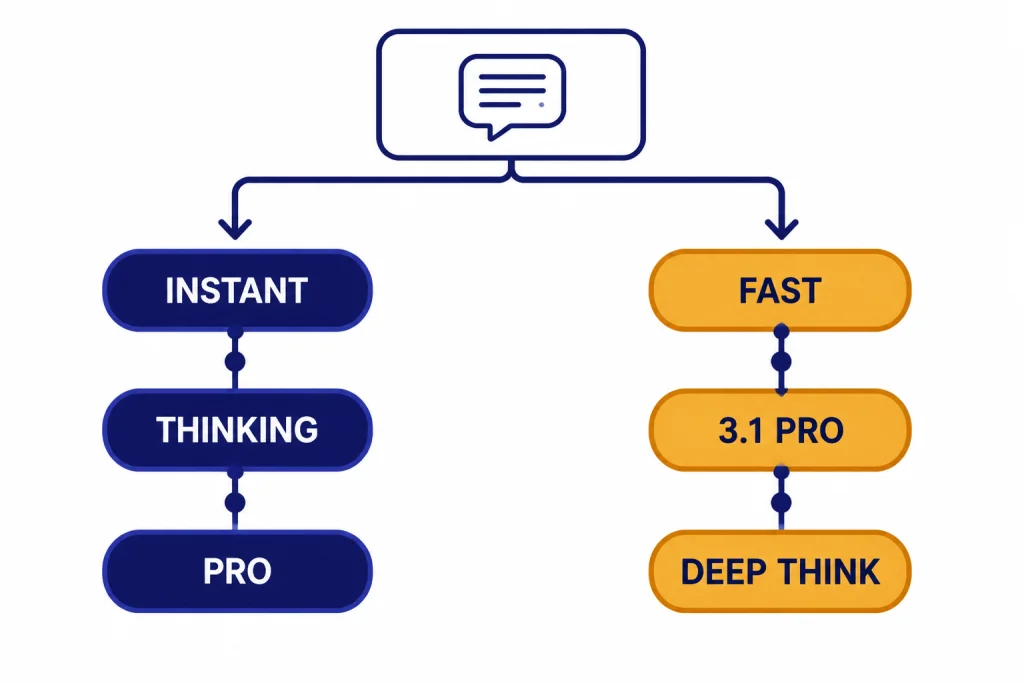
In March 2026, OpenAI described GPT-5.4 as rolling out across ChatGPT and Codex, with GPT-5.4 Thinking available to paid ChatGPT users and GPT-5.4 Pro available to Pro and Enterprise users.[3] Contemporary coverage also described ChatGPT 5.3 Instant as the everyday fast path and GPT-5.4 Thinking as the deeper reasoning option for larger tasks.[9] That split matters because most users do not need maximum reasoning on every prompt. They need a system that moves quickly for normal work and can slow down when the task deserves it.
Google’s Gemini 3.1 Pro update took a similar “harder tasks” angle. Google said Gemini 3.1 Pro was rolling out to consumers through the Gemini app and NotebookLM, to developers through the Gemini API and related tools, and to enterprises through Vertex AI and Gemini Enterprise.[4] Gemini is especially appealing when the answer depends on Google-native context rather than a blank prompt.
For everyday answers, ChatGPT usually has the edge when you want a finished artifact: a memo, a polished email, a technical explanation, a data-analysis plan, or a draft that follows a strict style. Gemini often has the edge when your prompt starts with “use my Google docs,” “summarize this Drive folder,” or “connect this to Search.” If you mainly care about OpenAI model families, start with all GPT models compared side by side. If your question is specifically about fast models versus reasoning models, read our reasoning model comparison.
Pricing and limits
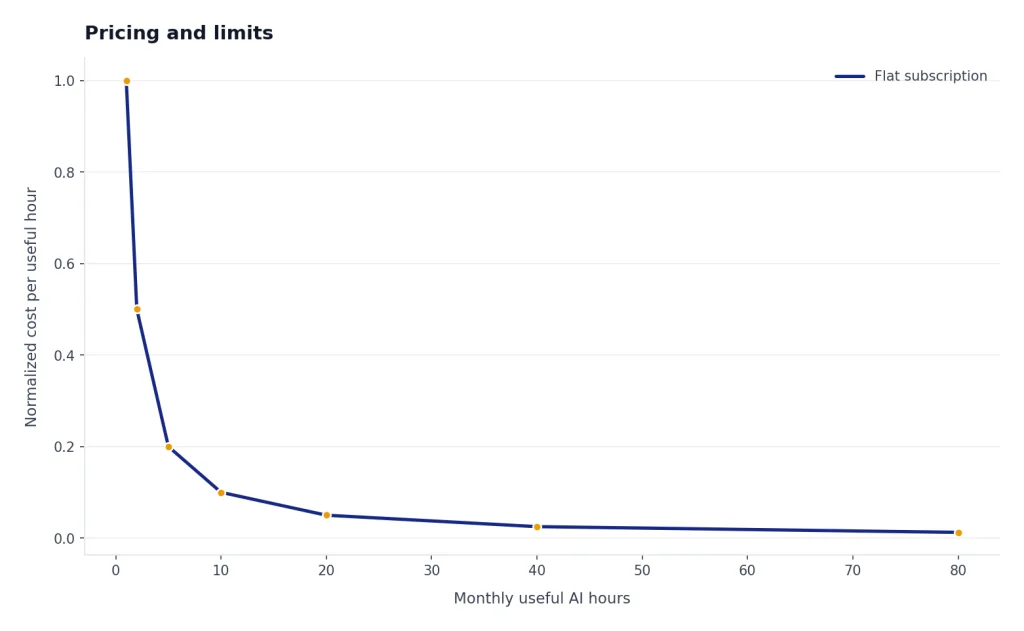
Most people should compare ChatGPT Plus with Google AI Pro first. The expensive tiers only make sense if you repeatedly hit limits, run long research jobs, generate many assets, or rely on AI for daily professional work. For a deeper OpenAI-only breakdown, see our full ChatGPT tier details.
| User type | ChatGPT option | Gemini option | Practical note |
|---|---|---|---|
| Casual user | Free ChatGPT access with limits. | Free Gemini access with basic limits. | Try both before paying. |
| Standard paid user | ChatGPT Plus at $20/month.[1] | Google AI Pro at $19.99/month.[5] | Price should not decide this tier. Workflow should. |
| Heavy individual user | ChatGPT Pro at $200/month.[2] | Google AI Ultra at $249.99/month.[5] | Buy only if you know which limit you are escaping. |
| Small team or company | ChatGPT Business or Enterprise for a shared OpenAI workspace. | Google Workspace with Gemini or Gemini Enterprise. | Choose the platform your admins already secure. |
| Developer | OpenAI API, Codex, and ChatGPT tools. | Gemini API, AI Studio, Vertex AI, Gemini CLI, and related Google tools. | Model quality matters, but deployment stack matters more. |
The headline prices are close at the middle tier and farther apart at the top tier. Independent coverage before this article’s publication also described ChatGPT Plus at $20/month and ChatGPT Pro at $200/month, while 9to5Google reported Google AI Pro at $19.99/month and Google AI Ultra at $249.99/month.[10][11]
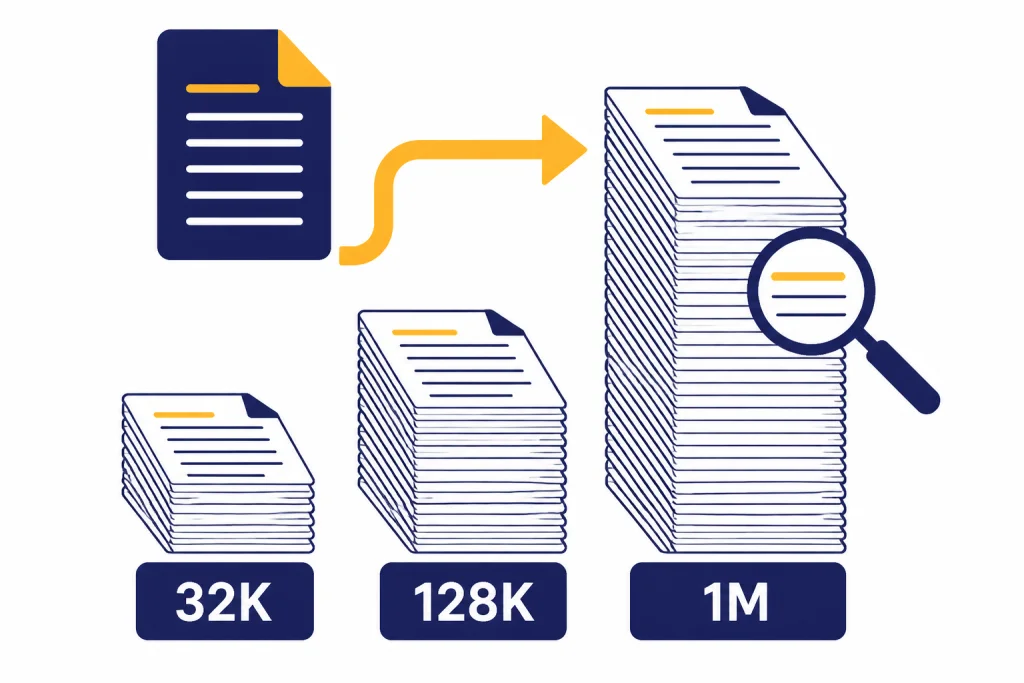
Limits are where Gemini becomes more explicit. Google’s Gemini app limits table lists Pro 3.1 access at up to 100 prompts per day for Google AI Pro and up to 500 prompts per day for Google AI Ultra, with context size rising to one million tokens on higher tiers.[6] Android Central reported the same core daily prompt figures for Google’s paid Gemini tiers when Google clarified Gemini limits.[12]
Long documents and research
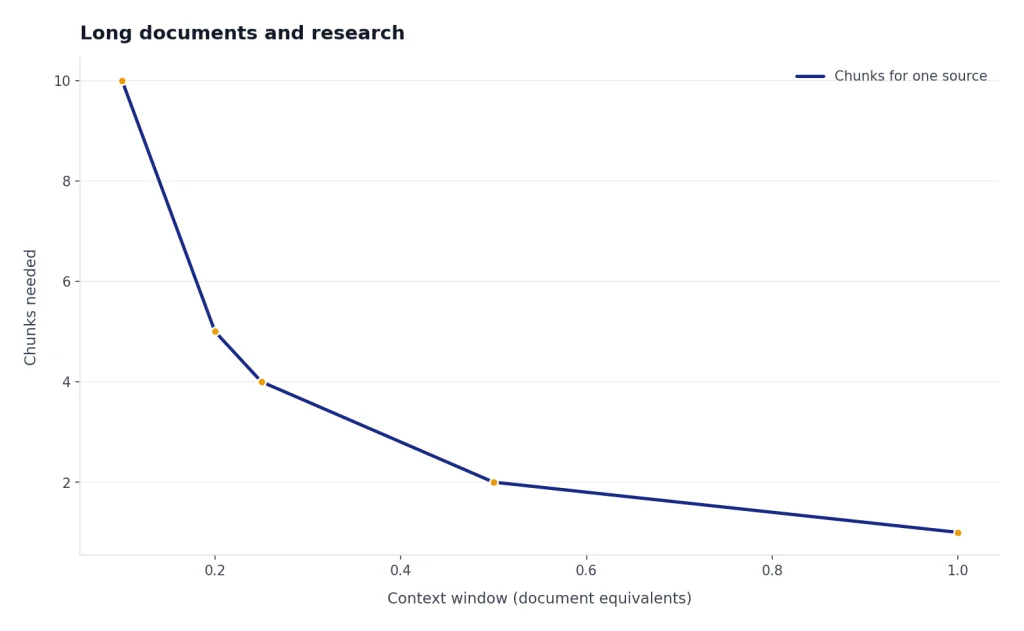
Gemini’s clearest advantage is long-context work. Google publishes a one million-token context size for the higher Gemini app tiers, which makes Gemini a simpler first stop for a full book PDF, a long transcript, a large legal bundle, or a many-document research pass.[6] If context size is your main criterion, compare the latest GPT-side numbers in our context window sizes guide.
ChatGPT still competes well after the source material is understood. It is often stronger at turning messy research into a clean brief, a decision memo, a table, a slide outline, or a sequence of follow-up prompts. A practical workflow is to use Gemini for the first long read, then move the distilled notes into ChatGPT for synthesis, formatting, and final writing.
For web research, the choice is more nuanced. Gemini has the natural Google advantage, especially for users who already rely on Search and Google-connected information. ChatGPT is often better when the task is not just finding information but transforming it into a finished deliverable. If your main decision is search engine versus assistant, read ChatGPT vs Google Search.
Ecosystem integrations
ChatGPT’s ecosystem is centered on the assistant itself. OpenAI’s Plus documentation lists expanded features such as voice conversations, image generation, file uploads and analysis, Deep Research tools, and custom GPT creation.[1] That makes ChatGPT feel like a flexible workspace even when your files come from many different apps.
Gemini’s ecosystem is centered on Google. Google’s subscription page bundles the Gemini app with Search, NotebookLM, Jules, Gemini Code Assist, Gemini CLI, Flow, Whisk, and storage depending on plan.[5] Google Workspace also describes Gemini as woven into Gmail, Docs, Sheets, Meet, Chat, Vids, the Gemini app, and NotebookLM.[7] If your day already happens in those tools, Gemini removes friction that ChatGPT cannot fully remove.
For creative media, the ecosystem decision can be separate from the chatbot decision. If video generation is the deciding factor, compare Sora vs Google Veo. If image style, ownership workflow, or editing controls matter more, see DALL-E vs Midjourney.
Coding, data work, and agents
For coding, ChatGPT is usually the easier recommendation for general users. OpenAI described GPT-5.4 as improving reasoning, coding, and professional knowledge work across ChatGPT, the API, and Codex, and said it incorporates frontier coding capabilities from GPT-5.3-Codex.[3] That makes ChatGPT strong for debugging, refactoring, explaining unfamiliar code, generating tests, and walking through multi-step implementation plans.
Gemini is still a serious coding choice, especially if you build on Google Cloud, Android, Vertex AI, or Google’s developer tools. Google said Gemini 3.1 Pro is available through the Gemini API in AI Studio, Gemini CLI, Google Antigravity, Android Studio, Vertex AI, Gemini Enterprise, and other channels.[4] For teams already on Google Cloud, that integration can outweigh a small difference in chat output.
For data work, ChatGPT tends to be better when you want the assistant to reason through a pandas workflow, create an analysis plan, or explain tradeoffs in plain English. Gemini gets more attractive when the source data lives in Sheets, Drive, or a Workspace account. Developers comparing API economics should keep the chatbot subscription separate from usage-based API billing; start with OpenAI API pricing if you plan to build on OpenAI models directly.
Privacy and business fit
For companies, the best answer is usually the platform that fits existing identity, data-loss prevention, retention, and procurement rules. ChatGPT Business is a self-serve workspace with admin controls, centralized billing, and a statement that OpenAI will not train on workspace data.[8] Google says Workspace organization data is not used to train or improve Gemini models or for ads targeting, and that Gemini retrieves relevant content only when the user has access to it.[7]
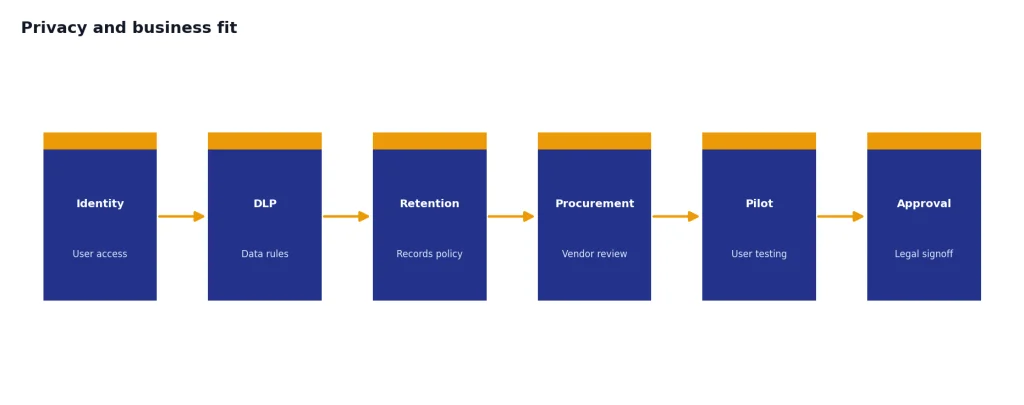
That means a Google Workspace company should strongly consider Gemini first. A company using mixed SaaS tools, custom GPT-style workflows, or OpenAI’s developer stack may prefer ChatGPT Business or Enterprise. If the real competitor inside your company is Microsoft rather than Google, compare GPT vs Microsoft Copilot before making a seat-wide decision.
Which one should you choose?
Choose ChatGPT if you want the strongest general-purpose assistant for drafting, coding, data analysis, document transformation, and repeatable personal workflows. It is also the better pick if you want OpenAI’s fastest access to new ChatGPT, Codex, and GPT-side capabilities.
Choose Gemini if you are already deep in Google’s ecosystem or routinely work with very large documents. The one million-token context figure on higher Gemini app tiers is a practical advantage for long-source work.[6] Gemini also fits better when your prompts depend on Gmail, Docs, Drive, Search, Android, Workspace, or Google Cloud.
Use both if AI is central to your work. A strong split is Gemini for reading and retrieving from Google-connected sources, then ChatGPT for analysis, editing, coding help, and final deliverables. If neither product fits your budget or workflow, our AI chatbot alternatives guide covers other assistants worth testing.
Frequently asked questions
Is ChatGPT better than Gemini?
ChatGPT is better for many general productivity tasks, especially writing, coding, data analysis, and turning rough material into a finished deliverable. Gemini is better when the task depends on Google apps, Google Search, or very long source material. The best choice is the one that matches your daily workflow.
Is Gemini cheaper than ChatGPT?
At the standard paid tier, the difference is negligible: ChatGPT Plus is listed at $20/month, while Google AI Pro is listed at $19.99/month.[1][5] At the high end, ChatGPT Pro was introduced at $200/month, while Google AI Ultra is listed at $249.99/month.[2][5]
Which is better for long documents?
Gemini is usually the better first choice for very long documents because Google publishes a one million-token context size for higher Gemini app tiers.[6] ChatGPT can still be better after that first read if you need a polished memo, outline, table, or code plan from the material.
Which is better for coding?
ChatGPT is the better default for most coding help because OpenAI positioned GPT-5.4 around reasoning, coding, and agentic workflows across ChatGPT, the API, and Codex.[3] Gemini is a strong option for Google Cloud, Android, Vertex AI, and users who want Gemini 3.1 Pro inside Google’s developer channels.[4]
Can Gemini replace Google Search?
No single chatbot should fully replace search for current, source-sensitive work. Gemini is more tightly connected to Google’s ecosystem, and Google’s paid plans include Search-related AI features.[5] For important facts, use Gemini or ChatGPT to organize the work, then verify the sources directly.
Should a business choose ChatGPT or Gemini?
A Google Workspace organization should test Gemini first because it fits Gmail, Docs, Sheets, Drive, Meet, and Workspace governance. A mixed-tool organization or an OpenAI-heavy engineering team should test ChatGPT Business or Enterprise. Both OpenAI and Google publish business data-protection statements, so the final decision should go through your security and legal review.[7][8]