


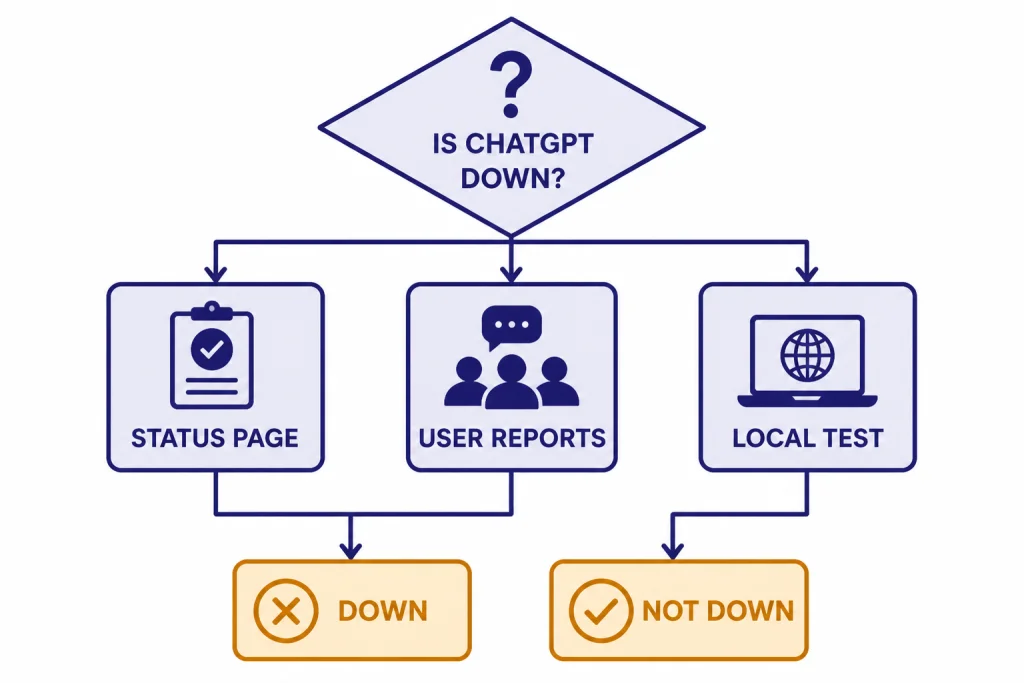
If you are asking, is ChatGPT down right now, start with OpenAI Status, then confirm with user-report signals and a local device test. OpenAI Status is the source of record for confirmed incidents, but it reports availability in aggregate across tiers, models, and error types, so your account can still be affected when the main page looks healthy.[1] If the status page shows an active ChatGPT incident, wait for recovery. If it does not, the problem is usually your browser session, app install, network, VPN, login state, account limit, or a specific feature such as file upload, voice, images, or conversation history.
Fast answer: how to tell if ChatGPT is down
The fastest answer comes from three checks. First, open the official OpenAI Status page and look at the ChatGPT row. If it says degraded performance, partial outage, or full outage, treat the issue as service-side. OpenAI notes that status availability is reported at an aggregate level, so a clean status page does not rule out every account, tier, model, or feature problem.[1]
Second, compare that result with user-report volume. Downdetector shows where user reports are concentrated over the past 24 hours and says it reports incidents when reports are significantly higher than typical volume for that time of day.[9] This is useful early in an outage, before an official incident is posted. It is not proof by itself.
Third, isolate your setup. Try a private browser window, a different browser, the mobile app, and another network. OpenAI recommends checking status, refreshing or restarting, disabling extensions, VPNs, proxies, or secure DNS tools, and trying another device or network when ChatGPT is slow, frozen, or unresponsive.[2] If other users are fine and only your session fails, move to troubleshooting instead of waiting for a global fix.
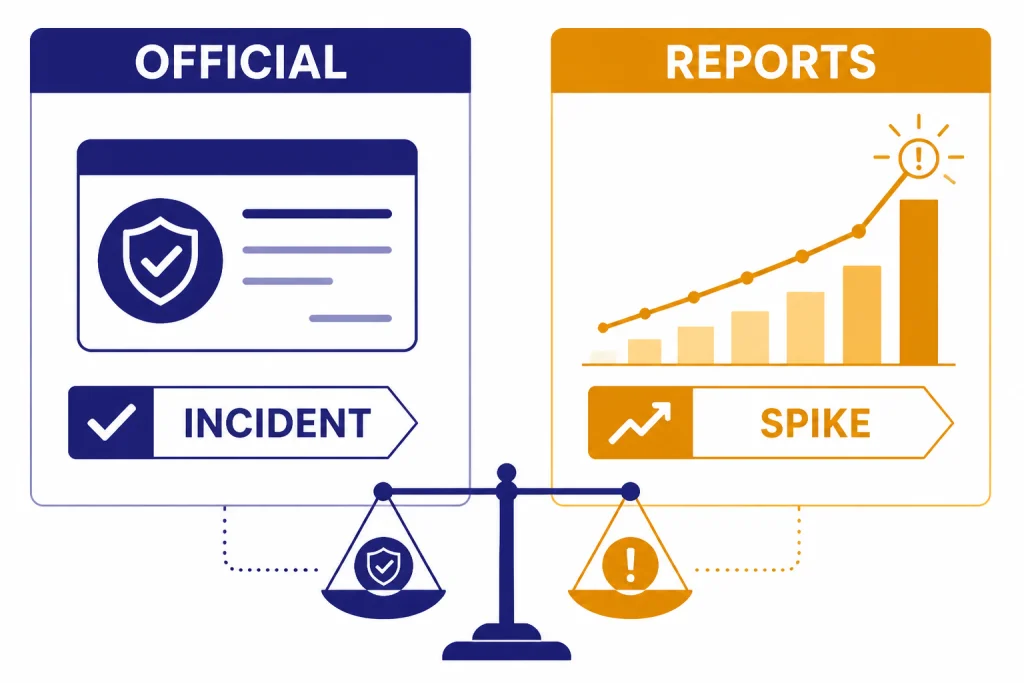
Official status versus user reports
OpenAI Status and crowd-report sites answer different questions. OpenAI Status answers whether OpenAI has confirmed a service incident. User-report sites answer whether many users are reporting trouble at the same time. Your own test answers whether the problem follows your account, browser, device, or network.
| Signal | Best use | Limit | What to do next |
|---|---|---|---|
| OpenAI Status | Confirmed ChatGPT incidents, recovery updates, affected components | Aggregate reporting can hide account-level or feature-level differences | Wait, retry later, and avoid repeated refresh loops |
| Downdetector or similar reports | Early warning when many users see the same failure | User reports can spike from local ISP, region, or confusion | Compare with OpenAI Status and test another network |
| Your own browser/app test | Finding cache, cookie, VPN, extension, or device problems | Cannot prove a wider outage | Use private browsing, another browser, another device, or mobile data |
| Social posts | Fast anecdotal confirmation during a noisy outage | Unverified and often regional | Use only as supporting context |
Use this rule of thumb. If OpenAI Status confirms an incident and user reports are rising, ChatGPT is probably down or degraded for a meaningful group of users. If OpenAI Status is clean and reports are flat, your next stop should be local fixes. If the evidence conflicts, assume a partial or regional disruption until your own tests prove otherwise.
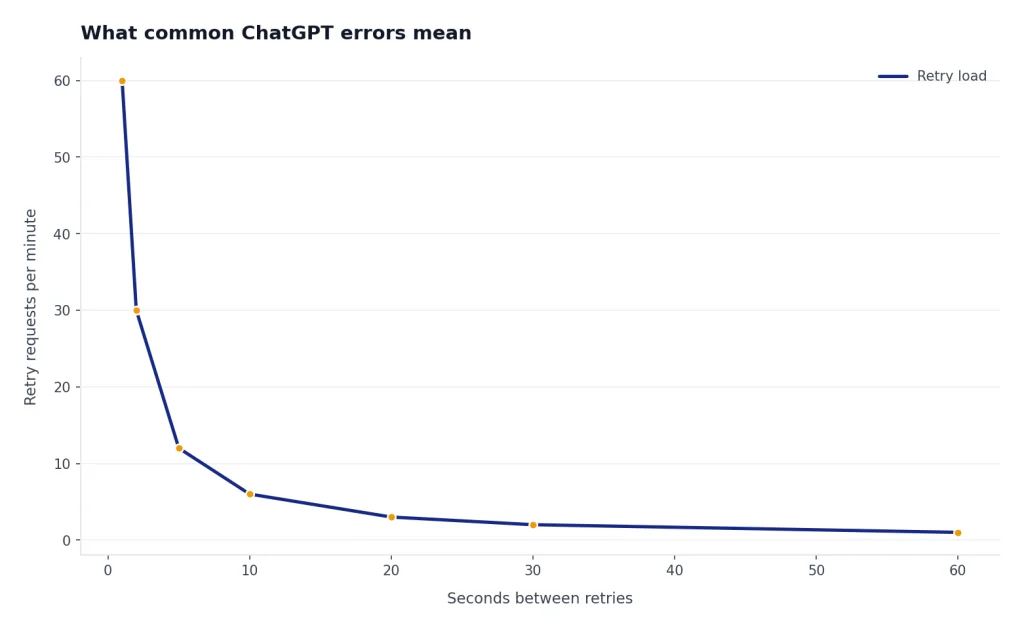
What common ChatGPT errors mean
Error wording matters. A generic page failure, a login loop, a server code, and a rate-limit warning point to different fixes. OpenAI describes common ChatGPT issues as coming from network configuration, browser extensions, or transient server-side problems, and recommends checking status before deeper troubleshooting.[2]
| What you see | Likely meaning | First fix | Related guide |
|---|---|---|---|
| Something went wrong | Generic failure. It may be local or server-side. | Refresh, start a new chat, check status, then test private browsing. | ChatGPT something went wrong error |
| Network error | Your device may not be keeping a stable connection to ChatGPT. | Switch networks, disable VPN or proxy, and retry in another browser. | ChatGPT network error fixes |
| Login failed | Authentication, cookies, provider mismatch, or temporary restriction. | Use the same sign-in method, clear cookies, and try a desktop browser. | ChatGPT login failed |
| 429 Too Many Requests | The client has sent too many requests in a given amount of time; MDN calls this rate limiting.[11] | Stop retrying, wait, and reduce repeated requests. | ChatGPT Error 429 Too Many Requests |
| 500 Internal Server Error | The server hit an unexpected condition that prevented it from fulfilling the request.[10] | Retry later and check for an active incident. | ChatGPT error 500 internal server |
| 502 Bad Gateway | A gateway or proxy received an invalid response from an upstream server.[10] | Refresh after a short pause and check status. | ChatGPT Error 502 Bad Gateway |
| 503 Service Unavailable | The server is temporarily unable to handle the request because of overload or maintenance.[10] | Wait instead of repeatedly reloading. | ChatGPT error 503 service unavailable |
Repeated clicking can make some problems worse. During the February 3, 2026 disruption, OpenAI said increased retry traffic amplified downstream load and slowed recovery in one region.[6] If ChatGPT is already failing, give it a short break before trying again.

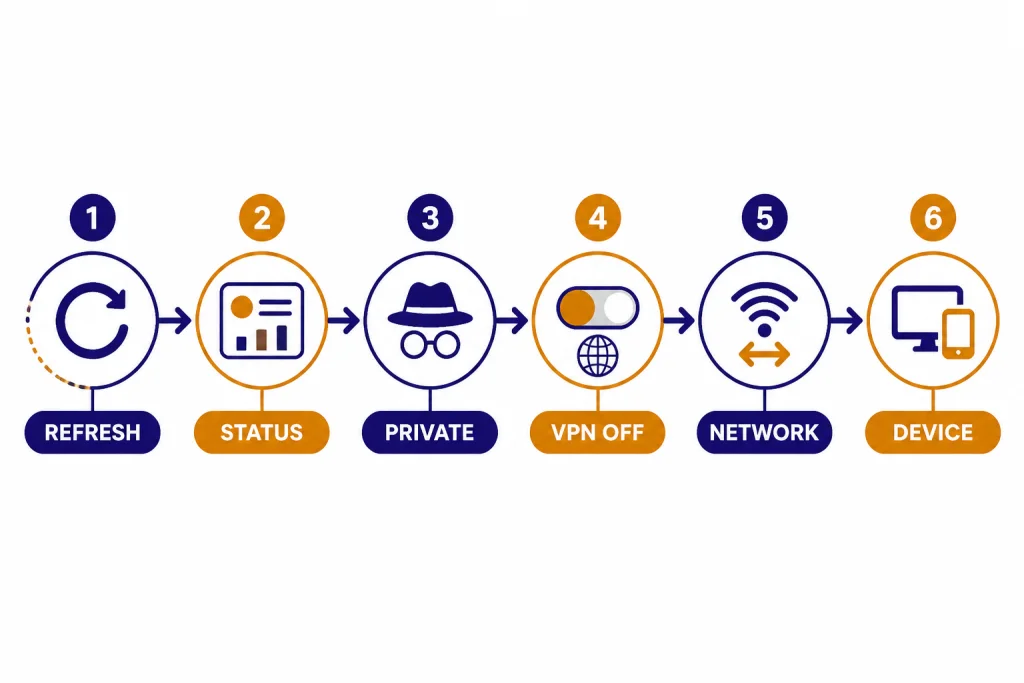
A quick checklist before you wait
Run these checks in order. They separate service downtime from problems you can fix yourself.
- Check OpenAI Status. If ChatGPT has an active incident, stop troubleshooting and wait for the incident update.
- Try a new chat. Long conversations can behave differently from fresh ones. OpenAI recommends starting a new chat when ChatGPT is slow, stuck, or unresponsive.[2]
- Hard refresh the page or restart the app. This clears a bad front-end state without changing your account.
- Use private browsing. This helps rule out extensions, stale cookies, and cached site data.
- Turn off VPNs, proxies, and secure DNS filters. OpenAI lists these as items to disable during ChatGPT troubleshooting.[2] For a deeper walkthrough, see our guide to ChatGPT not working with VPN.
- Switch networks. Move from Wi-Fi to mobile data, or from a work network to a home network.
- Test another surface. If the web app fails, try the phone app. If the phone app fails, try a desktop browser. Our ChatGPT app not working guide covers mobile-specific fixes.
If ChatGPT appears to hang indefinitely, OpenAI recommends waiting 30–60 seconds, then stopping generation, regenerating, starting a new chat, hard refreshing, signing out and back in, and testing private browsing or another network.[2] That order matters. It avoids wiping useful session context before you know whether the issue is temporary.
When only one ChatGPT feature is broken
ChatGPT can be partly down. The main chat box may work while files, images, voice, login, connectors, or conversation history fail. OpenAI Status may list affected components, but your first clue is often the feature that breaks.
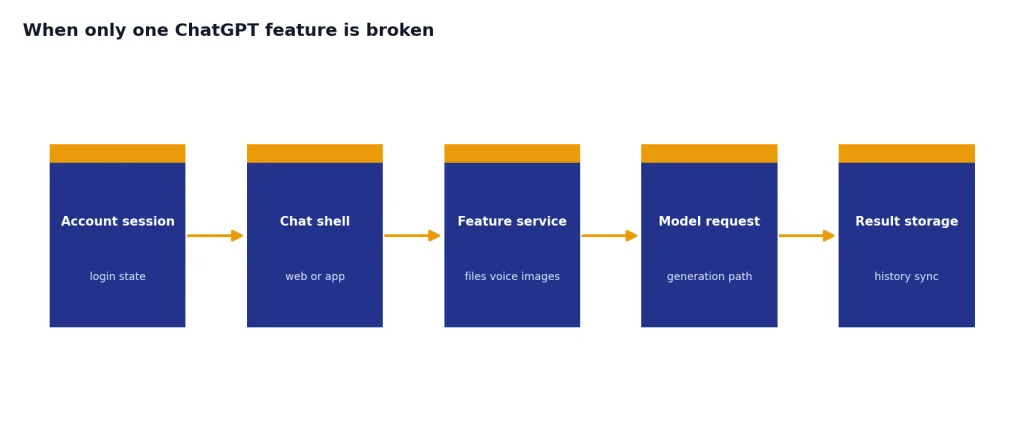
- Files fail to upload or download. Start with our ChatGPT file upload not working guide. OpenAI also notes that generated files expire quickly and that file download failures can require checking Code Interpreter settings in custom GPTs.[2]
- Images fail but text works. Use the ChatGPT image generator not working checklist before assuming a global outage.
- Voice mode fails. Check microphone permissions, app version, Bluetooth routing, and service status. Then use our ChatGPT voice mode not working guide.
- Code Interpreter expires. Session expiration is not always an outage. See Code Interpreter session expired for recovery steps.
- ChatGPT is slow but not failing. OpenAI says peak-hour patterns can affect response time and recommends checking the status page, clearing cache and cookies, trying another browser, and collecting diagnostics if the issue persists.[4] Our broader slowdown guide is Why Is My ChatGPT So Slow?
Feature-specific problems are common during partial incidents. For example, an outage may affect conversation creation but not the home page, or login but not users who already have a valid session. That is why a single successful test does not prove ChatGPT is fully healthy.
Recent incidents to compare against
Past incidents help you recognize the pattern. They also show why a simple yes or no answer can be misleading.
| Incident | What users saw | OpenAI status | Takeaway |
|---|---|---|---|
| January 26, 2026 | Free and logged-out users saw elevated errors. | OpenAI marked ChatGPT availability degraded for free and logged-out users and later resolved it.[5] | Plan and login state can change who is affected. |
| February 3, 2026 | Login and conversation availability were affected across ChatGPT plan types. | OpenAI said a configuration change caused elevated error rates, with full recovery completed at 3:05 PM PST.[6] | Retry storms can slow recovery during a service-side issue. |
| February 4, 2026 | Some users saw 403 errors when accessing ChatGPT. | OpenAI said the issue occurred between 9:06 AM and 9:59 AM PT after a database capacity reduction during cloud maintenance.[7] | An access-looking error can still come from backend capacity trouble. |
| February 12, 2026 | Conversation requests failed for some users. | OpenAI said a deployment issue caused elevated conversation error rates between 1:20 PM and 1:40 PM PST.[8] | Short deployment-related failures may resolve before many users finish troubleshooting. |
| February 26, 2026 | Some ChatGPT apps had elevated errors. | OpenAI marked the issue as a partial outage and resolved it at 3:57 PM.[12] | App-specific incidents can spare the web experience. |
For a longer record, use our ChatGPT outages 2026 tracker and the broader ChatGPT Outage History. Those pages are better for timelines. This page is for deciding what to do right now.
When to contact support
Do not contact support during a confirmed outage unless you have a billing, account, or data-loss concern. Support cannot restore a service-wide incident for one account. Wait for the official status update, then retry after recovery.
Contact support when the problem persists across browsers, devices, and networks after OpenAI Status shows no active incident. OpenAI recommends collecting a HAR file, browser console errors with timestamps, the model used, and the conversation URL or ID before contacting support.[2] For login-specific problems, OpenAI recommends checking the sign-in method, trying incognito, using a different device or browser, turning off VPN, and waiting up to 1 hour after multiple failed login attempts.[3]
If the error is rate-limit related, support is usually not the fastest route. A 429 error means too many requests were sent in a given amount of time, and the correct first response is to wait rather than repeat the same request.[11] If limits are a recurring problem rather than an outage, read our ChatGPT too many requests and ChatGPT daily limit guides.
Frequently asked questions
Is ChatGPT down right now?
Check OpenAI Status first. If ChatGPT shows degraded performance, partial outage, or full outage, the problem is likely on OpenAI’s side. If status looks normal, compare user-report sites and then test another browser, device, and network.
Why does ChatGPT fail for me when status says operational?
OpenAI reports availability at an aggregate level across tiers, models, and error types, so individual users can experience different results.[1] Your issue may also be caused by cookies, extensions, VPNs, secure DNS tools, an expired login session, or a network block.
Does a spike on Downdetector prove ChatGPT is down?
No. It proves that user reports are elevated, not that OpenAI has confirmed an outage. Downdetector is useful for early warning because it compares reports with typical volume for that time of day.[9] Treat it as supporting evidence beside OpenAI Status and your own tests.
What should I do during a confirmed ChatGPT outage?
Stop repeatedly refreshing and wait for recovery updates. Save any prompt you were working on in a local note. If your work is urgent, switch tasks or use a fallback tool until OpenAI marks the incident resolved.
Why is ChatGPT slow but not fully down?
Slow responses can come from peak usage, a partial incident, a long conversation, browser issues, extensions, VPNs, or your local network. OpenAI recommends checking the status page, refreshing or restarting, disabling extensions and VPN-like tools, trying another browser or network, and clearing cache and cookies if the problem continues.[2]
Can I use ChatGPT offline when it is down?
The normal ChatGPT service requires an online connection. You can draft prompts, save source material, or work in local notes while waiting. For a practical reality check, see our guide to how to use ChatGPT offline.