

Scope note: This guide is written primarily for U.S. lawyers, law firms, and legal departments. It uses U.S. professional-responsibility sources, including ABA guidance, as the main frame. Lawyers outside the United States should treat it as a workflow discussion only and must check their own bar rules, court rules, client requirements, privilege law, confidentiality duties, and data-transfer or data-residency laws before using ChatGPT with legal work.
Legal-information disclaimer: This article is general legal-industry information, not legal advice, ethics advice, a security opinion, or a substitute for review by qualified counsel in the relevant jurisdiction. It discusses professional duties, billing, confidentiality, and disclosure issues at a high level; firms should make matter-specific decisions under applicable rules and client instructions.
ChatGPT for lawyers is useful when treated as a supervised drafting, summarizing, brainstorming, and workflow tool. It is risky when treated as a legal research authority, a confidentiality-safe intake system, or a substitute for professional judgment. In 2026, the practical question is not whether lawyers can use ChatGPT. They can, subject to applicable duties of competence, confidentiality, candor, supervision, communication, and reasonable fees. The real question is how to build a workflow that preserves privilege, verifies every legal assertion, and gives clients faster service without hiding the limits of the tool.
Best uses for ChatGPT in a law practice
ChatGPT works best in a legal practice when the task is language-heavy, iterative, and easy for a lawyer to verify. It can turn a rough memo into a cleaner client update, convert meeting notes into an issue list, propose questions for a witness outline, or compare two versions of a clause if you provide the text and request a structured table.
The legal industry is moving from curiosity to managed adoption. Thomson Reuters reported in 2025 that its generative AI research surveyed nearly 1,800 professionals across legal, tax, accounting, corporate risk, and government sectors, and that legal generative AI usage rose from 14% in 2024 to 26% in 2025.[11][12] The same report said 45% of law firm respondents were using generative AI or planned to make it central to their workflow within one year.[11] Those numbers do not make ChatGPT safe by default. They show why firms need rules before informal use becomes normal use.
Start with low-risk tasks. Ask ChatGPT to draft a plain-English explanation of a litigation calendar after you remove client identifiers. Ask it to turn a verified statute summary into a client FAQ, then check the text yourself. Ask it to create a deposition preparation checklist, not to decide which questions are dispositive. The principle is the same in other regulated professions: AI can support trained professionals, but it should not replace them. Our guide to ChatGPT for Doctors and Healthcare Professionals applies that same human-in-charge distinction in clinical settings.
| Legal task | Good ChatGPT use | Do not use it for | Required human check |
|---|---|---|---|
| Client communication | First draft of a status update or explanation | Final advice without lawyer review | Confirm law, facts, tone, and client strategy |
| Research planning | Issue spotting and search-term brainstorming | Final case citation list | Verify authority in Westlaw, Lexis, Bloomberg Law, court sites, or other approved sources |
| Contract work | Clause comparison and red-flag list | Unreviewed negotiation positions | Check governing law, business terms, defined terms, and cross-references |
| Litigation drafting | Outline, structure, argument alternatives | Filed brief with AI-generated authorities | Shepardize, KeyCite, or otherwise validate every authority |
| Operations | Task lists, intake templates, training checklists | Unapproved storage of client files | Confirm vendor terms, access controls, and retention settings |
Ethical duties that control the workflow
The leading U.S. baseline is ABA Formal Opinion 512, released on July 29, 2024.[4] The opinion does not ban generative AI. It frames a lawyer’s use of generative AI under existing duties, including competence, confidentiality, communication with clients, candor toward tribunals, supervisory obligations, and reasonable fees.[5] A state bar, court rule, protective order, client guideline, agency rule, or non-U.S. regulator may impose stricter requirements, so local review still matters.
Competence means a lawyer needs a reasonable understanding of the tool’s capabilities and limits. That does not require becoming a machine learning engineer. It does require knowing that ChatGPT can produce fluent text that is incomplete, outdated, jurisdictionally wrong, or fabricated. If a junior lawyer cannot cite a case without checking it, ChatGPT cannot either.
Confidentiality is the duty that most often changes the workflow. A lawyer should not paste client secrets, privileged communications, sealed material, trade secrets, personally sensitive facts, or discovery subject to a protective order into an unapproved consumer tool. Even when a tool has strong contractual protections, the firm should decide who can use it, what data can enter it, what retention applies, and what record must be kept.
Fees need special care. The ABA has warned that a lawyer generally cannot bill a client for time spent learning a generative AI tool that the lawyer will regularly use for client matters.[4] If the tool reduces the time needed for a task, the billing entry should reflect the work actually performed, not an old manual estimate. This matters most in practices built around repeated drafting, review, and correspondence.
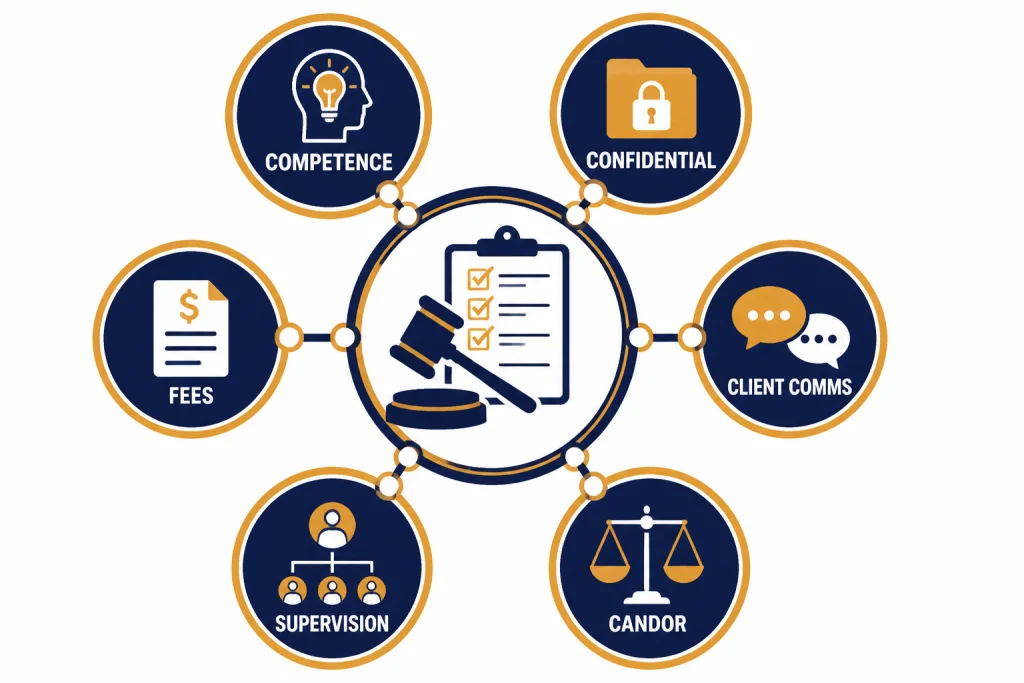
Candor is non-negotiable. In Mata v. Avianca, the U.S. District Court for the Southern District of New York sanctioned lawyers after a filing included non-existent judicial opinions with fake quotes and citations created by ChatGPT.[6] CNBC reported that the sanctions included a $5,000 fine and notice requirements to judges falsely identified in the bogus cases.[7] The lesson is simple: do not cite ChatGPT. Cite verified law.
Confidentiality and privilege safeguards
For lawyers, the first ChatGPT setting is not a model picker. It is a data rule. OpenAI says its enterprise privacy commitments give organizations ownership and control over business data, and that it does not train its models on business data by default for covered business products and the API platform.[1] OpenAI’s ChatGPT Enterprise help page also states that Enterprise conversations are not used to train OpenAI models, and that conversations are encrypted in transit and at rest.[2] Those statements support firm evaluation. They do not replace a privilege analysis, client-consent analysis, vendor review, data-transfer review, or matter-specific protective-order review.
OpenAI’s usage policies also matter. The policy page in effect before this article’s publication prohibited providing tailored advice that requires a license, such as legal or medical advice, without appropriate involvement by a licensed professional.[3] For a lawyer using ChatGPT, that language points to a workable boundary: the licensed lawyer must remain involved, responsible, and accountable for the advice.
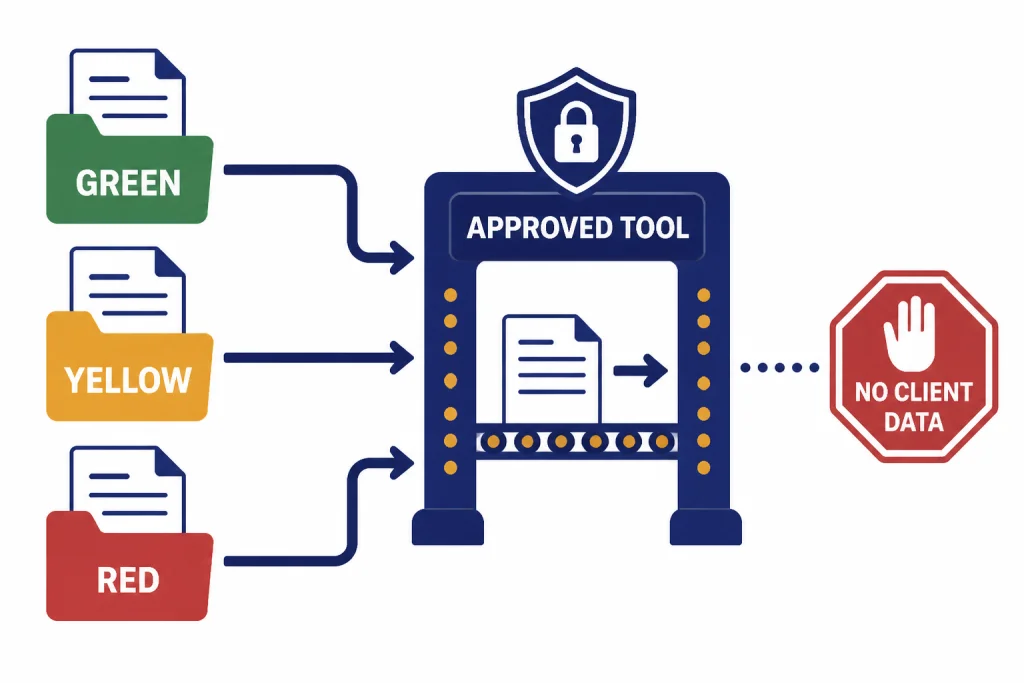
A safe default is to classify prompts into three buckets. Green prompts contain no client information and ask for general structure, examples, checklists, or drafting improvements. Yellow prompts contain matter facts that have been anonymized or generalized. Red prompts contain confidential, privileged, personal, sealed, regulated, or strategically sensitive material. Red prompts should stay out of general-purpose tools unless the firm has approved the specific environment for that data and the matter permits it.
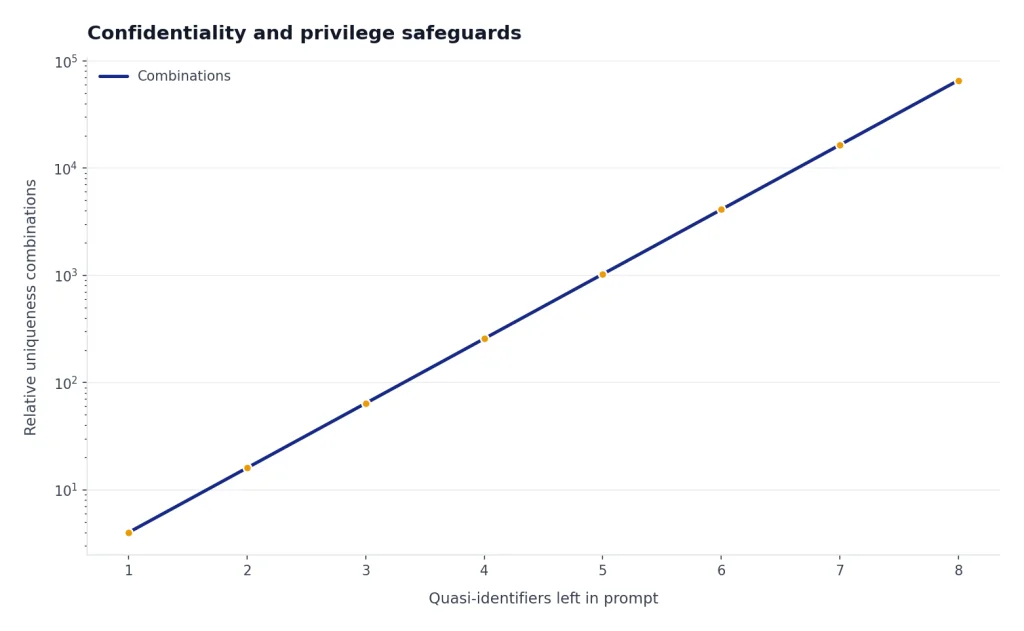
Do not rely on “I removed the names” as the only safeguard. Dates, transaction sizes, job titles, counties, product names, expert specialties, and unusual fact patterns can re-identify a client. If the fact pattern itself is sensitive, generalize the prompt more aggressively. Instead of pasting a client’s termination letter, ask for “a neutral outline for analyzing a potential retaliation claim under federal law, with placeholders for protected activity, adverse action, comparator evidence, and causation.”
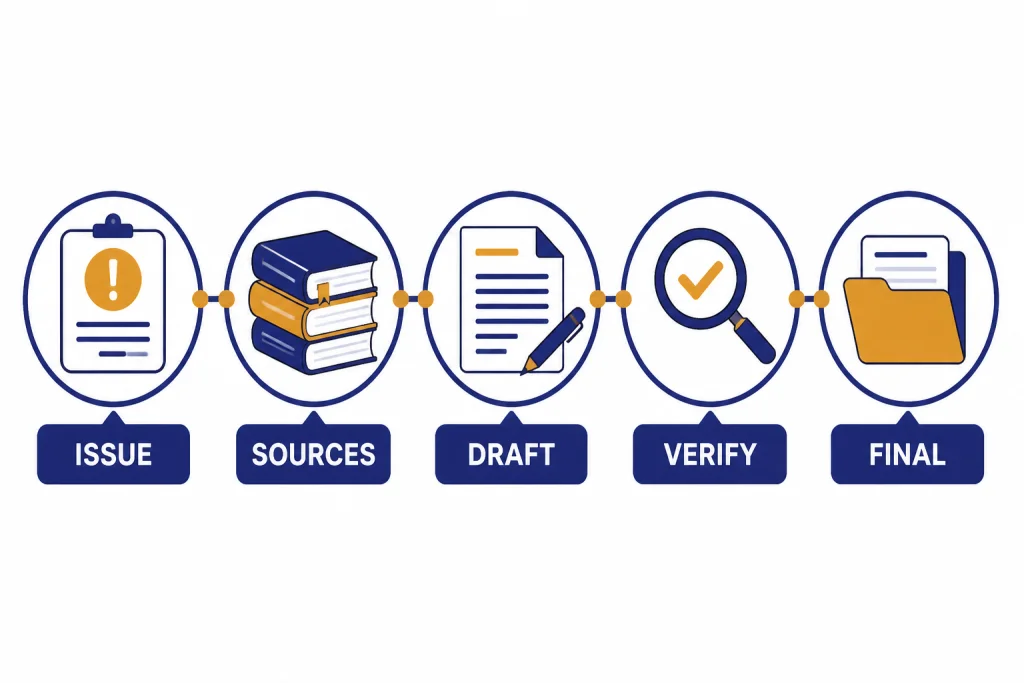
A practical lawyer-in-the-loop workflow
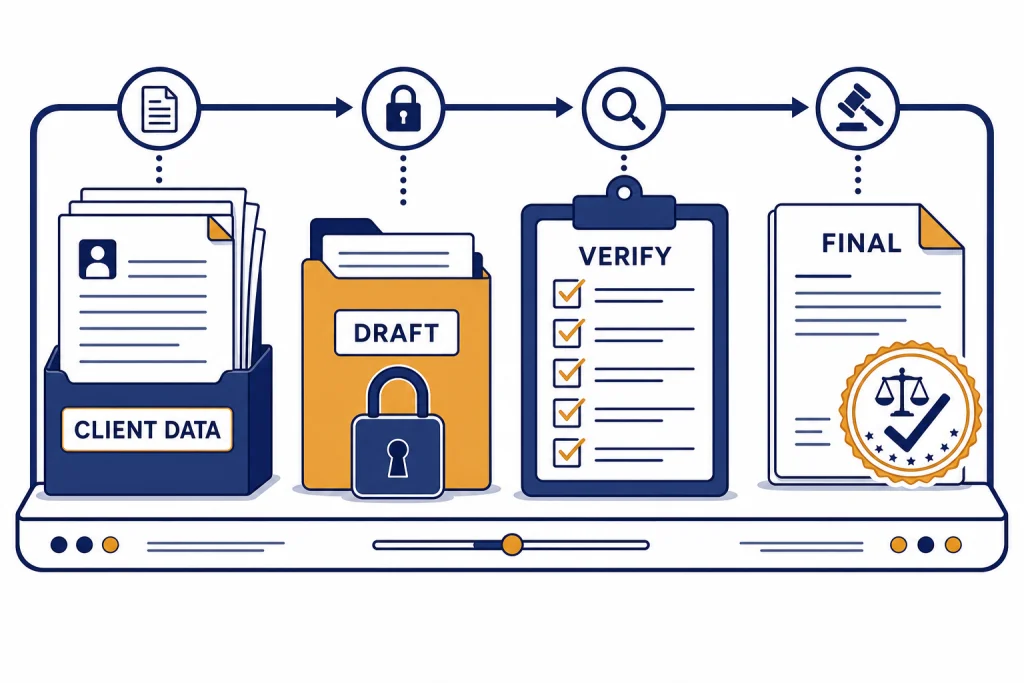
The safest way to use ChatGPT for lawyers is to separate ideation, drafting, verification, and final judgment. Do not ask one prompt to do everything. That invites overconfidence. Use the tool for one bounded step, then move the work product back into a lawyer-controlled review process.
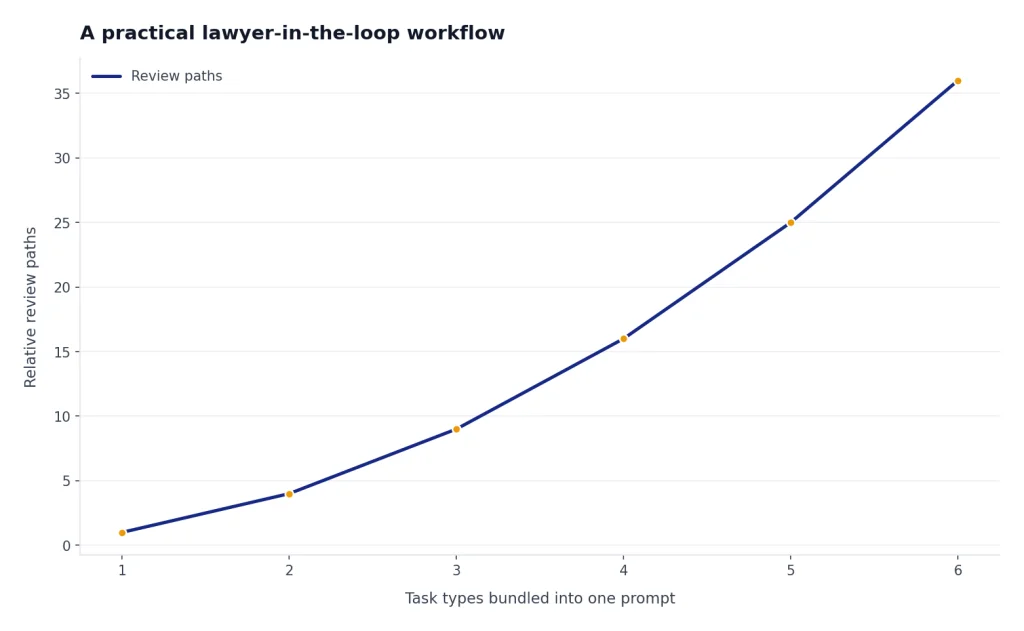
Step 1: Define the role and jurisdiction
Give ChatGPT a narrow role. For example: “Act as a drafting assistant for a U.S. employment lawyer. Do not provide final legal conclusions. Produce an issue checklist for lawyer review.” Add the jurisdiction, forum, document type, and audience. If the work crosses languages, use the same caution we recommend in ChatGPT for Translators: the model can improve fluency, but a qualified reviewer must own meaning, nuance, and risk.
Step 2: Ask for structure before substance
Start with an outline, not a finished brief. Ask for headings, missing facts, burden-of-proof questions, or a chronology template. A structured output is easier to audit than a polished conclusion. It also reduces the temptation to copy and paste language into a client deliverable before checking it.
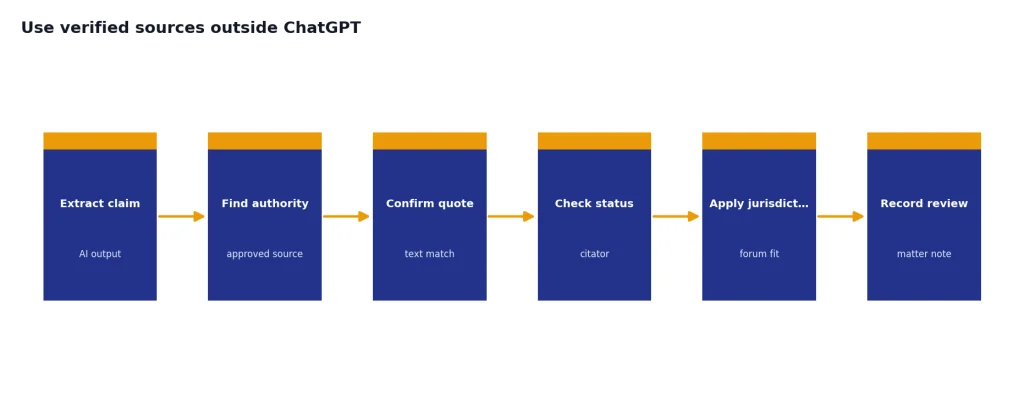
Step 3: Use verified sources outside ChatGPT
For legal research, ChatGPT can propose search terms and issue maps. It should not be the source of record for cases, statutes, rules, or quotes. Run legal authority through a legal research platform, official court database, statute site, agency guidance, docket system, or other approved source. Lawyers who use ChatGPT for academic-style synthesis should apply the same source discipline described in our guide to ChatGPT for Research.
Step 4: Preserve the review trail
Keep enough records to show what the lawyer did. For sensitive matters, save the final verified sources and matter notes rather than every exploratory AI prompt, unless a client, court, litigation hold, policy, or regulator requires more. For routine work, a matter note may be enough: “Used firm-approved AI tool to generate first draft of client update; attorney revised, verified law, and approved final text.” Coordinate this with document retention rules, litigation holds, legal hold obligations, export needs, and client requirements.
Choosing a ChatGPT plan or deployment model
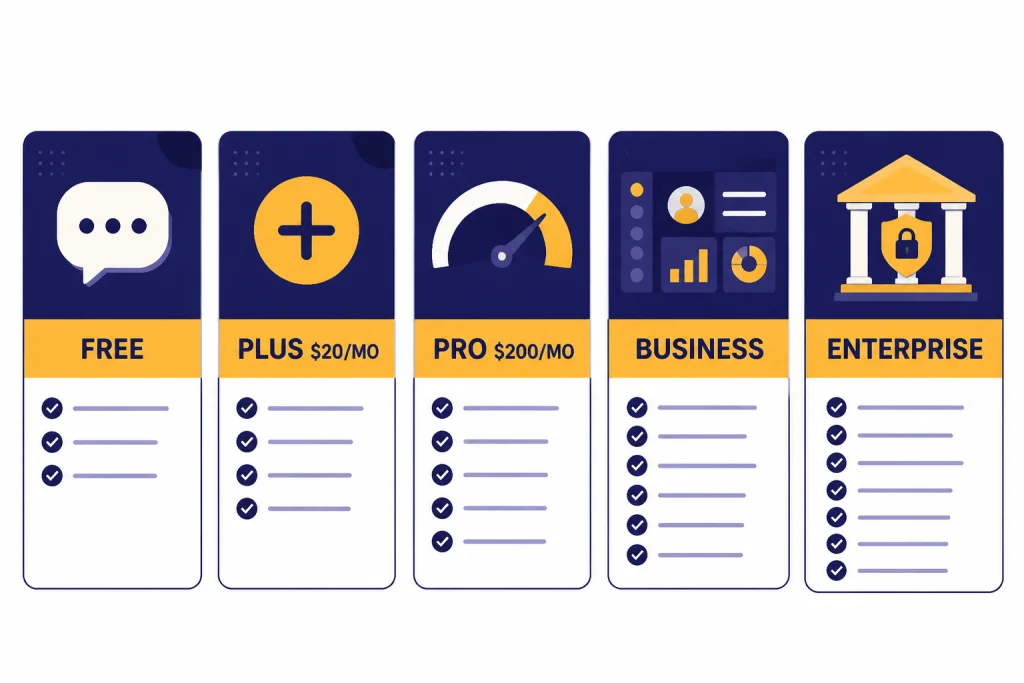
A solo lawyer experimenting with public legal information has different needs from a firm that wants to process client contracts. Plan choice should follow data sensitivity, governance needs, and client obligations, not curiosity about the newest model. OpenAI listed Free, Plus, Pro, Business, and Enterprise options on its ChatGPT pricing page before this article’s publication.[8] OpenAI’s help center described ChatGPT Plus as a $20 per month plan.[9] OpenAI’s Pro help page described a Pro $200 tier with higher usage than Plus.[10] Prices, limits, features, and available models can change, so firms should verify OpenAI’s current pricing and product pages as of May 2026 before procurement.
| Option | Best fit in a legal setting | Typical boundary |
|---|---|---|
| Free | Personal learning with no client data | Do not use for confidential matter work |
| Plus at $20/month[9] | Individual productivity on low-risk, non-confidential tasks | Not a substitute for firm governance |
| Pro at $200/month[10] | Heavy individual use where higher usage limits matter | Still needs confidentiality and review controls |
| Business | Small firm or team rollout with administrative needs | Review terms, retention, access, matter restrictions, and exports |
| Enterprise | Firm-wide deployment with security, compliance, and admin review | Requires procurement, security, legal, records, and practice leadership approval |
For highly sensitive work, the right answer may be a firm-approved legal AI product, a private deployment, or the OpenAI API under negotiated business terms rather than an individual ChatGPT subscription. If your firm is comparing API usage against subscriptions, start with OpenAI API pricing for cost structure, then bring in security counsel, IT, records management, privacy, and practice-group leaders.
A practical procurement checklist for a law firm should include: data retention and deletion controls; whether prompts and outputs are used for training; admin logging and audit trails; SSO, SCIM, MFA, and role-based access; region selection and data residency; cross-border data-transfer terms; legal hold, export, and e-discovery support; DPA terms; subprocessors and notice of changes; encryption; incident notification; client outside-counsel guidelines; confidentiality obligations; support for ethical walls; and the process for disabling users when they leave the firm or change matters.
Prompt patterns lawyers can reuse
Good legal prompts constrain the task, protect client information, and force reviewable output. They do not ask the model to “win the case.” They ask for a checklist, table, first draft, or list of questions that a lawyer can test. The templates below are intended for generalized or non-confidential inputs unless your firm has approved the environment for the data involved.
Template 1 — Client-friendly litigation update:
Act as a drafting assistant for a lawyer. Do not give final legal advice.
Task: Create a client-friendly explanation of the litigation step below.
Audience: Sophisticated business client, non-litigator.
Inputs: [paste non-confidential, generalized description]
Output: 5 short paragraphs, plain English, no citations, no legal conclusion.
Template 2 — Issue-spotting table for lawyer review:
Act as an issue-spotting assistant.
Jurisdiction: [state/federal forum]
Matter type: [generalized matter type]
Facts: [anonymized facts]
Output a table with: potential issue, missing fact, source I should verify, and risk if ignored.
Do not invent cases or statutes.
Template 3 — Contract clause comparison:
Compare these two contract clauses.
Do not assume either clause is enforceable.
Output: business change, legal issue to review, drafting ambiguity, negotiation question.
Clause A: [text]
Clause B: [text]
Illustrative output snippet for Template 2: “Potential issue: whether the decisionmaker knew of the protected activity. Missing fact: who received the complaint and when. Source to verify: governing retaliation standard and causation authority in the relevant jurisdiction. Risk if ignored: draft may overstate causation.” This is the kind of output a lawyer can audit; it is not a final conclusion.
These patterns adapt to practice areas when the lawyer supplies verified law and controls the data. A tax lawyer might use the client-letter structure in a cautious way similar to the workflow in ChatGPT for Accountants and Bookkeepers. An employment lawyer may adapt the policy-drafting approach discussed in ChatGPT for HR Departments, while applying legal review and client-confidentiality rules. A lawyer handling data-heavy exhibits may combine ChatGPT with spreadsheet techniques from ChatGPT for Excel, but only after confirming that the data can be processed in the chosen environment.
For polished communication, use ChatGPT as an editor. Ask for a shorter version, a less adversarial version, or a version suitable for a client who wants the bottom line first. Our ChatGPT for Email Writing That Converts guide is written for business users, but the same drafting principle applies in law: AI can improve clarity, while the professional remains responsible for accuracy, privilege, tone, and judgment.
A firm policy checklist
A law firm AI policy should be short enough that lawyers actually follow it and concrete enough to stop risky improvisation. The policy should name approved tools, banned uses, review steps, data classifications, billing rules, escalation contacts, and procurement owners.
- Approved tools: List which ChatGPT plans, legal AI tools, APIs, or internal systems lawyers may use, and for which categories of data.
- Data rules: Define what counts as public, internal, confidential, privileged, sealed, regulated, personal, export-controlled, or client-restricted information.
- Vendor controls: Require review of data retention, training use, DPA terms, subprocessors, data residency, region controls, admin logging, SSO/SCIM, MFA, role-based access, legal hold, export, and deletion.
- Research rule: Require verification of all legal authorities in approved primary or legal research sources.
- Client communication: State when lawyers must disclose AI use or obtain client consent, including under engagement letters, outside-counsel guidelines, protective orders, or court rules.
- Billing rule: Prohibit billing for general tool training and require accurate time entries for AI-assisted work.
- Supervision: Require partner or supervising attorney review for junior lawyers, paralegals, and staff using AI on client matters.
- Records: Define when prompts, outputs, matter notes, final drafts, exports, and audit logs should be retained or deleted.
- Incident response: Tell lawyers what to do if confidential information is entered into the wrong tool, including who to notify and how to preserve evidence.
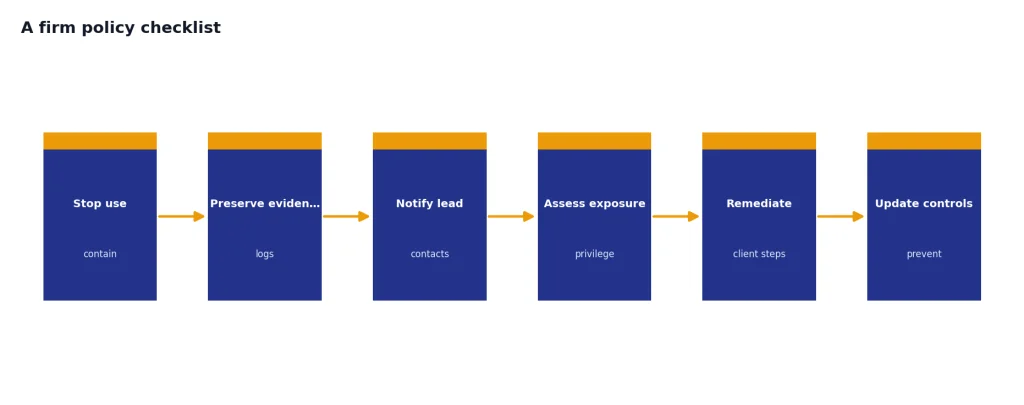
The best policy is paired with examples. Show lawyers a safe prompt, a borderline prompt, and a banned prompt. Train staff on why “summarize this client file” is different from “make this public-facing paragraph clearer.” If your firm already uses AI for public marketing, social posts, or web copy, keep that workflow separate from client legal work. The risk profile in ChatGPT for Marketing is not the same as a privileged merger memo or a sanctions-sensitive brief.
Finally, do not let the policy freeze. Models, court rules, client outside-counsel guidelines, data-transfer rules, and vendor terms change. Review the policy at least annually, and sooner after a major ethics opinion, a court order involving AI misuse, a new client requirement, a security incident, or a change in the firm’s approved tools.
Frequently asked questions
Can lawyers ethically use ChatGPT?
In the United States, lawyers can use ChatGPT if they comply with their professional duties. ABA Formal Opinion 512 treats generative AI as a tool governed by existing rules, including competence, confidentiality, communication, candor, supervision, and reasonable fees.[5] Lawyers must also check their own jurisdiction, court rules, client instructions, protective orders, and firm policies. Non-U.S. lawyers should consult local bar rules, privilege law, data-protection requirements, and cross-border transfer rules before using ChatGPT on legal work.
Can ChatGPT do legal research?
ChatGPT can help plan research by suggesting issues, search terms, and organizational structures. It should not be treated as a legal authority database. Every case, statute, rule, quotation, and procedural requirement must be verified in an approved legal research source or official source before use.
Can I paste client documents into ChatGPT?
Do not paste confidential client documents into an unapproved ChatGPT environment. A firm should first review the plan, vendor terms, data retention, data-use policy, access controls, audit logs, export options, data residency, client restrictions, privilege implications, and any outside-counsel guidelines. When in doubt, anonymize, generalize, or use a firm-approved system designed for that category of data.
Do I need to tell clients I used ChatGPT?
Sometimes. Disclosure may be required by a client guideline, engagement letter, court rule, ethics rule, protective order, or the nature of the task. Even when disclosure is not required, a firm may choose to explain that it uses supervised AI tools for efficiency while lawyers remain responsible for final work product.
Can a lawyer bill for ChatGPT-assisted work?
A lawyer may bill for legal work performed, but the bill must be reasonable and accurate. The ABA has warned that lawyers generally cannot charge clients for learning how to use a generative AI tool that they will use regularly across client matters.[4] If AI reduces drafting time, the time entry should reflect the actual lawyer work and review performed.
What is the biggest ChatGPT risk for lawyers?
The biggest risks are confidentiality breaches and unverified legal assertions. The Mata v. Avianca sanctions order showed how damaging fabricated authorities can be when lawyers rely on AI output without verification.[6] A defensible workflow keeps sensitive data out of unapproved tools and verifies every legal claim before it reaches a client, court, agency, or opposing counsel.